EasyManua.ls Logo

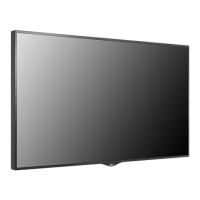
LG 55XS2B - User Manual

LG 55XS2B
117 pages
Print Icon
To Next Page IconTo Next Page
Loading...
www.lg.com
Copyright © 2017 LG Electronics Inc. All Rights Reserved.
OWNER’S MANUAL
Please read this manual carefully before operating your set and retain it for future
reference.
LG Digital
Signage
(MONITOR SIGNAGE)
49XF2B 49XS2B
55XF2B 55XS2B

Table of Contents

Other manuals for LG 55XS2B

Questions and Answers

  • M
    margaretcontrerasSep 23, 2025
    What to do if LG Digital Signage operation does not work normally?
    • J
      jasonedwardsSep 23, 2025
      If the operation of your LG Digital Signage does not work normally, check if the Timer is set. Also, review the power control settings. Note that a power interruption could also cause this issue.
  • L
    Lisa MillerAug 23, 2025
    What to do if the screen image looks abnormal on my LG Digital Signage?
    • G
      garymccallAug 23, 2025
      If the screen image on your LG Digital Signage looks abnormal, ensure that the graphic card resolution and frequency are supported by the product. If the frequency is out of range, set to the recommended resolution in the Control Panel Display Setting menu. Also, verify that the correct input signal is connected to the appropriate signal port; connect the signal cable that matches the source input signal.
  • J
    James FieldsAug 25, 2025
    How to fix the audio if it does not work on LG 55XS2B Digital Signage?
    • K
      Kelsey GarciaAug 26, 2025
      If the audio function on your LG Digital Signage isn't working, check if the audio cable is properly connected. Also, ensure that the volume is appropriately adjusted and that the correct sound settings are selected. You may also want to select the appropriate equalizer sound and re-adjust the volume.
  • W
    William HarringtonAug 26, 2025
    Why is the screen color abnormal on my LG Digital Signage?
    • T
      Timothy OrtizAug 26, 2025
      If the screen color on your LG Digital Signage appears abnormal, set the number of colors to more than 24 bits (true color) via Control Panel - Display - Settings - Color Table menu in Windows. Also, check the connection status of the signal cable and try re-inserting the PC video card. Note that some color variations are unique characteristics of the LCD panel and not a malfunction.
  • M
    Michael MitchellAug 27, 2025
    What to do if the 'Unknown Product' message appears when my LG Digital Signage is connected?
    • G
      George JonesAug 27, 2025
      If you see an 'Unknown Product' message when connecting your LG Digital Signage, check if the Plug & Play function is supported by referring to the video card user manual.
  • J
    johnathan07Sep 18, 2025
    Why does the audio function not work on my LG Digital Signage?
    • J
      Joshua NashSep 18, 2025
      If the audio function on your LG Digital Signage is not working, first check if the audio cable is connected properly. Then, adjust the volume settings and ensure the sound is set correctly. You may also want to select an appropriate equalizer sound and re-adjust the volume.
  • E
    Erin CarterSep 15, 2025
    Why does my LG 55XS2B Digital Signage display 'Unknown Product' message?
    • L
      Lindsay DunlapSep 15, 2025
      If your LG Digital Signage displays an 'Unknown Product' message when connected, check if the Plug & Play function is supported by referring to the video card user manual.
  • J
    jessicameyerSep 16, 2025
    What to do if no image is displayed on LG 55XS2B Digital Signage?
    • L
      Lisa ChambersSep 16, 2025
      If no image is displayed on your LG Digital Signage, start by ensuring the power cord is securely plugged into the power outlet. Also, verify that the signal cable connecting your PC and the product is properly connected. Use the INPUT menu on the remote control to select the correct input signal. If the issue persists, the signal from your PC's graphic card might be outside the product's vertical or horizontal frequency range. In this case, adjust the frequency range according to the specifications in the manual.
  • R
    roachtiffanySep 6, 2025
    Why does after-image appear on my LG 55XS2B Digital Signage?
    • P
      pachecodanielleSep 6, 2025
      If you've been using a fixed image for a long time, it may damage the pixels, so use the screen-saver function. Also, when a dark image is displayed after a high contrast image (black and white or gray), this is normal for LCD screen products.
  • Z
    zamoraerikSep 3, 2025
    What to do if the audio function does not work on my LG 55XS2B?
    • B
      Brittany FoleySep 4, 2025
      If the audio function isn't working on your LG Digital Signage, first check that the audio cable is properly connected. Then, adjust the volume settings. Also, make sure the sound settings are correctly configured and the appropriate equalizer sound is selected.

Summary

Important Precautions

Electrical Power Related Precautions

Precautions regarding the safe use of electrical power, including grounding, cord handling, and outlet usage.

Precautions in Installing the Product

Safety guidelines for installing the monitor, including placement and ventilation.

Installing on a Wall

MAKING CONNECTIONS

Connecting to a PC

Guide for connecting the monitor to a personal computer.

External Device Connection

Instructions for connecting external devices like HD receivers or DVD players.

ENTERTAINMENT

USER SETTINGS

Picture Settings

Adjust display settings for optimal picture quality.

Sound Settings

Adjust audio settings for optimal sound output.

Network Settings

Configure network connectivity and settings.

TROUBLESHOOTING

No image is displayed

Troubleshooting steps for when no image appears on the screen.

The screen image looks abnormal.

Solutions for abnormal screen display or positioning.

The audio function does not work.

Troubleshooting steps for audio issues like no sound or poor quality.

Screen color is abnormal.

Addressing problems with screen color resolution or black spots.

PRODUCT SPECIFICATIONS

TO CONTROL MULTIPLE PRODUCTS

Connecting and Configuring RS-232 C

Instructions for connecting and configuring multiple monitors via RS-232C.

RS-232 C Command Reference

A list of commands, their codes, and data for RS-232C control.

Transmission;Reception Protocol

Defines the protocol for sending and receiving commands via RS-232C.

INSTALLATION MENU

Factory Reset

Reset the product to its original factory settings.

LG 55XS2B Specifications

General IconGeneral
BrandLG
Model55XS2B
CategoryDigital Signage
LanguageEnglish

Related product manuals