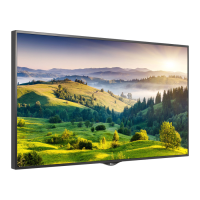
This document is an owner's manual for an LG Digital Signage (Monitor Signage) device, model 55XS2D. It provides comprehensive instructions for installation, operation, and maintenance, ensuring safe and optimal use of the product.
Function Description
The LG Digital Signage is a monitor designed for displaying digital content. It supports various input sources, including HDMI, DVI-D, and DisplayPort, allowing for flexible connectivity with PCs and external devices like HD receivers, DVDs, or VCR players. The monitor is capable of multi-display setups, enabling users to connect multiple monitors to create a larger, more impactful visual experience. It also features a "Plug and Play" function, which allows a connected PC to automatically recognize the device without extensive configuration. The monitor is designed to be installed in both landscape and portrait layouts, with specific instructions provided for rotating the monitor 90 degrees clockwise for portrait orientation. It includes a remote control for convenient operation, offering functions such as power on/off, input selection, volume adjustment, aspect ratio control, brightness adjustment, and navigation through menus. The device also supports SimpLink, allowing control of various multimedia devices through the remote.
Usage Features
The manual emphasizes several key usage features to enhance the user experience and ensure product longevity. For optimal image quality, HDMI connections are recommended. The monitor supports various PC and DTV resolutions, with specific horizontal and vertical frequencies listed for different modes. Users can adjust the picture mode (PSM), access the White Balance menu (W.BAL), and navigate through main menus and settings. The remote control provides dedicated buttons for these functions, along with options for 3D viewing (if supported by the model), numerical and alphabetical input, and media playback control via USB. The "Picture ID ON/OFF" feature allows for controlling specific monitors in a multi-display setup by matching the Picture ID number with the Set ID number. The manual also advises on using screen savers and the residual image prevention function to avoid image burn-in, especially when displaying fixed images for extended periods. For multi-monitor setups, the manual details how to connect multiple monitors using DP cables, ensuring proper signal flow from one monitor's DP Out to another's DP In.
Maintenance Features
Maintaining the LG Digital Signage involves several precautions and recommended practices outlined in the manual. Safety is paramount, with warnings against installing the product near heat sources, keeping packing materials away from children, and avoiding heavy objects on the display. Proper ventilation is crucial; the manual recommends a clearance of at least 100 mm from walls to prevent overheating and potential deformation or fire. Cleaning instructions advise unplugging the power cord and gently wiping the product with a soft cloth, explicitly prohibiting the use of wet cloths, sprays, or harsh chemicals like benzene, paint thinners, or alcohol, as these can cause electric shock, product deformation, or damage. The manual also stresses the importance of using only genuine components and approved power cords and AC adapters to prevent damage and ensure safety. For wall mounting, users are instructed to use VESA-compliant screws and brackets and to securely attach the monitor to the wall, with a recommendation to contact authorized service personnel for installation. To prevent image sticking, particularly with static images, the manual suggests changing the background and character colors at regular intervals (at least every 12 hours) and using complementary colors. It also advises against pressing on the screen with fingers or sharp objects to avoid temporary distortion or damage. Troubleshooting tips are provided for common issues such as no image display, "Invalid Format" messages, "No Signal" messages, abnormal screen images, and audio problems, guiding users through basic checks like cable connections, resolution settings, and volume adjustments. The manual also highlights that certain pixel anomalies (red, green, blue, white, or black spots) are normal characteristics of LCD panels and not malfunctions.



 To Next Page

 General