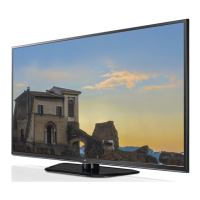
Need help?
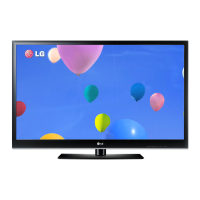
Do you have a question about the LG 60PK550C and is the answer not in the manual?
Key safety guidelines for proper product use and care.
Warning and prevention for screen burn-in.
List of included TV accessories.
Steps for installing the TV stand.
Information for mounting with a VESA bracket.
Safety instructions for securing the TV.
Instructions for connecting antenna/cable.
Connecting devices via HDMI.
Connecting DVI devices to HDMI input.
Connecting a PC via VGA or HDMI.
Description of remote control buttons.
On-screen guide for initial TV setup.
Navigating TV menus.
Accessing frequently used settings.
Setting up channels via Auto Scan.
Manually adding/deleting channels.
Setting up favorite channels.
Selecting and managing input sources.
Controlling HDMI-CEC devices.
Viewing and managing JPG photos from USB.
Playing MP3 files from USB.
Adjusting aspect ratio.
Step-by-step picture calibration.
Adjusting energy saving levels.
Selecting factory picture modes.
Manually adjusting picture settings.
Ensures consistent volume.
Enhances dialogue clarity.
Programming automatic turn on/off.
Setting password and enabling lock.
Blocking specific TV channels.
Setting movie rating limits.
Solutions for common TV problems.
 General
| Screen Size | 60 inches |
|---|---|
| Resolution | 1920 x 1080 |
| Display Type | Plasma |
| HDMI Ports | 3 |
| USB Ports | 1 |
| Component Video | 1 |
| Composite Video | 1 |
| Aspect Ratio | 16:9 |
| Refresh Rate | 600 Hz |
| Smart TV | No |
| 3D Capable | No |
| Brightness | 1500 cd/m2 |
| Inputs | HDMI, USB, Component, Composite |


 To Next Page