EasyManua.ls Logo

LG 84WT70PS-B.AWH - User Manual

LG 84WT70PS-B.AWH
79 pages
Print Icon
To Next Page IconTo Next Page
Loading...
www.lg.com
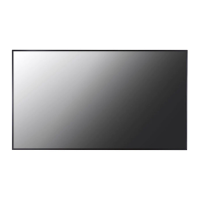
OWNER’S MANUAL
MONITOR SIGNAGE
84WT70PS
Please read this manual carefully before operating the your set and
retain it for future reference.
MONITOR SIGNAGE MODELS

Questions and Answers

  • M
    Mackenzie WellsSep 9, 2025
    What causes unstable or mono-colored screen on LG Monitor?
    • K
      Keith RiosSep 9, 2025
      If your LG Monitor's screen color is unstable or mono-colored, check the connection status of the signal cable. You can also try re-inserting the PC video card.
  • Z
    Zachary HornAug 25, 2025
    How to fix no sound on LG Monitor?
    • J
      Joshua PhelpsAug 25, 2025
      If there is no sound from your LG Monitor, check if the audio cable is properly connected. Also, adjust the volume and ensure the sound settings are configured correctly.
  • C
    Cynthia ValentineAug 25, 2025
    How to increase sound volume on LG Monitor?
    • J
      Jennifer SchwartzAug 26, 2025
      If the sound from your LG Monitor is too low, adjust the volume.
  • L
    Lori ColemanSep 23, 2025
    What to do if a touch is applied to a monitor other than the one I intended on LG Digital Signage?
    • J
      Jessica SnyderSep 23, 2025
      If a touch is being applied to the wrong monitor on your LG Digital Signage, especially when using multiple monitors: * Set the monitor as the default monitor by going to Control Panel > Display > Settings tab > Select the monitor > Use this device as the primary monitor. * Calibrate the touch screen by going to Control Panel > Hardware and Sound > Tablet PC Settings > Display > Display options > Calibrate or Reset.
  • G
    Glen LindseySep 10, 2025
    How to fix Display Sharing connection that is not working on LG Monitor?
    • J
      Justin GentrySep 12, 2025
      If the Display Sharing connection is not working on your LG Monitor, try removing the monitor’s name from the device list or rebooting the sink device and then try to connect again. Also, try turning ‘Off’ and ‘On’ the Display Sharing in the monitor's menu.
  • J
    James MurphySep 15, 2025
    How to turn off Key Lock on LG Monitor?
    • A
      ashley71Sep 15, 2025
      To release the key lock on your LG Monitor, go to Menu and Option and disable the Key Lock option.
  • V
    vanessamooreSep 4, 2025
    Why can't I use 10 touch points on my LG Touchscreen in Windows 7?
    • T
      Tracie WardSep 4, 2025
      If you cannot use 10 touch points on your LG Touchscreen in Windows 7, consider the following: * Ensure the content you are using (e.g., Flash Player, Paint) supports up to 10 touch points, as the content played may not support 10 touch points. * Remove the USB cable and connect it again after 10 seconds. * Run the content (e.g. Flash Player, Paint, etc.) again. * Restart your PC.
  • M
    Michael GriffinSep 5, 2025
    Why is touch applied to the wrong monitor on my LG Touchscreen?
    • J
      Juan KennedySep 5, 2025
      If a touch is applied to a monitor other than the one you intended on your LG Touchscreen, especially when using multiple monitors, try the following: * Set the monitor as the default monitor in Control Panel > Display > Settings tab > Select the monitor > Use this device as the primary monitor (U) > Apply (A). * Calibrate the touch screen through Control Panel > Hardware and Sound > Tablet PC Settings > Display > Display options > Calibrate or Reset.
  • J
    Jessica FarrellNov 28, 2025
    What to do if touch response is not working on LG 84WT70PS-B.AWH?
    • S
      Stephanie BranchDec 1, 2025
      If you are experiencing problems with touch response on your LG Digital Signage, begin by checking the USB cable connection between your PC and the monitor. Ensure it is firmly connected. Also, verify the connection in Windows 7 / 8.x under Control Panel > System and Security > System, and check the number of touch-points supported under Pen and Touch. Ensure your PC's power cord is firmly plugged into a power outlet and that the monitor is powered on. If the screen is on, restart your PC to resolve potential network instability issues. Finally, if using Windows 7 / 8.x, calibrate or reset the touch screen via Control Panel > Hardware and Sound > Tablet PC Settings > Display > Display options. If you are using multiple monitors, set the monitor as the default monitor via Control Panel > Di...
  • A
    Abigail SchultzAug 30, 2025
    Why can't I use 10 touch points on LG 84WT70PS-B.AWH Digital Signage in Windows 7/8.x?
    • P
      Patrick VazquezAug 30, 2025
      If you cannot use 10 touch points in Windows 7 / 8.x on your LG Digital Signage, ensure that the content you are using supports up to 10 touch points. Some applications, like Flash Player or Paint, may not support it. Try removing and reconnecting the USB cable after 10 seconds, or restart the content. Restarting your PC may also help. Note that touch errors may occur if the gap between two touch points is 20 mm or less, and 10 touch points may work unstably on the edge of the touch screen.

LG 84WT70PS-B.AWH Specifications

General IconGeneral
Display Size84 inches
Display TechnologyLCD
Brightness500 cd/m²
Viewing Angle178° (H) / 178° (V)
External ControlRS-232C, LAN
Operating Hours24/7
Operating Temperature0°C to 40°C
Storage Temperature-20°C to 60°C
Standby Power Consumption0.5 W
VESA Mount600 x 400 mm
Resolution3840 x 2160
Response Time8 ms
InputHDMI, DisplayPort, USB, RS-232C
OrientationLandscape

Related product manuals