EasyManua.ls Logo

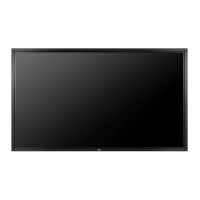
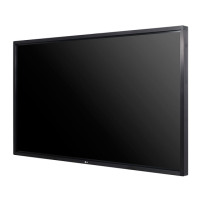
LG 84TR3B - User Manual

LG 84TR3B
74 pages
Print Icon
To Next Page IconTo Next Page
Loading...
www.lg.com
Please read this manual carefully before operating your set and retain it for future reference.
84TR3B
Owners Manual
LG Digital
Signage
(MONITOR SIGNAGE)

Other manuals for LG 84TR3B

Questions and Answers

  • S
    Stephanie HaleAug 12, 2025
    Why is no image displayed on my LG Digital Signage?
    • S
      Shane JenkinsAug 12, 2025
      If your LG Digital Signage isn't displaying an image, try these steps: * Ensure the power cord is properly connected to the outlet and the power switch is turned on. * Adjust the brightness and contrast settings. * Check the signal cable and ensure it's properly connected. * Press the INPUT menu on the remote control to verify the input signal. If the issue persists, the backlight may need repair. If the signal from the PC is out of range, adjust the frequency range according to the specifications.
  • C
    Connie RamirezAug 16, 2025
    How to fix abnormal screen color on LG 84TR3B?
    • M
      Michael ThomasAug 16, 2025
      If the screen color on your LG Digital Signage appears abnormal, try the following: * Set the number of colors to more than 24 bits (true color) via Control Panel - Display - Settings - Color Table in Windows. * Check the connection status of the signal cable. * Re-insert the PC graphic card. * For Windows 7, go to Start -> Control Panel -> Appearance and Personalization -> Font and select Adjust ClearType text. * If you are using a specific graphic card that supports the UHD resolution, the problem may not be solved due to compatibility issues.
  • N
    normajacobsonAug 20, 2025
    What to do if the audio function doesn't work on LG Digital Signage?
    • J
      John NealAug 20, 2025
      If the audio function is not working on your LG Digital Signage, ensure the following: * The audio cable is connected properly. * The volume is adjusted appropriately. * The sound settings are configured correctly. * Clear Voice ll, Treble, and Bass settings are adjusted appropriately.
  • M
    Mr. Robert SmithAug 25, 2025
    How to troubleshoot touch response issues on LG 84TR3B Digital Signage?
    • Q
      qwrightAug 25, 2025
      To troubleshoot touch response issues on your LG Digital Signage, check the following: * The USB cable connection. * The PC power. * Restart your PC. * The signal cable connection. * The monitor power. * If the screen is currently on. Also, consider changing your tablet PC settings (Windows 7 / 8.x).
  • W
    wilsonyeseniaAug 27, 2025
    Why does the screen image look abnormal on my LG Digital Signage?
    • R
      robynlopezAug 27, 2025
      If the screen image looks abnormal on your LG Digital Signage, verify that the graphic card resolution and frequency are supported by the product. Also, ensure the proper input signal is connected to the signal port; connect the signal cable that matches the source input signal.
  • E
    Evelyn MurphyAug 31, 2025
    What to do if LG 84TR3B operation does not work normally?
    • C
      Chase YoderAug 31, 2025
      If the operation of your LG Digital Signage does not work normally, check if the sleep timer is set and review the power control settings. Also, consider if there was a power interruption.
  • J
    Jimmy BrownSep 4, 2025
    How to prevent after-image on LG 84TR3B?
    • J
      Jason LynchSep 4, 2025
      To prevent after-images on your LG Digital Signage, avoid using a fixed image for extended periods, as this can damage pixels quickly. Utilize the screen-saver function to mitigate this issue.
  • D
    Desiree JohnsonSep 7, 2025
    Why can't I use 10 touch points on my LG 84TR3B Digital Signage in Windows 7/8.x?
    • V
      Valerie NguyenSep 7, 2025
      If you cannot use 10 touch points on your LG Digital Signage in Windows 7 / 8.x, ensure that the content you are using supports up to 10 touch points. Try removing the USB cable and reconnecting it after 10 seconds, or running the content (e.g., Flash Player, Paint, etc.) again. Restarting your PC may also help. Note that touch errors may occur if the gap between two touch points is 20 mm (0.78 inches) or less, and 10 touch points may work unstably on the edge of the touch screen.

Summary

Important Precautions

Electrical Power Related Precautions

Essential safety measures for electrical power connection and usage.

Precautions for Installing the Product

Product Handling and Cleaning Precautions

Connecting the Speaker

Connecting the Media Player

Installing on a Wall

Securing the Product to a Wall (Optional)

REMOTE CONTROL

Remote Control Button Functions

Explanation of all buttons on the remote control and their respective functions.

USING THE MONITOR

Connecting to a PC

Steps to connect a PC to the monitor for display and optimal performance.

HDMI Input Details

ENTERTAINMENT

Tips for Using USB Storage Devices

Screen Share Functionality

Picture ID Settings for Multi-Vision

Picture Setting

Fine-tune the Picture Mode

Picture Options and Aspect Ratio

Energy Saving and Picture Test

Sound Settings

Network Settings

Tips for Network Setting

Tips for Wireless Network Setting

USING THE TOUCH SCREEN

Touch Screen Setup on Windows 7;8.x

Steps to connect and enable the touch screen functionality on Windows 7/8.x.

Precaution When Using the Touch Screen

LG Touch Screen Software Specifications

TROUBLESHOOTING

No Image or Dark Screen Issues

Solutions for problems like no display, dark screen, or invalid format messages.

Screen Image Abnormalities

Audio and Screen Color Problems

Touch Response Problems

SPECIFICATIONS

Video Signal Support Modes (PC & DTV)

Video Signal Support Modes (DisplayPort & SuperSign)

TO CONTROL MULTIPLE PRODUCTS

RS-232 C Command Reference List

RS-232 C Command Reference List (Continued)

Transmission;Reception Protocol

RS-232 C Command Details: Power, Input, Aspect Ratio, Energy Saving

RS-232 C Command Details: Picture Settings

RS-232 C Command Details: Sound and Time Settings

RS-232 C Command Details: Timer Schedules

RS-232 C Command Details: Power Off, Language, Reset

RS-232 C Command Details: White Balance and Backlight

RS-232 C Command Details: Screen Off, Tile Mode, Natural Mode

RS-232 C Command Details: Key Lock, Power Delay, Fail Over

RS-232 C Command Details: IR Operation, Check Screen, Speaker

LG 84TR3B Specifications

General IconGeneral
BrandLG
Model84TR3B
CategoryDigital Signage
LanguageEnglish

Related product manuals