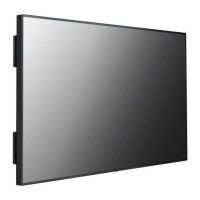
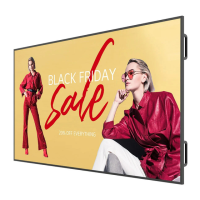
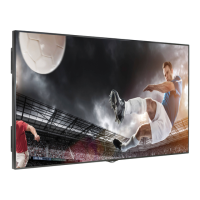
This document serves as the owner's manual for LG Digital Signage (Monitor Signage) models 55TR3DK-B, 55TR3DK-I, 65TR3DK-B, 65TR3DK-I, 75TR3DK-B, 75TR3DK-I, 86TR3DK-B, 86TR3DK-I, 98TR3DK-B, and 98TR3DK-I. It provides essential information for operating, installing, and maintaining the device.
Function Description
The LG Digital Signage is an electronic blackboard, a display product designed for interactive use through touch. It can be operated by touching the screen with a hand or a dedicated touch pen. The device is suitable for various purposes, including launching menus, taking notes, annotating, and drawing on data. It supports simultaneous use of two touch pens, each assignable to different colors, and features dual-tip pens (3 mm and 8 mm) for precise or broad strokes.
Important Technical Specifications
- Models Covered: 55TR3DK-B/I, 65TR3DK-B/I, 75TR3DK-B/I, 86TR3DK-B/I, 98TR3DK-B/I.
- Power:
- Voltage: 100-240 V~ 50/60 Hz for all models.
- Current: 3.5 A (55TR3DK-B/I), 4.0 A (65TR3DK-B/I, 75TR3DK-B/I), 5.5 A (86TR3DK-B/I, 98TR3DK-B/I).
- Dimensions (Width x Height x Depth) / Weight:
- 55TR3DK-B/I: 1271 mm x 774 mm x 87 mm / 26.1 kg (50 inches x 30.4 inches x 3.4 inches / 57.5 lbs).
- 65TR3DK-B/I: 1488 mm x 897 mm x 88 mm / 34.95 kg (58.5 inches x 35.3 inches x 3.4 inches / 77 lbs).
- 75TR3DK-B/I: 1709 mm x 1020 mm x 88 mm / 47.3 kg (67.2 inches x 40.1 inches x 3.4 inches / 104.2 lbs).
- 86TR3DK-B/I: 1957 mm x 1160 mm x 100 mm / 58.55 kg (77 inches x 45.6 inches x 3.9 inches / 129 lbs).
- 98TR3DK-B/I: 2244 mm x 1323 mm x 91 mm / 103.6 kg (88.3 inches x 52.0 inches x 3.5 inches / 228.3 lbs).
- Input/Output Ports: HDMI IN 1, HDMI IN 2, HDMI IN 3, VGA IN, USB 3.0 IN, USB 2.0 IN, LAN, AUDIO IN/OUT, RS-232C IN, TOUCH USB, OPS, SPDIF, HDMI OUT, USB 3.1 IN (USB Type-C).
- Embedded Battery: Not Applied.
- Resolution:
- Recommended Resolution (VGA): 1920 x 1080 @ 60 Hz.
- Max Resolution (HDMI1/HDMI2/HDMI3): 3840 x 2160 @ 60 Hz (may vary with OS/graphics card).
- Supports various VGA, USB Type-C, and HDMI/OPS modes with different horizontal and vertical frequencies.
- Environmental Conditions:
- Operating Temperature: 0 °C to 40 °C (32 °F to 104 °F).
- Operating Humidity: 10% to 90% (non-condensing).
- Storage Temperature: -20 °C to 60 °C (-4 °F to 140 °F).
- Storage Humidity: 10% to 90% (non-condensing), specifically for product box packaging storage.
- Touch Screen:
- Supported OS: Windows 10 / Windows 8 / Windows 7 / Android / Linux / macOS (Linux/macOS support 1-point touch).
- Chrome OS: 16 Points.
- Touch Points: 40 Points (Windows/Android), 16 Points (Chrome OS).
- Spacing between touches: At least 25 mm (0.9 inches).
- Speaker (Applicable to speaker-supporting models):
- RMS audio output: 15 W + 15 W (R + L) for 55/65/75/86TR3DK-B/I; 16 W + 16 W (R + L) for 98TR3DK-B/I.
- Input Sensitivity: 0.2 ~ 2 Vrms.
- Speaker impedance: 6 Ω.
Usage Features
- Interactive Display: The primary function is an interactive display that responds to touch input from hands or touch pens.
- Multiple Connectivity Options: Equipped with a comprehensive range of input/output terminals on the front, side, and bottom for connecting various external devices, including USB Type-C, HDMI, VGA, LAN, RS232C, and audio.
- Built-in PC (OPS) Slot: Allows for the insertion of an optional built-in PC (OPS) for enhanced functionality.
- Touch Pen Functionality:
- Two touch pens can be used simultaneously.
- Pens have two tips (3 mm and 8 mm) for different writing/drawing styles.
- A magnetic holder keeps the touch pens securely attached to the device.
- Pressing the pen on the screen for about 2 seconds in a built-in PC (OPS), PDF viewer, or Word document environment can bring up a right-click menu.
- Wall Mounting: The device can be wall-mounted using an optional wall mount support that complies with VESA standard specifications. It requires at least 10 cm (3.9 inches) of clearance from the wall for ventilation.
- Power Management: Features a power switch on the front or next to the power terminal for easy on/off control.
- Transportation Handles: Handles are provided for safe movement of the electronic blackboard.
Maintenance Features
- Component Check: Users are advised to check all components upon receipt and contact customer support if any are missing.
- Product Packaging: The product box should be retained for future use, especially when moving the device.
- Dust Prevention: The warranty does not cover damage caused by using the product in excessively dusty environments.
- Afterimage Prevention:
- Avoid displaying still images for extended periods; use screen-saver functions.
- Switch the screen at equal time intervals, ensuring background and text colors are complementary.
- The maximum recommended time for a fixed screen is 12 hours, with shorter cycles being better.
- Touch Pen Tip Replacement: Worn or damaged touch pen tips can be replaced by pulling the old tip with tools and sliding in a new one. Additional touch pens and spare tips can be purchased from LG Electronics.
- Cleaning: While not explicitly detailed, the manual implies the need for a clean operating environment to prevent dust-related issues.
- Warranty Information: The warranty does not apply to damage from counterfeit products or incorrect wall mount components.
- ENERGY STAR® Qualification: The product is ENERGY STAR® qualified. Users are advised that changing factory default settings or enabling certain optional features may increase energy consumption beyond ENERGY STAR® certification limits.
- Noise: Temporary noise when powering on or off the device is normal.

 Need help?
 General

 To Next Page