23MAINTENANCE
ENGLISH
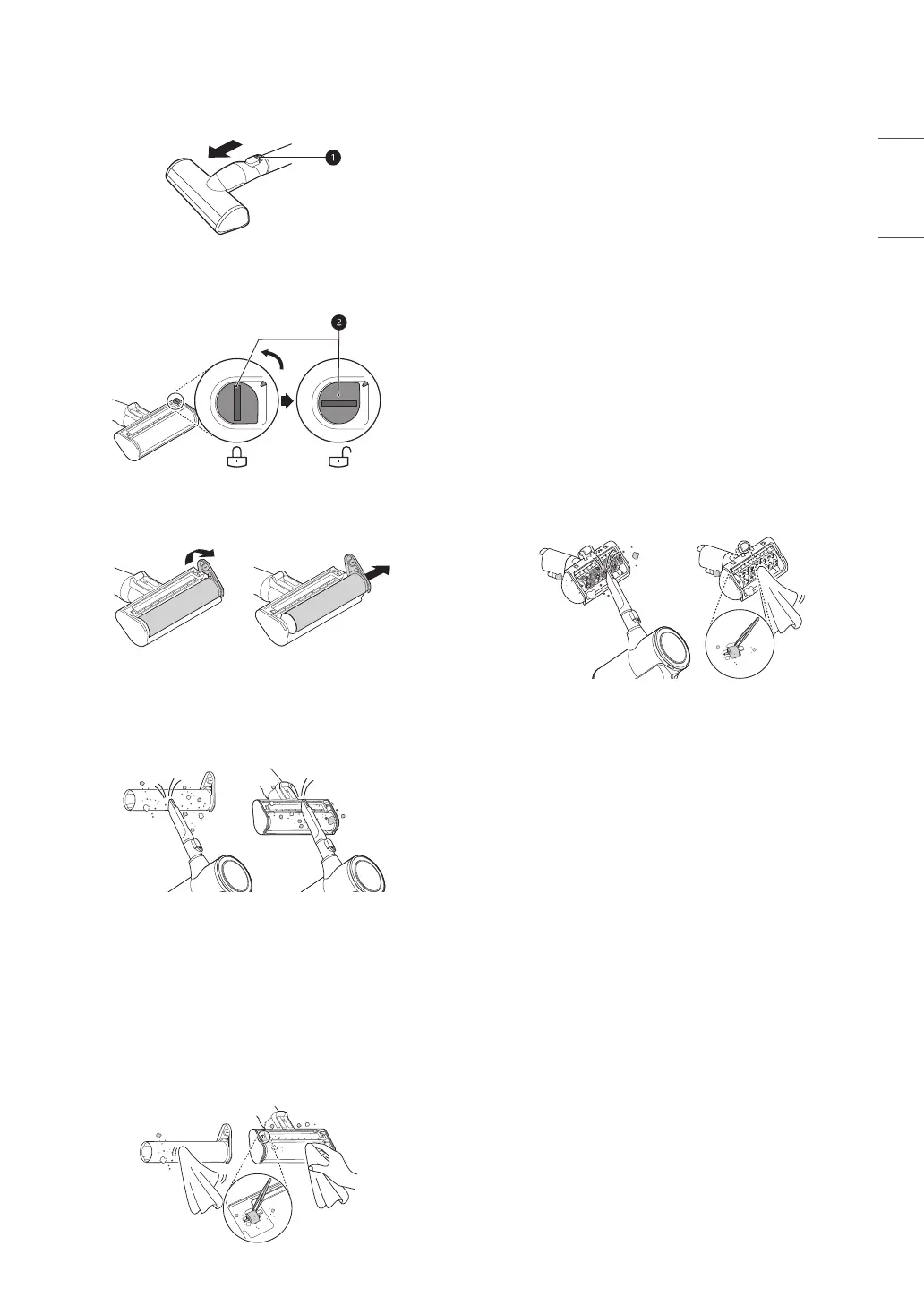
1 Press the nozzle release button a to remove
the nozzle from the extension pipe or product
body.
2 Turn the nozzle upside down and rotate the
cover lock slot b counterclockwise.
3 Pull the brush cover forward and pull the
brush out.
4 Attach the crevice tool to the product body
and use the vacuum to remove foreign
objects and dust from the brush and the
bottom of the nozzle.
5 Use a damp towel or cloth to remove any
remaining foreign objects and dust from the
brush and the bottom of the nozzle.
• Carefully use a tweezers to remove foreign
objects from the nozzle rollers.
• Do not rinse or submerge the rotating
brush or nozzle in water.
6 Slide the brush back into the nozzle and
rotate the cover back into place. Turn the
cover lock clockwise to lock the cover.
Cleaning the Bedding Nozzle
1 Press the nozzle release button to remove the
nozzle from the extension pipe or product
body and turn the nozzle upside down.
2 Attach the crevice tool to the product body
and use the vacuum to remove foreign
objects and dust from the bottom of the
nozzle.
• Use a damp towel or cloth to remove any
remaining foreign objects and dust from
the bottom of the nozzle. After cleaning,
wipe the nozzle dry.
• Do not rinse or submerge the nozzle in
water.


 To Next Page