EasyManua.ls Logo

LG CordZero A9 S - User Manual

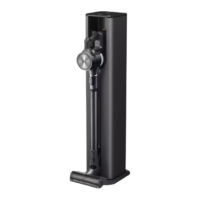
LG CordZero A9 S
36 pages
Print Icon
To Next Page IconTo Next Page
Loading...
www.lg.com
OWNER'S MANUAL
A9 S
• Charge the battery fully before first use.
• Read the Safety Instructions before using the product.
• After reading this manual, keep it in an easily accessible location.
Copyright © 2020 LG Electronics Inc. All Rights Reserved
MFL69883639
us_main.book.book Page 1 Tuesday, March 31, 2020 5:28 PM

Questions and Answers

  • L
    lewisamberAug 14, 2025
    Why is my LG CordZero A9 S Vacuum Cleaner suction power so weak?
    • K
      Krystal GreenAug 14, 2025
      Weak suction power in your LG Vacuum Cleaner can be due to several reasons. The dust bin might be full, so empty it. The filters could be clogged, so clean both the pre-filter and the exhaust filter. There might be a blockage in the inlet, so remove any foreign objects from inside the product body or the extension pipe. Finally, check the rotating brush and inlet port for obstructions like thread or hair and remove them.
  • A
    Alexandria Cardenas DVMAug 17, 2025
    Why is my LG Vacuum Cleaner not charging?
    • R
      Rodney MartinAug 18, 2025
      If your LG Vacuum Cleaner isn't charging, make sure the power adapter is firmly connected to the charging station and that the power cord is securely plugged in. Also, check the charging terminals for any dirt or foreign objects and remove them with a dry cloth.
  • A
    Andrew MasonAug 21, 2025
    What to do if my LG Vacuum Cleaner turns off unexpectedly?
    • B
      Brendan FreemanAug 21, 2025
      If your LG Vacuum Cleaner is turning off unexpectedly, ensure the battery is fully charged before use. Also, check for any foreign objects in the product body, extension pipe, inlet port, or nozzle and remove them. Clogged filters can also cause this issue, so clean the pre-filter and the exhaust filter.
  • J
    Joseph RichardsAug 25, 2025
    How to fix a rotating brush that doesn't rotate on my LG CordZero A9 S?
    • S
      sstoutAug 26, 2025
      If the rotating brush on your LG Vacuum Cleaner isn't rotating, first ensure that the brush is properly installed. Remove the brush, clean it if necessary, and reattach it. Also, check for any foreign objects on the rotating brush and remove them.
  • D
    Daniel GonzalezAug 28, 2025
    Why does my LG CordZero A9 S Vacuum Cleaner make so much noise?
    • P
      Phillip WalshAug 28, 2025
      Your LG Vacuum Cleaner might be loud because it's running in Turbo mode. The motor may be louder at higher suction power settings, which is normal.
  • O
    ortegareginaSep 1, 2025
    What to do if my LG CordZero A9 S Vacuum Cleaner does not operate?
    • A
      Allen FuentesSep 1, 2025
      If your LG Vacuum Cleaner isn't working, first check if the battery is fully discharged and charge it if needed. Also, make sure the appliance is turned on by pressing the Power button.
  • K
    kylemillerSep 5, 2025
    Why does my LG CordZero A9 S have a strange odor?
    • K
      Kimberly AvilaSep 5, 2025
      A strange odor from your LG Vacuum Cleaner could stem from a few causes. If the appliance is new (within 3 months), it may emit a rubber smell. If not, the dust bin may be full, so empty and clean it. Also, check the filters for foreign objects and clean the pre-filter and exhaust filter regularly. Ensure the pre-filter and exhaust filter are completely dry before reassembling to prevent odors.
  • D
    David BennettSep 8, 2025
    Why is hot air coming from my LG CordZero A9 S Vacuum Cleaner?
    • J
      joann46Sep 8, 2025
      If hot air is coming from your LG Vacuum Cleaner, it's likely due to the motor cooling. If the appliance is running normally, this is not a sign of malfunction.

Summary

IMPORTANT SAFETY INSTRUCTIONS

Safety Alerts and Symbols

Key safety alerts and symbols to ensure user safety and product care.

Critical Safety Warnings

Critical warnings to prevent serious injury, death, fire, or electrical hazards.

Operational Cautions

Precautions to avoid minor injury, product damage, or malfunction.

Battery Safety and Handling

Essential safety guidelines for using, charging, handling, and disposing of the battery.

Appliance Installation Safety

Safety rules for installing, charging, and storing the appliance to prevent hazards.

Operational Safety Guidelines

Operational safety practices, including cord handling and electrical precautions.

Maintenance Safety Precautions

Safety measures for cleaning, maintenance, and avoiding risks during upkeep.

Product Disposal Guidelines

Safe procedures and regulations for disposing of the appliance and its packaging.

INSTALLATION

Product Component Overview

Introduction to the product's main components and included accessories.

Included Accessories and Tools

List and description of included accessories, installation kit, and tool sets.

Appliance and Charger Specifications

Technical details of the appliance, including dimensions, weight, and power.

Charging Station Setup

Step-by-step guide for setting up the charging station correctly.

Wall Mounting with Tape

Instructions for wall-mounting the charging station using adhesive tape.

Secure Wall Mounting

Detailed steps for securely attaching the charging station to a wall.

Floor-Based Charging Setup

Alternative methods for placing the charging station on the floor.

Vacuum Cleaner Assembly

Instructions for connecting the main parts of the vacuum cleaner.

Accessory Storage Methods

Guidance on how to properly store various cleaning tools and attachments.

OPERATION

Initial Operation Setup

Initial setup and precautions before operating the vacuum cleaner.

Attaching Nozzles and Tools

How to connect different nozzles and tools to the appliance body.

Handle Display Indicators

Explanation of the various indicators and icons on the appliance handle.

Suction Power Adjustment

Methods for changing suction levels and activating different modes.

Battery Charging Procedures

Procedures for charging the main and auxiliary batteries effectively.

Nozzle and Tool Usage Guide

Guide on selecting and using various specialized cleaning nozzles and tools.

Kompressor Lever Function

Instructions on operating the lever to compress dust in the dust bin.

SMART FUNCTIONS

LG ThinQ App Integration

Connecting and utilizing the LG ThinQ mobile app for appliance control.

Smart Diagnosis Feature

How to use the feature to diagnose and resolve appliance issues.

MAINTENANCE

Appliance Cleaning Guide

Steps for cleaning the main body, filters, and dust bin for optimal performance.

Filter Cleaning and Maintenance

Detailed guide for washing and maintaining the exhaust and pre-filters.

Nozzle Cleaning Procedures

Procedures for cleaning specific nozzles like Power Carpet and Punch Nozzle.

TROUBLESHOOTING

Troubleshooting Common Issues

Common operational problems and their potential solutions.

LIMITED WARRANTY

US Limited Warranty Terms

Overview of the warranty terms, conditions, and coverage for US customers.

Service and Support Contacts

Contact details for obtaining warranty service and product support.

Dispute Resolution Process

Guidelines for arbitration and handling claims related to the limited warranty.

APPENDIX

Product Patent Information

Information regarding patents that cover the product in the United States.

LG CordZero A9 S Specifications

General IconGeneral
StyleCordless Handheld
ColorMatte Grey
Total Power-
Suction Power140 W
Dust Bin Capacity0
Power Controls-
Operating Radius-
Cord Length-
Hose Length-
Automatic Cord Rewind-
Exhaust Filter5-Step HEPA Filtration System
Motor Protection Filter-
Park system-
?leaning Area-
Noise Level84 dB
Cleaning ModesAuto Clean
FeaturesSmart Motion technology
Brushes and AccessoriesCleaning Cloth x 2
Power Consumption400W
Battery LifeNormal mode (Handheld) 80min / Normal mode (Stick) 60min / Power mode (Stick) 18min / Turbo mode (Stick) 12min
Battery Capacity-
Weight and Dimensions IconWeight and Dimensions
Depth10.6 in
Height44.1 in
Width10.2 in
Net Weight5.63 lbs

Related product manuals