EasyManua.ls Logo

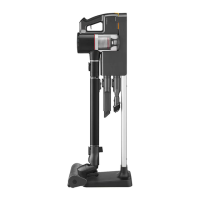
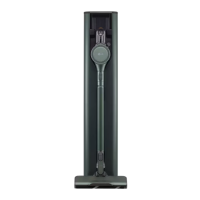
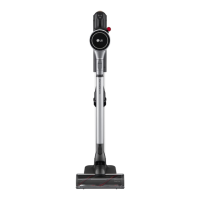
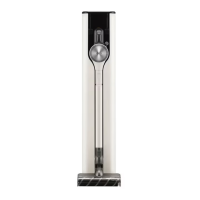
LG A9N Series - User Manual

LG A9N Series
40 pages
Print Icon
To Next Page IconTo Next Page
Loading...
OWNER'S MANUAL
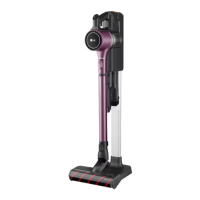
VACUUM CLEANER
Before beginning installation, read these instructions
carefully. This will simplify installation and ensure that the
product is installed correctly and safely. Leave these
instructions near the product after installation for future
reference.
ENGLISH
A9N*******
MFL69883699
Rev.00_102521
www.lg.com
Copyright © 2021 LG Electronics Inc. All Rights Reserved.

Questions and Answers

  • S
    Sharon WilliamsJul 30, 2025
    How to fix an LG Vacuum Cleaner that won't turn on?
    • T
      Thomas GibsonJul 30, 2025
      If your LG Vacuum Cleaner does not operate, it may be due to a fully discharged battery. In this case, you should charge the battery. Alternatively, the appliance may be turned off. Press the Power button to turn it on.
  • L
    Laura KramerAug 6, 2025
    What to do if my LG Vacuum Cleaner is not charging?
    • N
      Nicole BrownAug 6, 2025
      If your LG Vacuum Cleaner is not charging, ensure the power cord is securely plugged into the outlet. Also, check the charging terminals for any dirt or foreign objects and remove them with a dry cloth.
  • D
    David HolmesAug 13, 2025
    Why is my LG A9N suction power so weak?
    • T
      Todd ClarkAug 13, 2025
      If your LG Vacuum Cleaner's suction power is weak, it might be due to several reasons. First, check if the dust bin is full and empty it if necessary. Secondly, the filters could be clogged, so clean both the pre-filter and the exhaust filter. Also, inspect the inlet for any blockages and remove any foreign objects from inside the product body or the extension pipe. Finally, check the rotating brush and inlet port for obstructions like thread or hair, and remove them.
  • R
    rleeAug 22, 2025
    Why is hot air coming from my LG A9N?
    • R
      Ruth SandovalAug 22, 2025
      If hot air is coming from the product body of your LG Vacuum Cleaner, it's likely just the motor cooling. If the appliance is running normally, this is not a sign of malfunction.

Summary

Safety Instructions

General Safety Warnings

Key safety guidelines, including warnings, cautions, and symbol explanations.

Battery and Charging Safety

Safe practices for using, charging, and storing the appliance's battery.

Installation and Operation Safety

Precautions for safe installation, usage, and maintenance.

Installation Guide

Product Overview and Components

Illustration of the vacuum cleaner's parts and main components.

Charging Station Installation

Step-by-step instructions for installing the charging station, including self-standing and wall-mounted options.

Accessory and Tool Storage

Guidance on organizing and storing the appliance, accessories, and tools.

Operation Guide

Getting Started and Assembly

Initial setup, pre-use checks, and assembling the appliance with attachments.

Battery Management and Suction Control

Instructions for charging the battery and adjusting suction power levels.

Mop Nozzle Usage Guide

Detailed steps for operating the mop nozzle, including water tank and pad management.

Maintenance and Cleaning

Appliance, Dust Bin, and Filter Cleaning

Procedures for cleaning the main appliance body, dust bin, and essential filters.

Nozzle and Brush Maintenance

Instructions for cleaning various nozzles, brushes, and rollers for optimal performance.

Troubleshooting

Operation and Performance Issues

Solutions for common problems like appliance not operating or weak suction.

Mop Nozzle Functionality Issues

Troubleshooting specific problems encountered with the mop nozzle.

LG A9N Series Specifications

General IconGeneral
Battery TypeLithium-Ion
Telescopic WandYes
Charging Time4 hours
Dust Bin Capacity0.44 L
Filtration System5-stage filtration system
Run Time (Power Mode)Up to 40 minutes
Nozzlescrevice tool
Power SourceBattery
AccessoriesCharging Stand
Washable Componentsfilter
Filter TypeHEPA Filter
TypeStick Vacuum Cleaner

Related product manuals