EasyManua.ls Logo

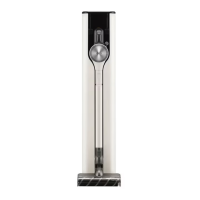
LG A9T Series - User Manual

LG A9T Series
88 pages
Print Icon
To Next Page IconTo Next Page
Loading...
OWNER'S MANUAL
VACUUM CLEANER
Before beginning installation, read these instructions
carefully. This will simplify installation and ensure that the
product is installed correctly and safely. Leave these
instructions near the product after installation for future
reference.
ENGLISH
A9T******
MFL71880935
Rev.00_051523
www.lg.com
Copyright © 2023 LG Electronics Inc. All Rights Reserved.

Questions and Answers

  • M
    Mr. Albert Price MDJul 29, 2025
    How to fix an LG A9T Vacuum Cleaner that won't turn on?
    • B
      beth72Jul 29, 2025
      If your LG Vacuum Cleaner isn't turning on, make sure the battery isn't completely discharged by charging it. Also, verify that the appliance is actually turned on by pressing the Power button.
  • V
    velezdanielAug 3, 2025
    What to do if my LG Vacuum Cleaner is not charging?
    • D
      Doris UnderwoodAug 3, 2025
      If your LG Vacuum Cleaner isn't charging, ensure the power cord is securely plugged into the outlet. Also, check the charging terminals for any dirt or foreign objects and remove them with a dry cloth.
  • L
    Lisa ThompsonAug 8, 2025
    Why is the suction power of my LG A9T so weak?
    • T
      Tiffany McleanAug 8, 2025
      If the suction power of your LG Vacuum Cleaner is weak, it could be due to several reasons. First, check if the dust bin is full and empty it if necessary. Secondly, the filters might be clogged, so clean both the pre-filter and the exhaust filter. Also, inspect the inlet for any blockages and remove any obstructions from inside the product body or the extension pipe. Finally, check the rotating brush and the inlet port for any foreign objects like thread or hair and remove them.
  • V
    Vincent LaraAug 12, 2025
    Why does my LG Vacuum Cleaner smell strange?
    • K
      Kerri ButlerAug 13, 2025
      If you notice a strange odor coming from your LG Vacuum Cleaner, it could be due to a couple of reasons. If you recently purchased the appliance (within the last 3 months), it might just be the smell of rubber, which should dissipate over time. Alternatively, the dust bin might be full, so try emptying and cleaning it.
  • S
    Stephanie StrongAug 18, 2025
    Why is hot air coming from my LG A9T?
    • K
      Kenneth ButlerAug 18, 2025
      If you feel hot air coming from the body of your LG Vacuum Cleaner, and the appliance is running normally, this is likely just the motor cooling down and isn't a sign of any problem.
  • F
    Frederick LeeAug 22, 2025
    What to do if the Kompressor lever on my LG A9T Vacuum Cleaner does not return?
    • J
      Jamie HunterAug 22, 2025
      If the Kompressor lever on your LG Vacuum Cleaner isn't returning, it might be because foreign objects are stuck in the cyclonic mesh filter. Remove the cyclonic mesh filter and clean it using the provided cleaning brush.

Summary

Safety Instructions

General Safety Precautions

Covers general warnings, cautions, and safety messages for safe operation.

Battery and Charging Safety

Safety guidelines for using and handling the battery and charging station.

Installation, Operation, and Disposal Safety

Safety instructions for installation, operation, maintenance, and disposal.

Steam Mop Nozzle Safety

Specific safety precautions for using the steam mop nozzle.

Installation

Product Overview and Components

Details on appliance parts, accessories, tools, and mop kit.

Specifications

Technical specifications for the appliance and charging station.

Storing the Appliance and Accessories

Instructions for assembling, storing, and organizing the appliance and its parts.

Operation

Getting Started and Attachments

Initial setup, assembling attachments, and adjusting the extension pipe.

Controls and Display

Explanation of the control panel, indicators, and suction power adjustments.

Charging the Battery

Instructions for charging the main and spare batteries.

Using the Steam Mop Nozzle

Comprehensive guide on using the steam mop, including filling, attaching pads, and modes.

Nozzle and Tool Usage

How to use various specific nozzles and tools for different cleaning tasks.

Kompressor Lever Operation

Instructions for using the Kompressor lever to compress dust.

Smart Functions

LG ThinQ Application Guide

Features, installation, and connection of the LG ThinQ application.

Wi-Fi Connectivity and Diagnosis

Connecting to Wi-Fi, managing connection, and using LG ThinQ for diagnostics.

Maintenance

Cleaning the Appliance and Dust Bin

Procedures for cleaning the product body, dust bin, and removing foreign objects.

Cleaning Filters and Nozzles

Steps for cleaning various filters, nozzles, and brush heads.

Troubleshooting

Common Operational Issues

Solutions for problems like appliance not operating, weak suction, strange odors, or steam issues.

Wi-Fi Connection Problems

Troubleshooting steps for issues related to Wi-Fi network connectivity.

LG A9T Series Specifications

General IconGeneral
TypeStick
Battery TypeLithium-Ion
Charging Time4 hours
Filter TypeHEPA
Filtration System5-Step Filtration
Telescopic WandYes
Washable FilterYes
Dust Capacity0.44L
Accessoriescrevice tool, combination tool

Related product manuals