5
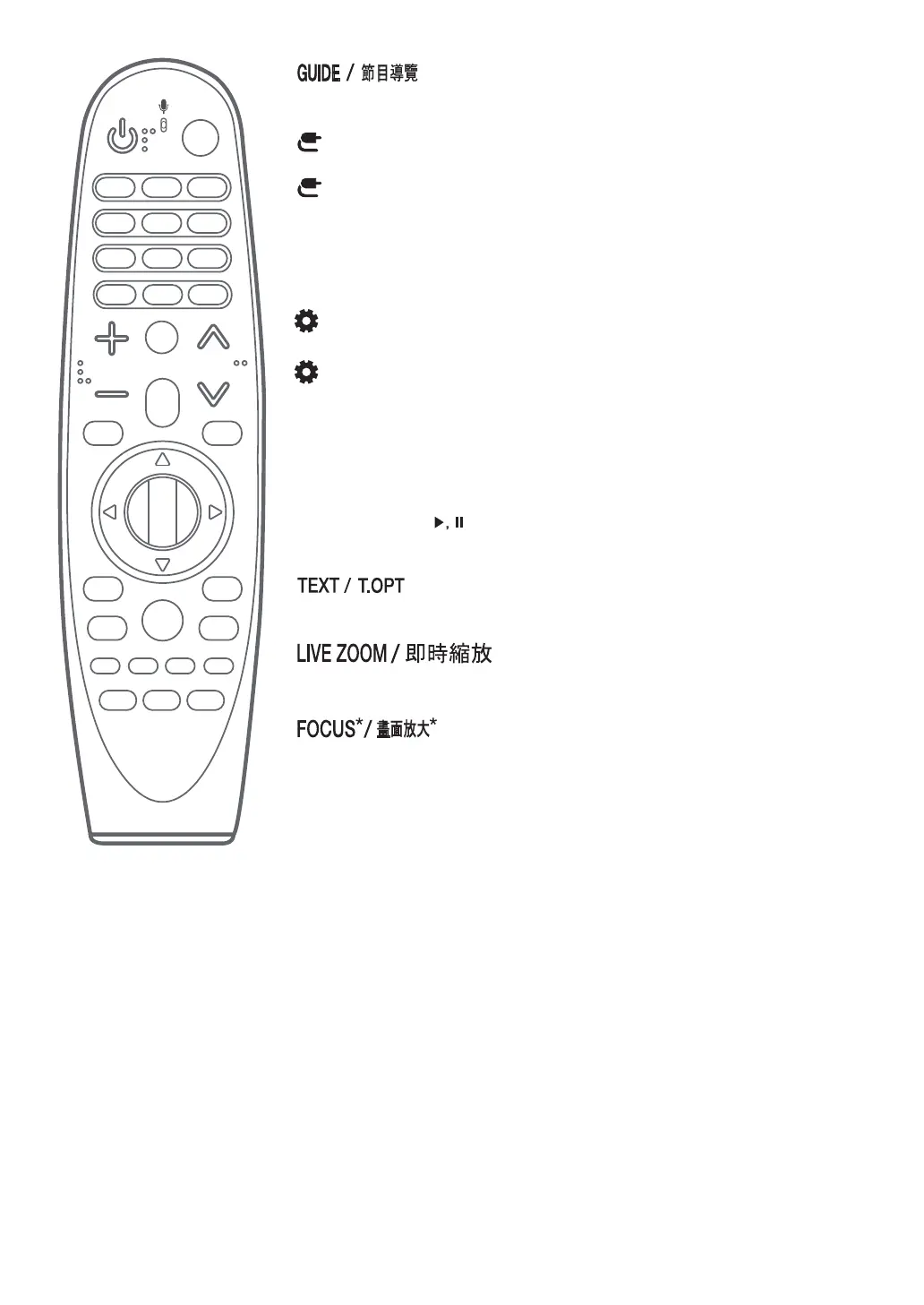
Shows channels or programmes gu de.
(INPUT)
Changes the nput source.
(INPUT)*
D splays a l st of all the external nputs.
Streaming Service buttons
Connects to the V deo Stream ng Serv ce.
(Q. Settings)
Accesses the Qu ck Sett ngs.
(Q. Settings)*
D splays the All Settings menu.
Coloured buttons
These access spec al funct ons n some menus.
Red Button*: Runs the record funct on. (Depend ng on country)
Control buttons ( )
Controls med a contents.
(TELETEXT buttons)
These buttons are used for teletext.
By zoom ng n on the selected area, you can v ew t n full screen.
You can zoom n on the area where the remote control s po nted.
* To use the button, press and hold for more than 3 seconds.



 To Next Page