B2000
User Guide
14
Display Information
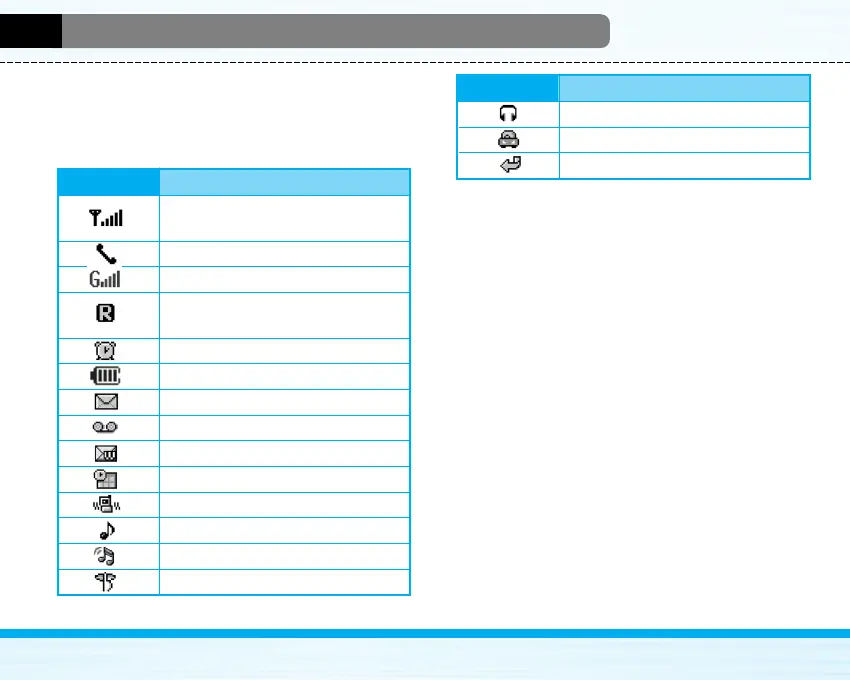
The screen displays several icons. These are
described below.
On-Screen Icons
Icon/Indicator Description
Tells you the strength of the network
signal.
Call is connected.
You can use GPRS service.
Shows that you are using a roaming
service.
The alarm has been set and is on.
Tells you the status of the battery.
You have received a text message.
You have received a voice message.
You have received a push message.
You can view your schedule.
All audible signals are turned off.
General menu in profile.
Loud menu in profile.
Silent menu in profile.
Icon/Indicator Description
Headset menu in profile.
Car menu in profile.
You can divert a call.



 To Next Page