B2000
User Guide
16
Installation
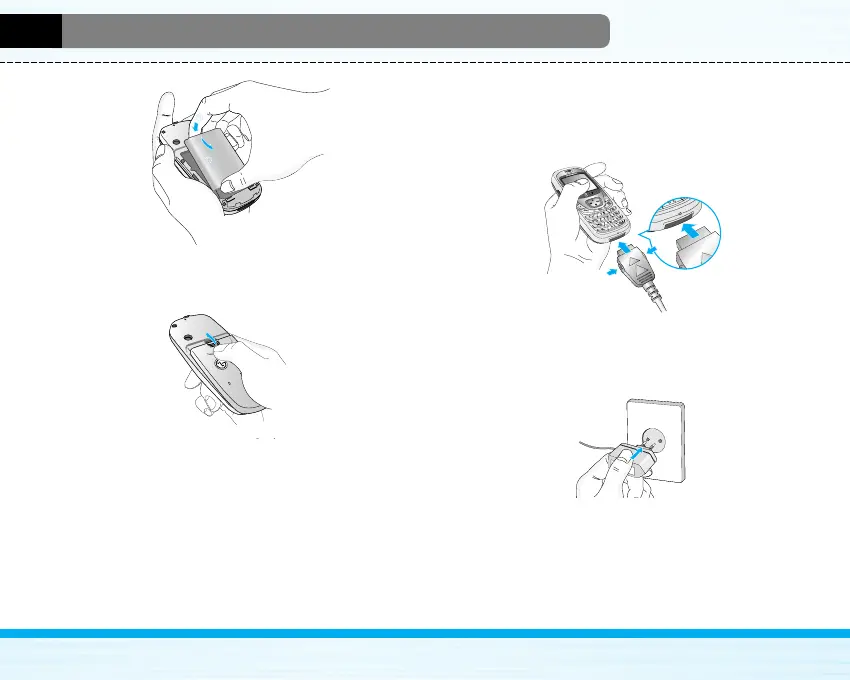
2. Then push to the half of the battery into position.
3. Lay the battery cover in place of the phone and slide
it until the latch clicks.
4. Charging the Battery
To connect the travel adapter to the phone, you must
have installed the battery.
1. With the arrow facing you as shown in the diagram
push the plug on the battery adapter into the socket
on the bottom of the phone until it clicks into place.
2. Connect the other end of the travel adapter to the
mains socket. Use only the included packing
charger.



 To Next Page