10
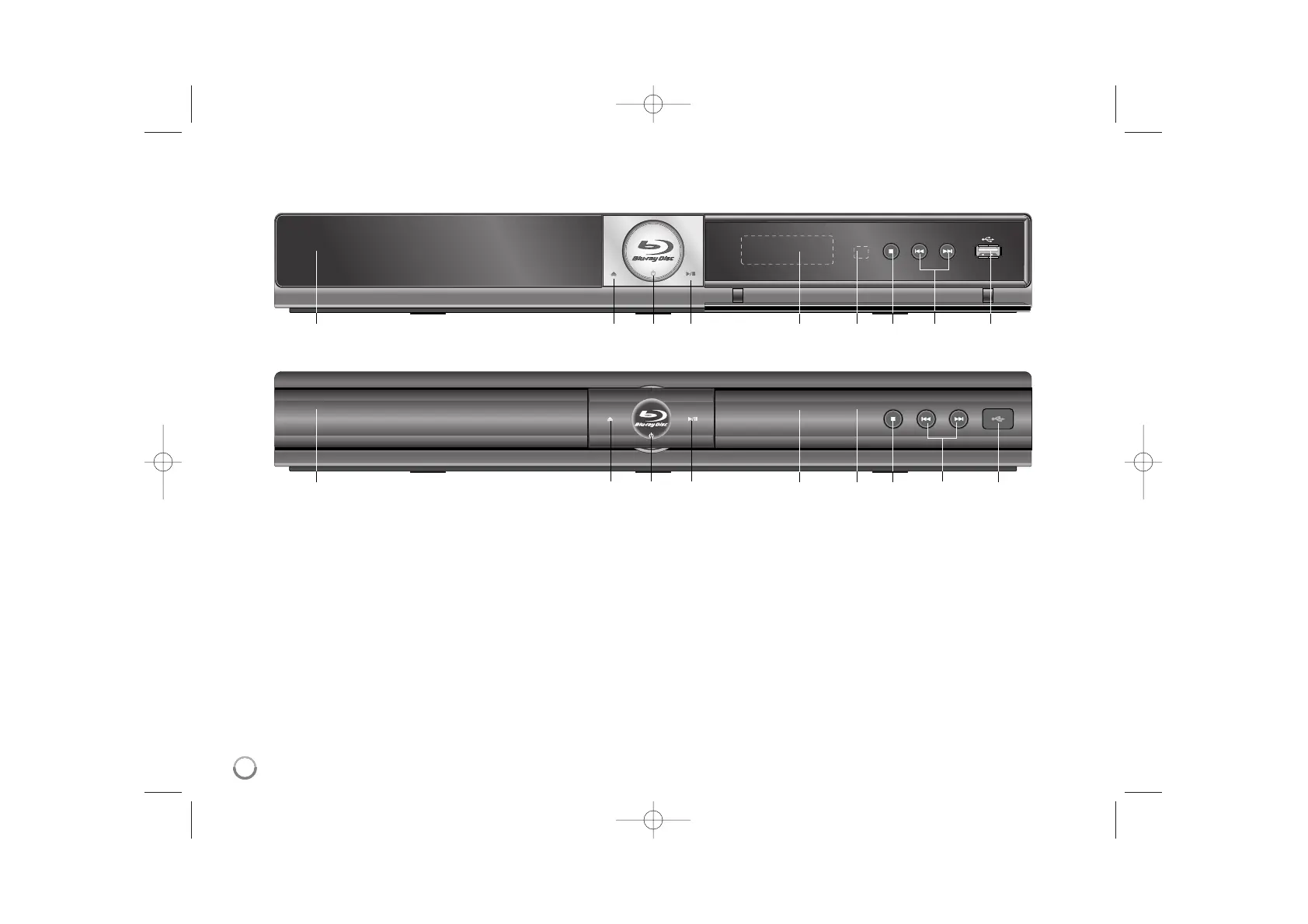
a Disc Tray
Insert a disc here.
b OPEN/CLOSE (Z)
Opens or closes the disc tray.
c
11
(POWER) Button
Switches the unit ON or OFF.
d N / X (PLAY / PAUSE)
Starts playback.
Pause playback temporarily,
press again to exit pause mode.
e Display Window
Shows the current status of the player.
f Remote Sensor
Point the remote control here.
g x (STOP)
Stops playback.
h . / > (SKIP)
Go to next or previous file/track/chapter.
i USB Port
Connect a USB Flash Drive.
Front panel
abcdefghi
abcdefghi
BD370
BD360
BD370-P-BGBRLLK-ENG 4/2/09 9:57 AM Page 10



 To Next Page