23
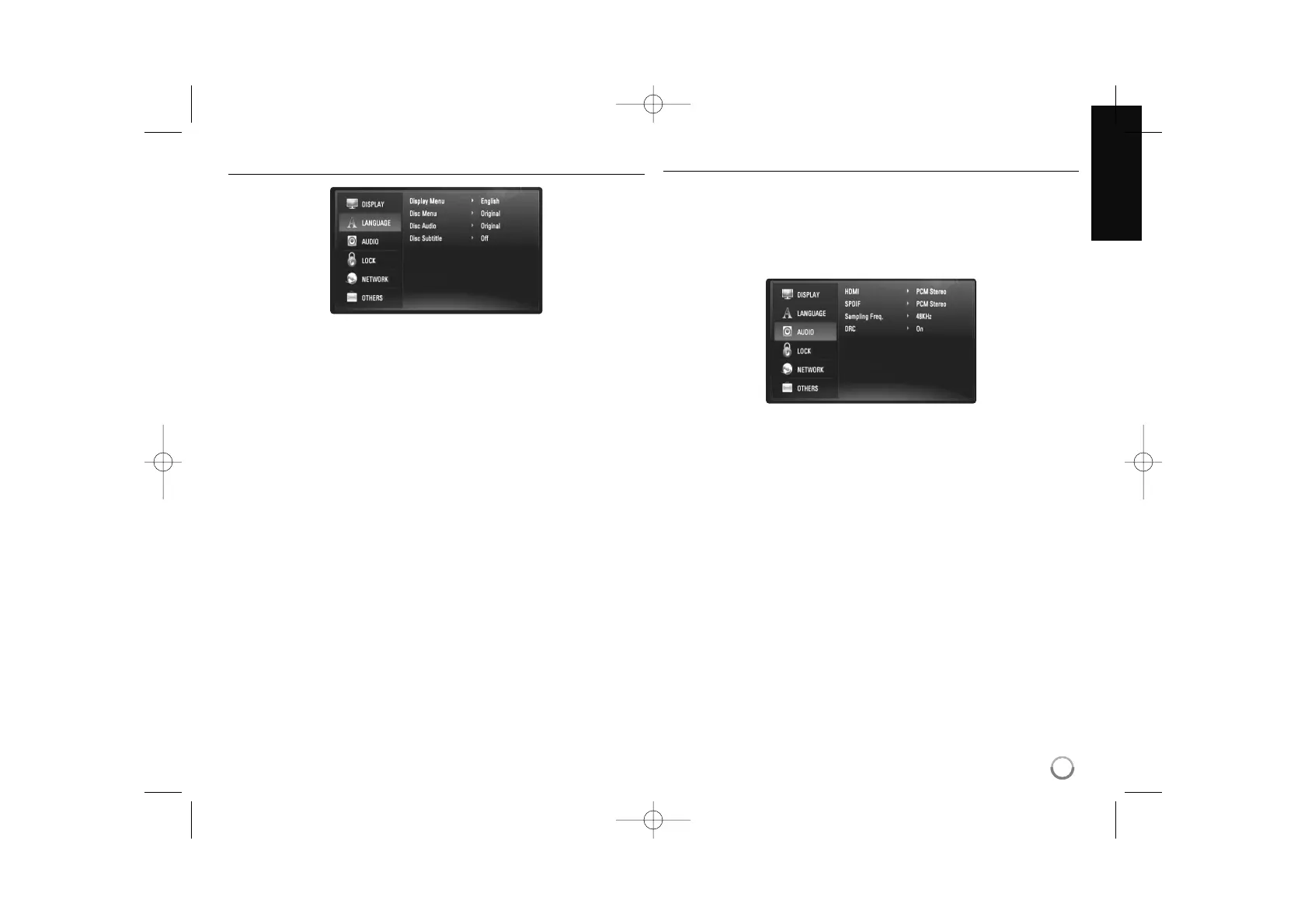
[LANGUAGE] Menu
Display Menu
Select a language for the [Setup] menu and on-screen display.
Disc Menu / Disc Audio / Disc Subtitle
Select the language you prefer for the audio track (disc audio), subtitles,
and the disc menu.
[Original] – Refers to the original language in which the disc was
recorded.
[Other] – Press ENTER to select another language. Use number but-
tons then ENTER to enter the corresponding 4-digit number according
to the language code list on page 43.
[Off] (for Disc Subtitle) – Turn off Subtitle.
Note:
Depending on the disc, your language setting may not work for some
discs.
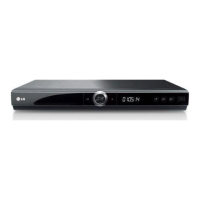
[AUDIO] Menu
Each disc has a variety of audio output options. Set the player’s Audio
options according to the type of audio system you use.
Note:
Since many factors affect the type of audio output, see “The unit’s Audio
Output Specifications” on page 15 for details.
HDMI / SPDIF (Digital Audio Output)
Select the output sound format when a device equipped with a HDMI or
Digital Audio input jack is connected to the HDMI OUT or DIGITAL AUDIO
OUT jack on this player.
[PCM Stereo] – Select if you connect this unit’s HDMI OUT or
DIGITAL AUDIO OUT jack to a device with two-channel digital stereo
decoder.
[PCM Multi-Ch] (HDMI only) – Select if you connect this unit’s
HDMI OUT jack to a device with multi-channel digital decoder.
[DTS Re-Encode] – Select if you connect this unit’s HDMI OUT or
DIGITAL AUDIO OUT jack to a device with DTS decoder.
[Primary Pass-Thru] – Select if you connect this unit’s DIGITAL
AUDIO OUT and HDMI OUT jack to a device with LPCM, Dolby
Digital, Dolby Digital Plus, Dolby TrueHD, DTS and DTS-HD decoder.



 To Next Page