26
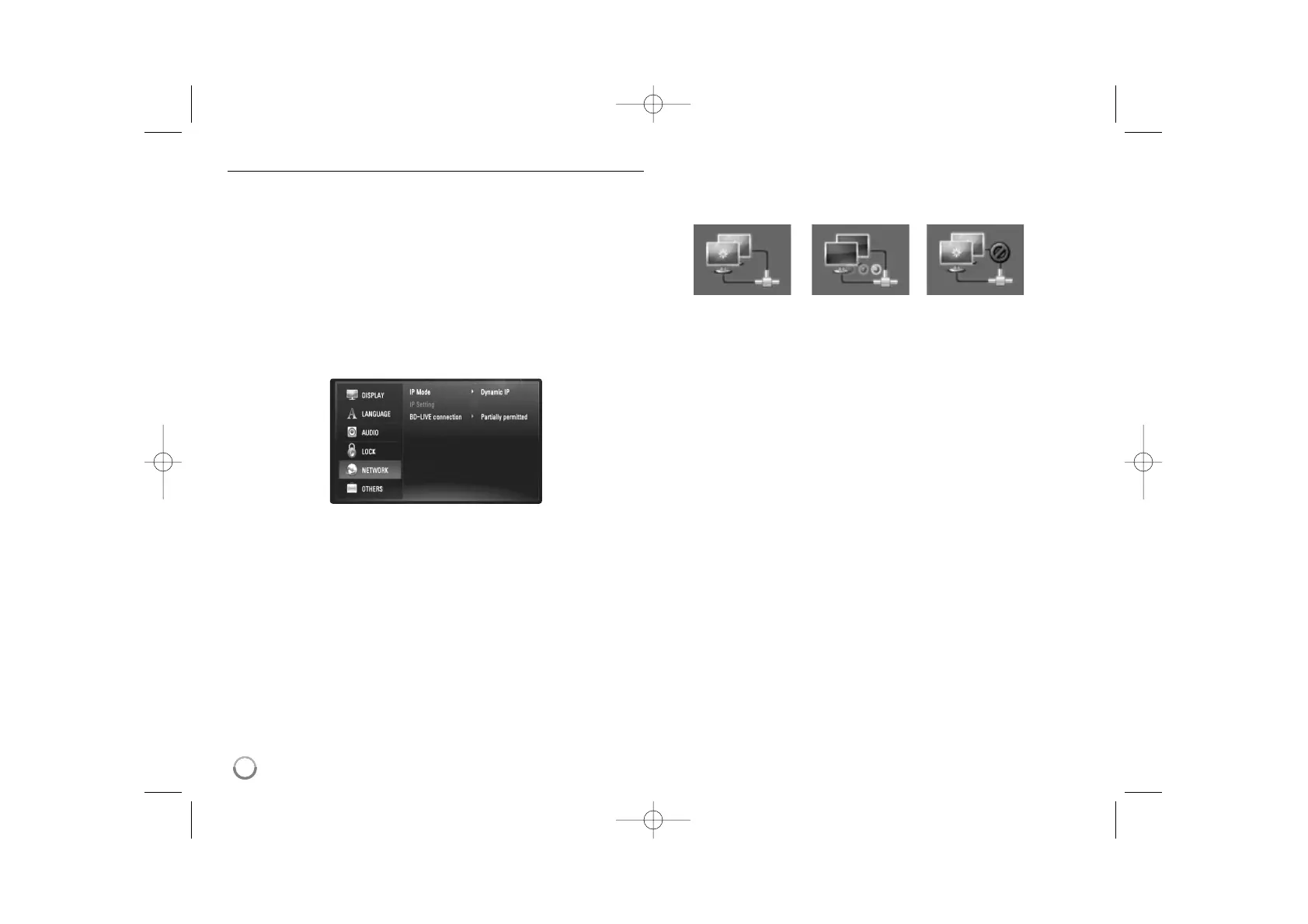
[NETWORK] Menu
The [NETWORK] settings are needed to use the software update, BD Live
and YouTube features.
Some BD-ROM discs may enable you to access special BD-ROM sites, if
you connect the player to the Internet. For example, if a BD-ROM site
includes content such as links to future movie trailers, you can watch the
downloaded on-line content on the player.
You do not need to connect to a PC to use this function.
Preparations:
• This feature requires an always-on broadband internet connection.
(see page 18-19.)
• A BD-ROM disc compatible with this feature is required. Not all BD-
ROM discs are compatible.
IP Mode
If there is a DHCP server on the local area network (LAN), this player will
automatically be allocated an IP address. If you’re using a broadband
router or broadband modem that has a DHCP (Dynamic Host
Configuration Protocol) server function, select [Dynamic IP]. The IP
address will automatically be determined.
If there is no DHCP server on the network and you want to set the IP
address manually, select [Static IP] then set the [IP Address], [Subnet
Mask], [Gateway] and [DNS Server] using [IP Setting] option.
How to check the network configuration
Select [IP Mode] option and check the Network status indicator shown
above the menu. (The Network status indicator changes according to
Network configuration.)
IP Setting
This option is available only if [IP Mode] option is set to [Static IP].
Use the v / V / b / B buttons to select a field; use the number buttons to
enter a value. Press ENTER when [OK] is highlighted to finish and exit the
screen.
BD-LIVE connection
You can restrict Internet access when BD-Live functions are used.
[Permitted] – Internet access is permitted for all BD-Live contents.
[Partially permitted] – Internet access is permitted only for BD-Live
contents which have content owner certificates. Internet access and
AACS Online functions are prohibited for all BD-Live contents without
a certificate.
[Prohibited] – Internet access is prohibited for all BD-Live contents.
Able to use network Testing Network Unable to use network



 To Next Page