44
Operation
Operation
4
NOTE
If you press
x
(STOP) while playback, the subtitle
selection is cancelled.
Changing subtitle code page
MOVIE
MOVIE-N
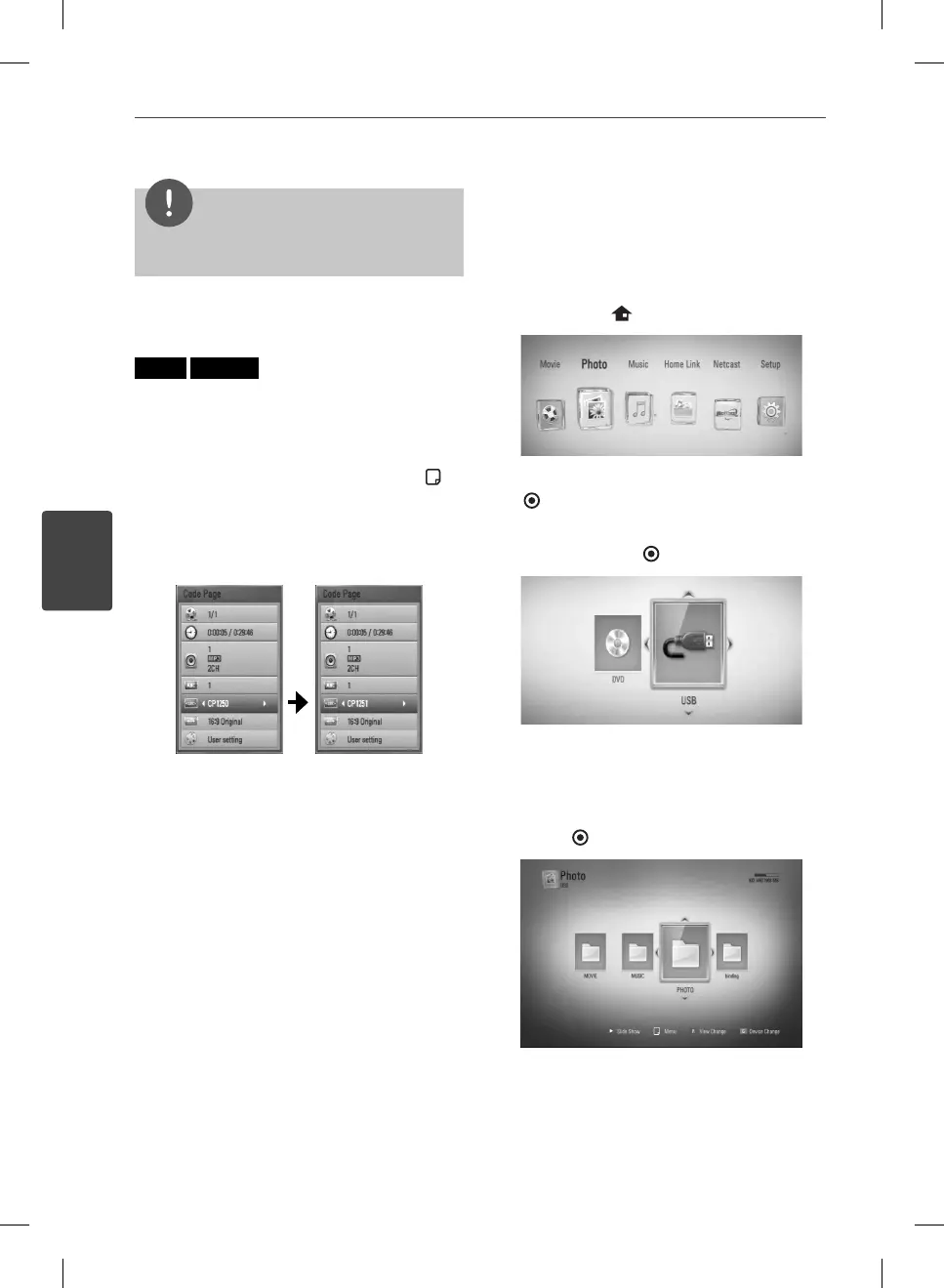
If the subtitle is not displayed properly, you
can change the subtitle code page to view the
subtitle le properly.
1. During playback, press INFO/DISPLAY (
) to
display the playback menu.
2. Use
U
/
u
to select the [Code Page] option.
3. Use
I
/
i
to select desired code option.
4. Press RETURN(
O
) to exit the On-Screen
display.
Viewing a photo
You can view photo les using this player.
1. Press HOME (
).
2. Select [Photo] using
I
/
i
, and press ENTER
( ).
3. Select the [Disc] or [USB] option using
I
/
i
,
and press ENTER (
).
This step is needed only when a disc and a
USB device is connected simultaneously on
this unit.
4. Select a le using
U
/
u
/
I
/
i
, and press
ENTER ( ) to view the photo.
BD572-N-BUSALLK-ENG.indd 44BD572-N-BUSALLK-ENG.indd 44 10. 10. 20 10:2810. 10. 20 10:28



 To Next Page