72
Operation
Operation
4
3. Use
U
/
u
/
I
/
i
to enter a username , and
press ENTER ( ) while [OK] option is
selected.
4. Use
U
/
u
/
I
/
i
to enter a password , and
press ENTER (
) while [OK] option is
selected.
Your station list appears on the screen.
5. If you want to sign out the current user
name, press yellow (Y) colored button.
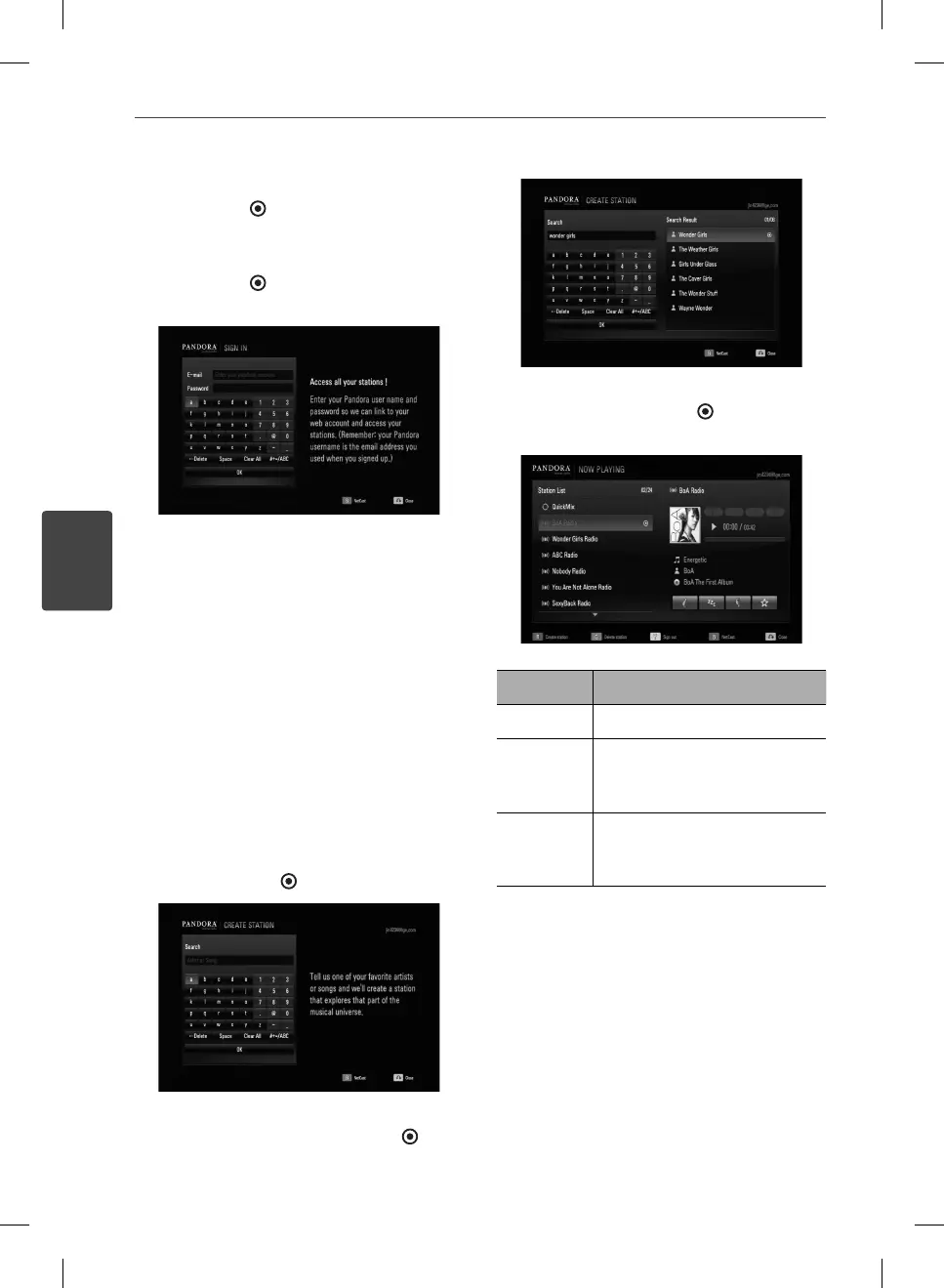
Creating a Pandora station
You can create stations by entering your
favorite artist or song. After entering, Pandora
o ers you a radio station featuring that music
and more like it.
1. On the [Station List] menu press red (R)
colored button.
Virtual keyboard screen appears on the
screen.
2. Enter a name of your favorite artist or song,
and press ENTER (
) while [OK] is selected.
3. Use
I
/
i
to select an option between
[Artist] or [Song], and press ENTER (
) to
display the [Search Result].
4. Use
U
/
u
to select a station in the [Search
Result], and press ENTER ( ) to start the
music playback.
Button Operation
B
Starts playing back the music.
X
or
x
Pause a music while it is
playing. To resume playing a
paused music, press
B
(PLAY).
>
Skips to the next song.
(This is limited to at most 6
times. )
5. If you want to delete the station from the
list, select a station using
U
/
u
and press
green (G) colored button to delete the
station.
BD572-N-BUSALLK-ENG.indd 72BD572-N-BUSALLK-ENG.indd 72 10. 10. 20 10:2810. 10. 20 10:28



 To Next Page