19Installation
Installation
3
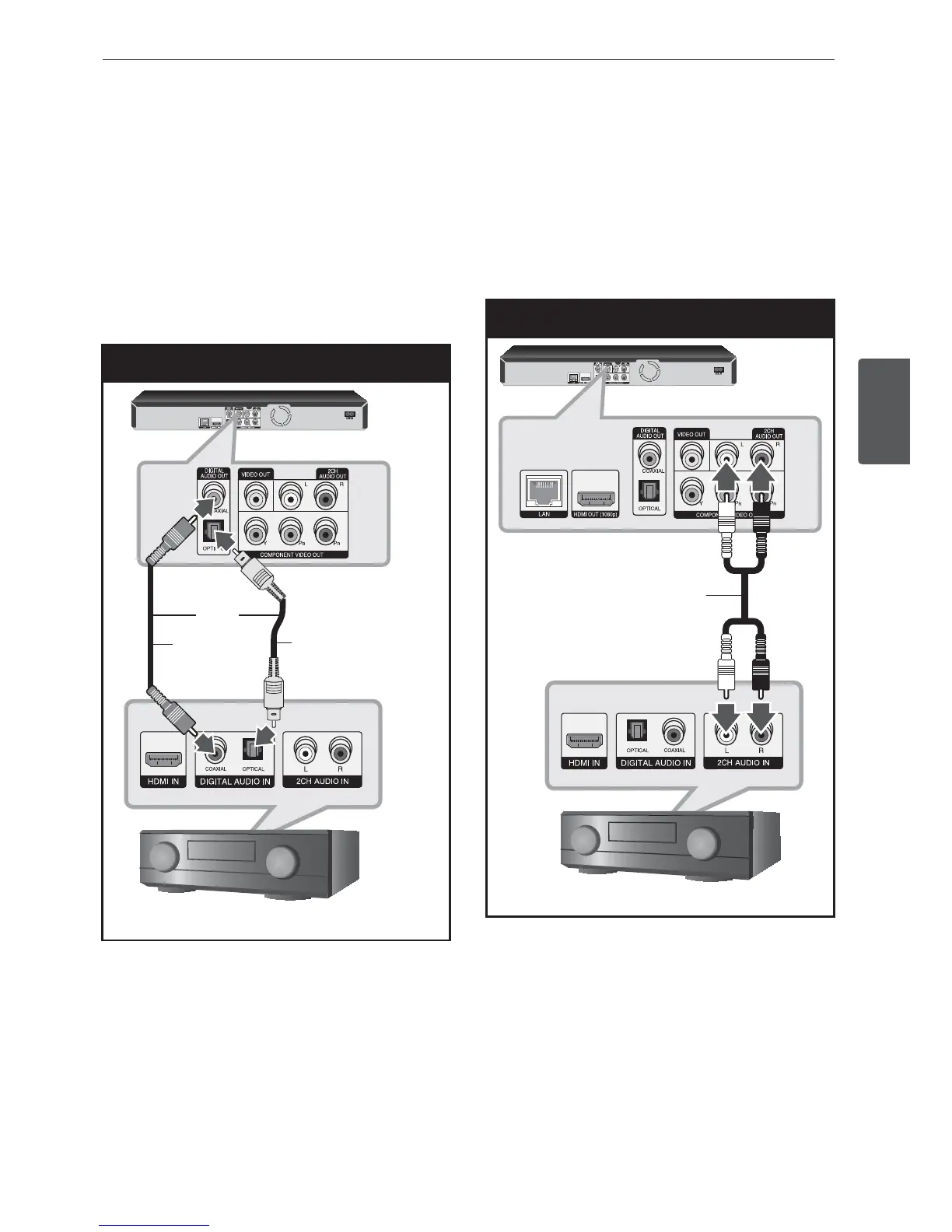
Connecting to an Amplifier via
Digital Audio Output
Connect the player’s DIGITAL AUDIO OUT
jack to the corresponding in jack (OPTICAL or
COAXIAL) on your amplier. Use an optional
digital audio cable. You will need to activate
the player’s digital output. (See “[AUDIO] Menu”
on pages 29-30.)
Digital Audio Connection
Coaxial
cable
Optical
cable
Receiver/Amplier
BD Player
OR
Connecting to an Amplifier via
2 Channel Audio Output
Connect the Left and Right 2CH AUDIO OUT
jacks on the player to the audio left and right
in jacks on your amplier, receiver, or stereo
system using audio cables.
2CH Analog Audio Connection
Receiver/Amplier
BD Player
Audio cable



 To Next Page