78 Operation
Operation
4
Viewing Picasa™ Web Albums
Enjoy photo albums from friends and family on
the Picasa™ on-line service.
View Picasa™ Web Albums on your
TV
1. On the player, select the [Picasa™ Web
Albums] option in the [NetCast] menu
using
*
/
J
, and press ENTER (
).
Featured photos are appeared on the
screen.
2. Use
6
/
V
/
*
/
J
to select a photo and press
ENTER (
) to view the photo in full screen.
Button Operation
#
Starts a slide show.
INFO/
DISPLAY
Displays the photo option
menu.
9
Pauses a slide show. To resume
slide show, press
#
again.
Y
Stops the slide show and
return to the Picasa™ menu.
*
/
J
Moves to the next or previous
photo.
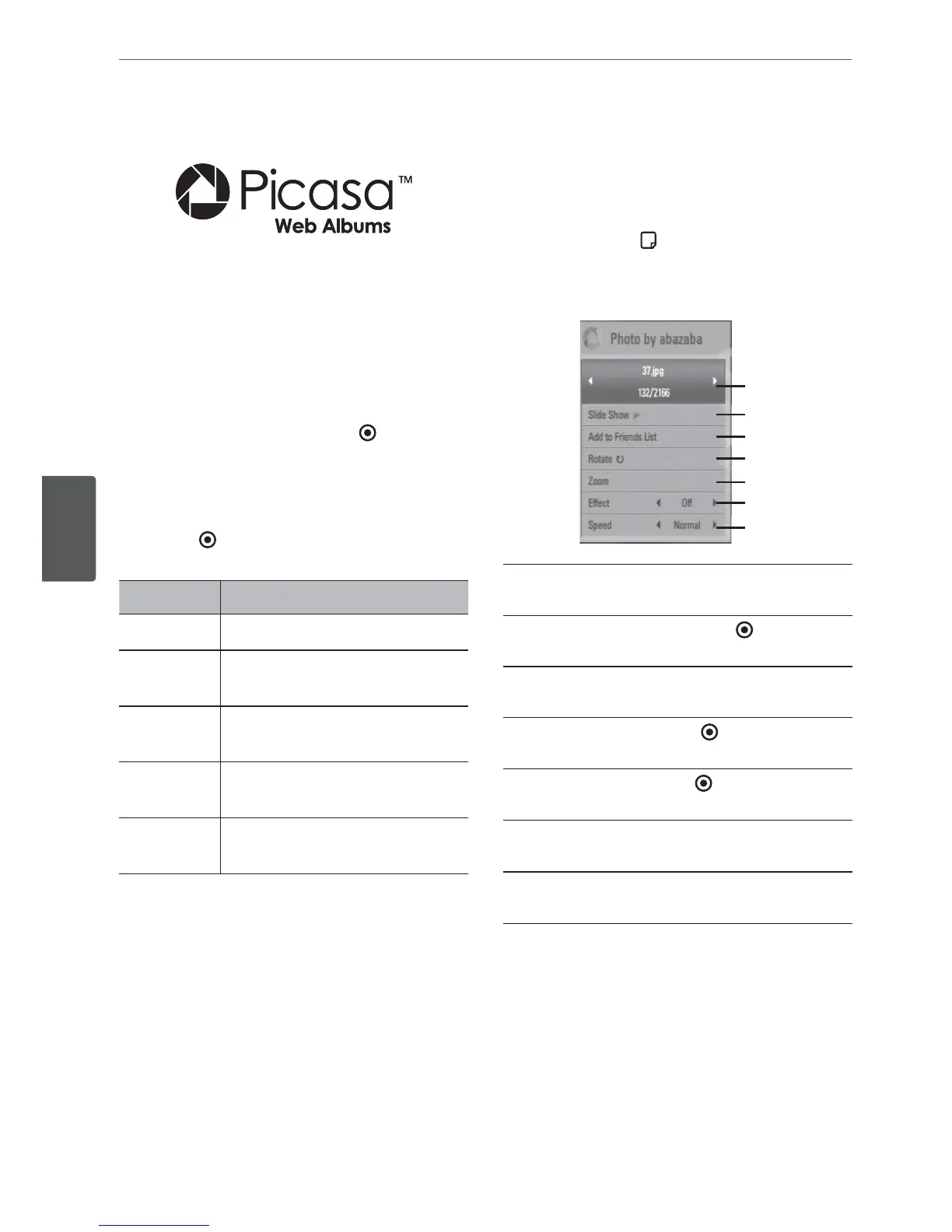
Options while viewing a photo
You can use various options during viewing a
photo in full screen.
1. While viewing a photo in full screen, press
INFO/DISPLAY (
) to display the option
menu.
2. Select an option using
6
/
V
.
B
H
G
F
E
D
C
B
Current photo/Total number of photos
– Use
*
/
J
to view previous/next photo.
C
Slide Show – Press ENTER (
) to start or
pause slide show.
D
Add to Friends List– Add the current
photo owner to my friend list.
E
Rotate – Press ENTER (
) to rotate the
photo clockwise.
F
Zoom – Press ENTER (
) to display the
[Zoom] menu.
G
Eect – Use
*
/
J
to select a transition
eect between photos in a slide show.
H
Speed – Use
*
/
J
to select a delaying
speed between photos in a slide show.
3. Press RETURN (
0
) to exit the option menu.



 To Next Page