73Operation
Operation
4
About the YouTube™ menu
There are various options on the
YouTube™ menu. Use
6
/
V
/
*
/
J
to select
an option and press ENTER (
) to select the
options as described below.
Featured – The featured videos list will be
displayed.
Recent Videos – The most recently updated
videos list will be displayed.
Most Viewed – The most viewed videos list
will be displayed. The period option appears
at the bottom of the screen.
Top Rated – The best rated videos list from
YouTube™ server will be displayed. The period
option appears at the bottom of the screen.
Search – The virtual keyboard will be
displayed. See “Searching videos” on page 74
for more detail.
History – The videos list that you previously
played on this unit will be displayed.
Maximum of 25 videos can be stored.
Favorites – This option will be appeared only
when the unit is in sign-in status. Displays the
videos list that is arranged in the YouTube™
server with your account. Some videos may
not appear on the [Favorites] list, even if the
videos are arranged in the server.
Sign in (Sign Out) – Displays the virtual
keyboard to sign in or returns to the sign-
out status. See “Sign in with your YouTube™
account” on page 75 for more details.
Local site – Choose which country’s videos
you would like to view. The countries listed on
the [Local Site] menu may dierent with those
listed on the YouTube™ web site.
NOTE
The YouTube™ menu can display 5 videos in the
videos list. Press green (G) or yellow (Y) buttons
to display previous/next 5 videos.
If you select the [Most Viewed] or [Top Rated]
option in the YouTube™ menu, the period
options appear at the bottom of the screen. Use
6
/
V
/
*
/
J
to select a period option and press
ENTER (
) to display the videos list within the
selected period.
The videos list searched from the player may
dier with the list searched from a web browser
on PC.
The playback of YouTube™ videos may be
paused, stopped or buering occurring often
depending on your broadband speed. We
recommend a minimum connection speed
of 1.5 Mbps. For the best playback condition,
a connection speed of 4.0 Mbps is required.
Sometimes your broadband speed varies based
on your ISP’s network conditions. Contact your
ISP if you have problems maintaining a fast
connection that is reliable, or if you want to
increase your connection speed. Many ISPs oer
a variety of broadband speed options.
•
•
•
•
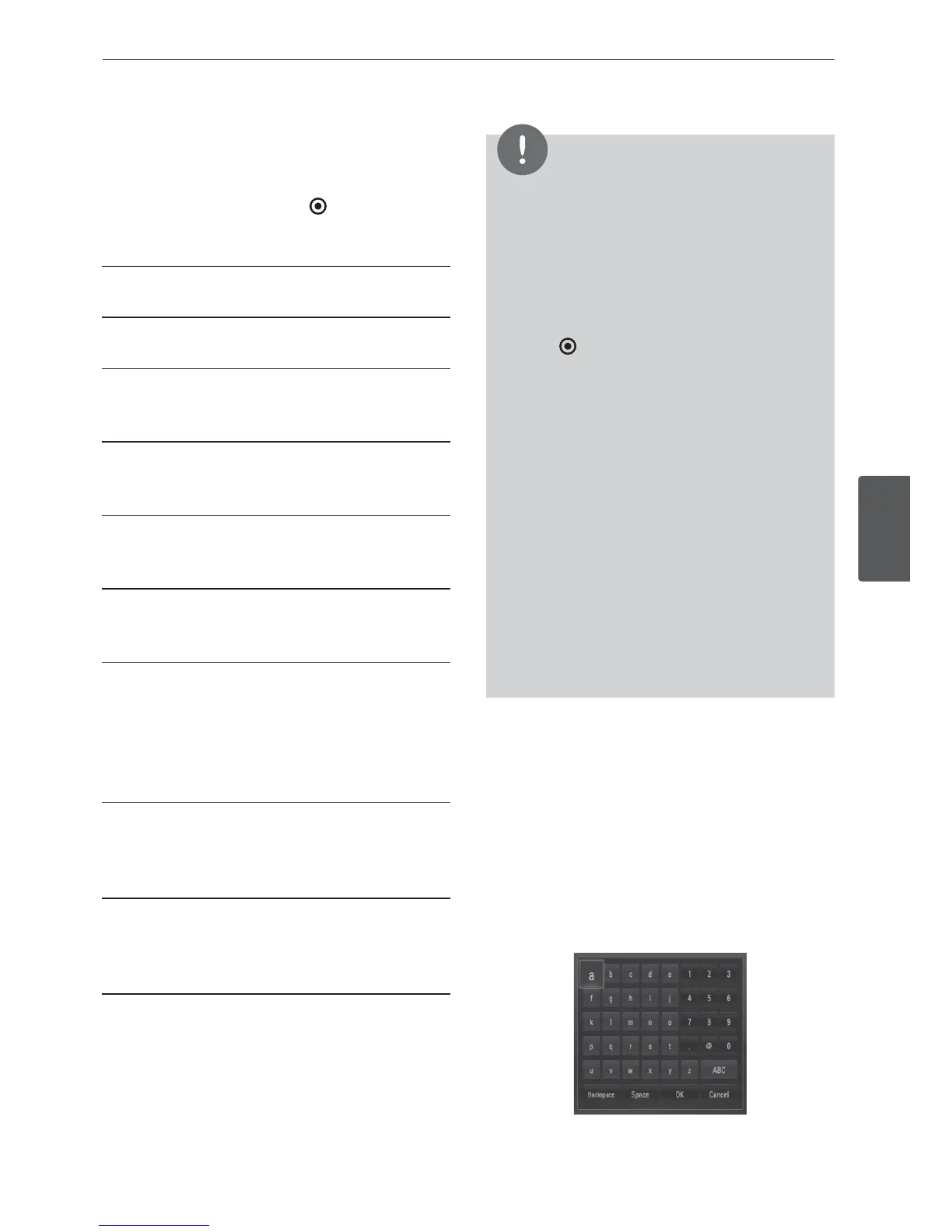
Using the virtual keyboard
On the virtual keyboard, there are two input
mode for the entering a character. Press the
yellow (Y) colored button to toggle display
between keyboard mode and keypad mode.
Keyboard Mode
Use
6
/
V
/
*
/
J
to select a letter on the screen,
and press ENTER to conrm your selection.



 To Next Page