EasyManua.ls Logo

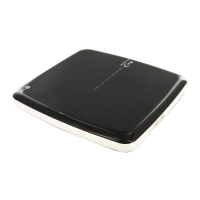
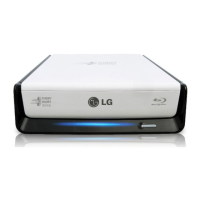
LG BE12LU30 - User Manual

LG BE12LU30
15 pages
Print Icon
To Next Page IconTo Next Page
Loading...
To enjoy fully all the features and functions of your product,
please read this owner’s manual carefully and completely.
OWNER’S MANUAL
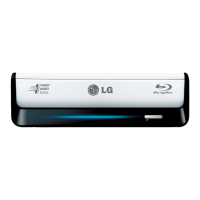
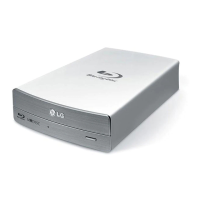
External Blu-ray Disc Rewriter
BE12LU30
www.lg.com
ENGLISH
DEUTSCH
FRANÇAIS
ITALIANO
ESPAÑOL
PORTUGUÊS
MAGYAR

Questions and Answers

  • A
    annagibsonAug 11, 2025
    Why is my LG Blu-ray Drive not detected by the system?
    • S
      Sarah Holt MDAug 11, 2025
      If your LG Blu-ray Drive isn't being detected, the USB 2.0 converter cable or eSATA cable might not be properly connected. Ensure that the USB 2.0 converter cable or eSATA cable is correctly connected, and then reinstall the device driver.
  • E
    Edward WigginsAug 18, 2025
    What to do if my LG BE12LU30 Blu-ray Drive disc tray cannot be opened?
    • G
      Gregory JuarezAug 18, 2025
      If the disc tray on your LG Blu-ray Drive won't open, it could be due to a couple of reasons: 1. The AC plug might not be properly connected to the AC outlet. Ensure it is tightly connected. 2. The power switch might not be turned on. Turn the power switch on and try again.
  • J
    Jasmine OliverAug 26, 2025
    Why won't my LG BE12LU30 play media?
    • T
      Thomas LaneAug 26, 2025
      Your LG Blu-ray Drive might not play media for the following reasons: * The disc format may be incorrect for your system. Ensure the media disc is the correct format. * A virus may have corrupted the Windows DVD-ROM software driver program. Run a virus scan and repair if possible.
  • J
    Jasmine ParkerSep 3, 2025
    How to fix LG BE12LU30 when it cannot play a DVD, CD or BD?
    • S
      Scott McdonaldSep 3, 2025
      If your LG Blu-ray Drive isn't playing DVDs, CDs, or BDs, try the following: * Reinsert the disc correctly. * Clean the disc surface. * Clean the pick-up lens. * Try a different disc. * Refer to your system manual for help.

LG BE12LU30 Specifications

General IconGeneral
TypeBlu-ray Disc Rewriter
Enclosure TypeExternal
InterfaceUSB 2.0
Buffer Size4 MB
Write Speed (BD-R)12x
Write Speed (BD-RE)2x
Write Speed (DVD±R)16x
Write Speed (DVD±R DL)8x
Write Speed (DVD-RW)6x
Write Speed (DVD+RW)8x
Write Speed (DVD-RAM)5x
Write Speed (CD-R)40x
Write Speed (CD-RW)24x
Rewrite Speed (DVD-RW)6x
Rewrite Speed (DVD+RW)8x
Rewrite Speed (DVD-RAM)5x
Supported FormatsBD-ROM, BD-R, BD-RE, DVD-ROM, DVD-R, DVD-RW, DVD+R, DVD+RW, DVD-RAM, CD-ROM, CD-R, CD-RW

Related product manuals