EasyManua.ls Logo

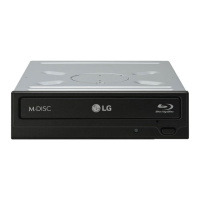
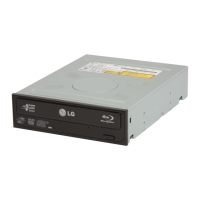
LG CH08LS10 - User Manual

LG CH08LS10
15 pages
Print Icon
To Next Page IconTo Next Page
Loading...
CH08
BD-ROM/DVD Rewriter
Owners Manual
To fully enjoy all the features and
functions of your product, please
read this owner’s manual carefully
and completely.
English
Français
Español
Português

Questions and Answers

  • C
    Christopher WeberAug 8, 2025
    What to do if LG Blu-ray Drive cannot read or write discs?
    • E
      Erica HowardAug 9, 2025
      If your LG Blu-ray Drive is unable to read or write discs, consider these potential factors: * Ensure the overall system (CPU, hard drive, etc.) is functioning correctly. * Check the disc for dirt or scratches. * Avoid running screen savers or other applications while writing to the disc. * Verify there is sufficient free space on the CD or DVD. * Check if the writing process fails even during simulation tests. * Make sure that the disc is loaded correctly (label up).
  • M
    Michael FosterAug 23, 2025
    How to troubleshoot LG CH08LS10 when it doesn’t have power?
    • V
      vstewartAug 25, 2025
      If your LG Blu-ray Drive isn't receiving power: * Check if the power supply cable from the host computer is plugged in. * Verify that the Power Connector is securely attached to the drive.

LG CH08LS10 Specifications

General IconGeneral
ModelCH08LS10
InterfaceSATA
Buffer Size4 MB
BD-R Read Speed8x
BD-R Write Speed8x
BD-RE Write Speed2x
DVD+R Write Speed16x
DVD-R Write Speed16x
DVD+RW Write Speed8x
DVD-RW Write Speed6x
CD-R Write Speed48x
CD-RW Write Speed24x
Read Speed (DVD-ROM)16x
Read Speed (CD-ROM)48x
TypeBlu-ray Drive
Supported FormatsBD-R, BD-RE, DVD, DVD-R, DVD+R, DVD-RW, DVD+RW, CD-R, CD-RW

Related product manuals