EasyManua.ls Logo

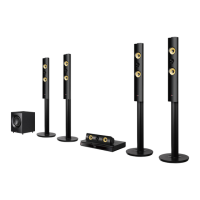
LG BH7530TW - User Manual

LG BH7530TW
82 pages
Print Icon
To Next Page IconTo Next Page
Loading...
OWNER’S MANUAL
3D Blu-ray™ / DVD Home
Cinema System
Please read this manual carefully before operating
your set and retain it for future reference.
P/NO : SAC35714707
BH7230BW (BH7230BW, S73B1-F/S, S73T1-C/W, T2, W3-2)
BH7230BWB (BH7230BWB, S73B3-F/S, S73T3-C, S73T1-W, T2, W3-2)
BH7530TW (BH7530TW, S73T1-S/C/W, T2, W3-2)
BH7530TWB (BH7530TWB, S73T3-S/C, S73T1-W, T2, W3-2)

Table of Contents

Other manuals for LG BH7530TW

Questions and Answers

  • O
    Olivia LynnSep 18, 2025
    Why are media servers not displayed on the device list of my LG BH7530TW Home Theater System?
    • R
      Robin JonesSep 19, 2025
      If media servers aren't showing up on your LG Home Theater System's device list, the firewall or anti-virus software on your media server might be running. Try turning off the firewall or anti-virus software. Also, ensure that the player is connected to the same local area network as your media server.
  • M
    mmartinezAug 25, 2025
    What to do if my LG BH7530TW is plugged in, but the power will not turn on or off?
    • P
      Patricia HobbsAug 25, 2025
      You can reset the unit by unplugging the power cord, waiting at least five seconds, and then plugging it in again.
  • M
    Michael AndrewsAug 25, 2025
    Why is there no sound or distorted sound from my LG Home Theater System?
    • E
      Eric DaltonAug 26, 2025
      The unit may be in scan, slow motion, or pause mode. Also, the sound volume might be too low. Ensure that the speaker cable is securely connected.
  • M
    Michael ClarkAug 27, 2025
    What to do if the LG BH7530TW Home Theater System remote control is not working?
    • J
      Jasmine ConnerAug 27, 2025
      If the remote control for your LG Home Theater System isn't working correctly, make sure you're pointing it at the remote sensor on the unit and that you are not too far away. Ensure there are no obstacles blocking the path between the remote and the unit. Also, check the batteries in the remote control to see if they are exhausted.
  • J
    James HamptonSep 23, 2025
    Why is my LG BH7530TW not outputting 3D views during Blu-ray 3D disc playback?
    • B
      Brian Perez Jr.Sep 23, 2025
      If your LG Home Theater System isn't outputting 3D views during Blu-ray 3D disc playback, make sure the player is connected to your TV with an HDMI cable (Type A, High Speed HDMI™ Cable). Ensure your TV supports “HDMI 3D mandatory format.” Also, check that the [3D Mode] option in the [Settings] menu is set to [On].
  • B
    Bryan SpenceSep 23, 2025
    Why is the access point not displayed on the “Access point name” list on my LG BH7530TW?
    • J
      Jonathan RodriguezSep 23, 2025
      If the access point isn't displayed on the “Access point name” list of your LG Home Theater System, the access point or wireless LAN router may not be broadcasting its SSID. Set your access point to broadcast its SSID through your computer. Alternatively, your network device may not be set with an available frequency range and channel that this player can support. Try setting the frequency range and channel on the network device.
  • J
    Joshua MosleySep 10, 2025
    Why I cannot change the angle on my LG BH7530TW Home Theater System?
    • B
      Bryan SwansonSep 12, 2025
      Multi-angles are not recorded on the DVD Video being played.
  • J
    John NavarroSep 12, 2025
    What to do if there is no picture on my LG BH7530TW?
    • S
      steven17Sep 12, 2025
      If you're not getting a picture from your LG Home Theater System, ensure that you've selected the correct video input mode on your TV. Also, check that the video connections are secure and that the HDMI Color Setting is appropriately configured. Your TV might not support the current resolution set on the player, so try changing it. Finally, the player’s HDMI OUT jack might be connected to a DVI device that does not support copyright protection.
  • C
    Crystal BrewerSep 3, 2025
    Why can't my LG BH7530TW play certain video, photo, or audio files?
    • D
      dannythomasSep 3, 2025
      Your LG Home Theater System may not play certain video, photo, or audio files if the files are not recorded in a supported format or if the unit does not support the codec of the video file.
  • A
    Amy KimSep 1, 2025
    Why is my USB device not recognized by my LG BH7530TW Home Theater System?
    • A
      Austin CurrySep 1, 2025
      If your LG Home Theater System isn't recognizing the connected USB storage device, it might be due to several reasons. Some USB cables may not provide enough current, so try a different USB cable. Also, avoid using USB extension cables or USB hubs, as they can prevent recognition. Note that the system only supports USB Flash Drives and USB External HDDs with FAT32 or NTFS format. Devices requiring additional program installation on a computer are not supported.

Summary

User Safety Guidelines

Electrical Safety and Unit Warnings

Warnings about electric shock and not opening the unit.

Power Cord Safety Guidelines

Safe practices for handling and maintaining the power cord.

Environmental Disposal Guidelines

Appliance and Battery Disposal Instructions

Instructions for the environmentally sound disposal of old appliances and batteries.

System Introduction and Basics

Playable Discs and Symbols Guide

Explains compatible disc types and their visual representations.

Regional Code and System Select

Information on regional disc restrictions and PAL/NTSC system selection.

LG AV Remote Control App

Details on using a smartphone app to control the system.

Remote Control and Panel Operations

Remote Control Button Functions

Explains the function of each button on the remote control.

Front and Rear Panel Layout

Identifies controls, indicators, and connections on the unit panels.

System Setup and Connection

System Positioning Guidelines

Guidance on optimal placement of speakers for surround sound.

Speaker Connection Procedures

Step-by-step guide to connect speakers to the main unit and wireless receiver.

Wireless Speaker Setup

Steps to establish and manually set up wireless speaker connections.

Connecting to Your TV and Network

HDMI Connection and TV Integration

Guide to connecting the player to a TV using HDMI, including SIMPLINK/ARC.

Home Network Connectivity

Steps for establishing wired and wireless network connections.

System Settings Configuration

Initial Setup Wizard and Network Settings

Guided process for initial setup of language, network, and speaker connections.

Navigating System Menus

Overview of Network, Display, Language, and Audio menu options.

Operating the Home Cinema System

Sound Effect Modes and 3 D Audio

Customizing sound modes and enabling immersive 3D surround sound effects.

Playback Controls and Media Management

Instructions for playing discs, files from USB/network, and managing playback features.

Advanced Playback Options

Utilizing repeat playback, selected time playback, and subtitle/audio selection.

Bluetooth and iPod Integration

iPod Playback and Management

Connecting and playing music from an iPod, controlling via screen or remote.

Bluetooth Audio Streaming

Pairing Bluetooth devices and streaming audio wirelessly.

Troubleshooting Common Issues

General Troubleshooting Steps

Solutions for common problems like power, playback, and remote control errors.

Network and Connectivity Troubleshooting

Diagnosing and fixing issues with BD-Live and streaming services.

Picture and Sound Problem Resolution

Steps to address problems like no picture, picture noise, or distorted sound.

Appendix and Technical Information

Remote Control TV Setup and Software Updates

Configuring the remote and updating system software.

File Format Support and Compatibility

Details on supported file types, codecs, and media requirements.

Audio Output Specifications and Area Codes

Details audio output capabilities and area codes for DVD ratings.

Trademarks, Licenses, and Notices

Information on trademarks, licenses, Gracenote, and Cinavia.

Product Specifications and Speaker Details

Technical specifications for the system, speakers, and wireless receiver.

LG BH7530TW Specifications

General IconGeneral
Disc types supportedBD-R, BD-RE, BD-ROM, CD, CD-R, CD-RW, DVD, DVD+R, DVD+RW, DVD-R, DVD-RW
Optical disc player typeBlu-Ray player
DisplayFLD
Built-in HDDNo
Parental controlYes
Phono inputs (RCA)1
TV tuner integrated-
Image formats supportedGIF, JPG, PNG
Video compression formats3GP, AVCHD, DivX, FLV, H.264, M4V, MKV, MPEG2, MPEG4, VC-1, VOB, WMV
Apple docking compatibilityiPad, iPhone, iPod
Network streaming services supportedPicasa, YouTube
Video formats supported3GP, AVCHD, DIVX, DIVX HD, FLV, M4V, MKV, MOV, MP4, MPEG1, MPEG2, MPEG4, VOB, WMV
Analog signal format systemNTSC, PAL
Audio decodersDolby Digital, Dolby Digital Plus, Dolby TrueHD, DTS, DTS-HD HR, DTS-HD Master Audio
RMS rated power1200 W
Audio output channels5.1 channels
Audio formats supportedAAC, FLAC, MP3, WMA
Supported radio bandsFM
Preset stations quantity50
Front speaker impedance4 Ω
Front speakers RMS power196 W
Front speaker sensitivity82 dB
Front speaker woofer diameter (imperial)3 \
Center speaker woofer diameter (imperial)2.5 \
Subwoofer sensitivity83 dB
Subwoofer driver diameter (imperial)7 \
Product colorBlack
HDMI in2
USB version2.0
HDMI version1.4
SCART ports quantity0
AC input voltage200-240 V
AC input frequency50 - 60 Hz
Power consumption (standby)0.5 W
Power consumption (typical)110 W
Cables includedHDMI
Consumer Electronics Control (CEC)SimpLink
Weight and Dimensions IconWeight and Dimensions
Main unit dimensions (WxDxH)440 x 298 x 65 mm
Subwoofer dimensions (WxDxH)251 x 310 x 336 mm
Front speaker dimensions (WxDxH)250 x 250 x 1200 mm
Center speaker dimensions (WxDxH)360 x 70 x 81 mm

Related product manuals