Operating28
Operating
4
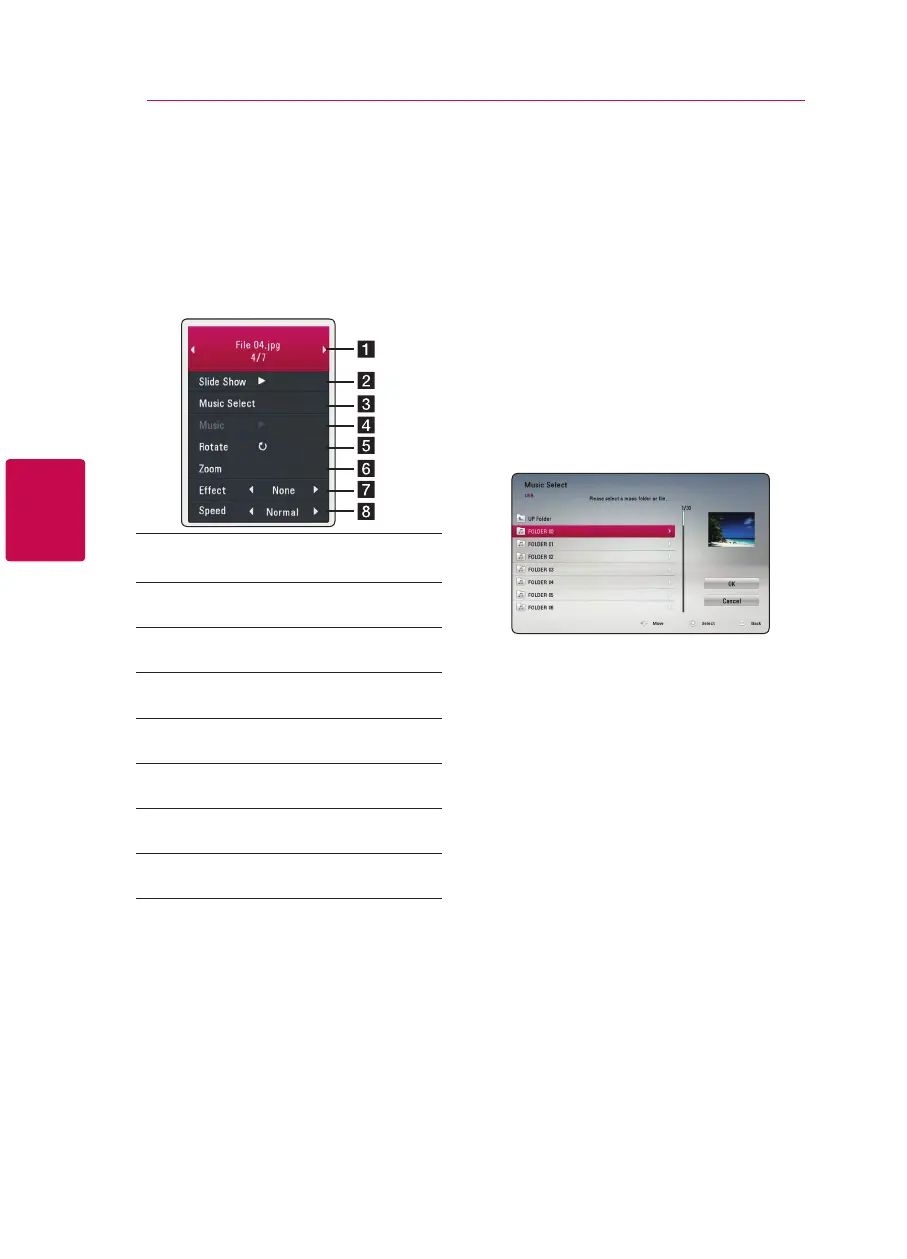
Options while viewing a photo
i
You can use various options during viewing a
photo in full screen.
1. While viewing a photo in full screen, press INFO/
MENU (
m
) to display the option menu.
2. Select an option using
w/s
.
a Current photo/Total number of photos
– Use
a/d
to view previous/next photo.
b Slide Show – Press ENTER (
b
) to start or
pause slide show.
c Music Select – Select the background
music for the slide show.
d Music –Press ENTER (
b
) to start or pause
background music.
e Rotate – Press ENTER (
b
) to rotate the
photo clockwise.
f Zoom – Press ENTER (
b
) to display the
[Zoom] menu.
g Eect – Use
a/d
to select a transition
effect between photos in a slide show.
h Speed – Use
a/d
to select a delaying
speed between photos in a slide show.
3. Press BACK(
1
) to exit the option menu.
Listening to music during slide
show
i
You can display photo les while listening to music
les.
1. While viewing a photo in full screen, press INFO/
MENU (
m
) to display the option menu.
2. Use
w/s
to select [Music Select] option, and
press ENTER (
b
) to display the [Music Select]
menu.
3. Use
w/s
to select a device, and press ENTER
(
b
).
4. Use
w/s
to select a file or a folder you wish to
play.
Select
g
and press ENTER (
b
) to display the
upper directory.
5. Use
d
to select [OK], and press ENTER (
b
) to
complete music selection.



 To Next Page