EasyManua.ls Logo

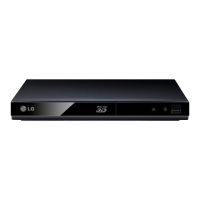
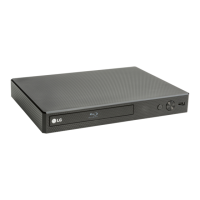
LG BP330 - User Manual

LG BP330
62 pages
Print Icon
To Next Page IconTo Next Page
Loading...
OWNER’S MANUAL
Streaming
Blu-ray Disc™ Player
Please read this manual carefully before operating
your set and retain it for future reference.
BP330
P/NO : MFL67732308_REV1.0
www.lg.com

Table of Contents

Other manuals for LG BP330

Questions and Answers

  • K
    Kathy FrazierJul 26, 2025
    What to do if my LG Blu-ray Player remote control does not work properly?
    • R
      Richard FigueroaJul 26, 2025
      If the remote control for your LG Blu-ray Player isn't working, consider these potential causes: - Ensure the remote is pointed directly at the remote sensor on the unit. - Make sure you are not too far from the unit. - Remove any obstacles between the remote and the unit. - Check if the batteries in the remote control are exhausted.
  • M
    Melissa ThomasJul 30, 2025
    Why won't my LG BP330 Blu-ray Player start playback?
    • T
      tmorrisJul 30, 2025
      If your LG Blu-ray Player isn't starting playback, consider the following: - Ensure you've inserted a playable disc, checking the disc type, color system, and regional code. - Place the disc with the playback side down. - Make sure the disc is correctly placed on the disc tray inside the guide. - Try cleaning the disc. - Cancel the Rating function or change the rating level.
  • B
    Brian GarciaAug 3, 2025
    Why is my connected USB storage device not recognized by my LG Blu-ray Player?
    • J
      Jose WrightAug 3, 2025
      If your LG Blu-ray Player isn't recognizing the connected USB storage device: - Try using a different USB cable. - If you're using a USB extension cable or USB HUB, the USB devices may not be recognized. - Note that USB devices requiring additional program installation when connected to a computer are not supported. - This unit supports only USB Flash Drive and USB External HDD with FAT32 or NTFS format.
  • G
    Gregory JohnsonAug 7, 2025
    What to do if my LG Blu-ray Player unit is plugged in, but the power will not turn on or off?
    • I
      Ian TorresAug 8, 2025
      You can reset your LG Blu-ray Player. Unplug the power cord, wait at least five seconds, and then plug it in again.
  • M
    melissawrightAug 12, 2025
    Why does BD-Live feature not work on my LG BP330?
    • C
      Christina JacobsonAug 12, 2025
      If the BD-Live feature isn't working on your LG Blu-ray Player: - Ensure the connected USB storage has at least 1GB of free space. - Set the [BD-LIVE connection] option in the [Setup] menu to [Permitted].
  • S
    shortpamelaAug 16, 2025
    Why is the access point not displayed on the “Access point name” list of my LG BP330 Blu-ray Player?
    • E
      Erik MartinezAug 16, 2025
      If the access point isn't displayed on the “Access point name” list of your LG Blu-ray Player: - Set your access point to broadcast its SSID through your computer.
  • F
    frostmaryAug 20, 2025
    Why can't I change the angle on my LG BP330?
    • C
      Christy BlevinsAug 20, 2025
      Multi-angles are not recorded on the DVD Video being played.

Summary

Getting Started Guide

Safety Information

Essential safety precautions, warnings, and guidelines for player operation.

Power Cord Safety Guidelines

Specific instructions and warnings related to the power cord and electrical connections.

Connecting Your Blu-ray Player

AC Adapter and TV Connection

Guides on connecting the AC adapter and player to a TV using HDMI.

System Settings and Configuration

Initial Setup Wizard

Step-by-step guide for initial display and network configuration.

Operating Your Player

General Playback and Disc Operations

How to play discs, files from USB, and basic playback controls.

Troubleshooting Common Issues

General Troubleshooting Guide

Solutions for common issues like power, playback, and USB recognition.

LG BP330 Specifications

General IconGeneral
Depth203.2 mm
Wi-FiYes
Width269.2 mm
Height38 mm
Weight1360 g
Full HDNo
Package depth274.3 mm
Package width309.8 mm
Product colorBlack
Audio decodersDolby Digital, Dolby Digital Plus, Dolby TrueHD, DTS, DTS-HD Master Audio
Package height86.3 mm
Package weight1587 g
Disc types supportedBD-R, BD-RE, BD-ROM, CD, CD-R, CD-RW, DVD+R, DVD+RW, DVD-R, DVD-ROM, DVD-RW
Playback disc formatsBlu-Ray audio, Blu-Ray video, CD audio, CD video
Card reader integrated-
USB 2.0 ports quantity1
Audio formats supportedAAC, FLAC, LPCM, MP3, WMA
Image formats supportedJPEG XR, MPO, PNG
Video formats supported3GP, AVCHD, DAT, FLV, M4V, MKV, MOV, MP4, MPEG1, MPEG2, TS, VOB, WMV
Audio output channels- channels

Related product manuals