Need help?
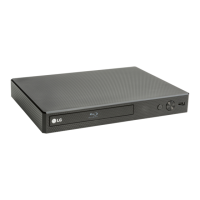
Do you have a question about the LG BP340 and is the answer not in the manual?
Provides essential safety precautions and warnings for operating the player.
Details FCC compliance statements, warnings, and RF exposure information.
Information regarding content protection systems like AACS and copy protection.
Lists crucial safety instructions for installation, operation, and maintenance.
Provides an overview of the manual and details playable disc formats and symbols.
Explains the 'O' symbol display and how to use the LG AV Remote app.
Details the functions and operations of the included remote control.
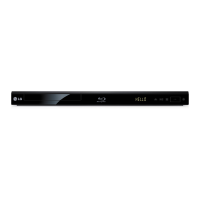
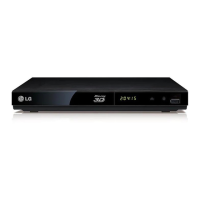
Identifies and describes the buttons and ports on the player's front and rear panels.
Instructions for connecting the player to a TV using an HDMI cable.
Provides important notes and troubleshooting tips for HDMI connections.
Explains SIMPLINK for TV control and how to adjust HDMI resolution settings.
Guides on connecting the player to an amplifier for audio output, including HDMI.
Steps to connect the player to a home network via wireless connection.
Manual configuration options for network connection, IP, and security settings.
Tips and advice for resolving common network connection issues.
Guide through the initial setup process for language and network configuration.
How to access and modify various player settings via the Settings menu.
Details of network settings including connection status and BD-Live connection.
Options for adjusting TV aspect ratio, Netflix, and Vudu services.
Setting HDMI color output, resolution, and enabling/disabling the Home Menu guide.
Setting preferred languages for menus, audio tracks, and digital audio output.
Adjusting sampling frequency for digital audio and controlling dynamic range.
Setting passwords, DVD, and Blu-ray disc playback ratings for parental control.
Options for auto power off, initializing settings, and viewing software information.
Customizing closed caption display, font, color, and other visual settings.
How to navigate the main Home Menu and start playback of discs.
Playing video, audio, and photo files from USB storage and Android devices.
Accessing and playing media from a DLNA server and setting up SmartShare.
Standard playback controls for video, audio, and photo content.
Features for resuming playback and remembering the last viewed scene.
How to view and adjust information and options during video playback.
Controlling photo viewing and customizing slideshow settings like speed and effect.
Advanced playback controls like repeat, specific portion, and time playback.
Selecting subtitle languages, audio tracks, camera angles, and TV aspect ratio.
Adjusting picture mode and changing subtitle code page for proper display.
Displaying file information and manually selecting subtitle files.
Using BD-Live features, including network connectivity and bonus content.
Instructions for recording audio tracks from CDs to a USB device.
Accessing and using various online content services via the Premium feature.
Solutions for common problems like power, playback, and remote control issues.
Resolving issues related to BD-Live, streaming, and network connection.
Troubleshooting no picture, picture noise, or incorrect color system.
Information on player software updates and customer support resources.
How to set up and use the player's remote control to operate your TV.
Procedure for updating the player's software via the network.
Specifications for supported video, audio, and photo file formats.
Details about the AVCHD format, its recording, and playback capabilities.
Explanation of DLNA technology and system requirements for media sharing.
Detailed specifications for audio output via HDMI and PCM.
List of area codes for DVD region compatibility.
Codes for setting desired languages for audio, subtitles, and menus.
Information on product trademarks and software licenses.
Notice regarding Cinavia technology used for unauthorized copy prevention.
Technical specifications for the player, including dimensions and power consumption.
Guidelines for cleaning, handling, and maintaining the player unit and discs.
Information regarding third-party network services, content, and provider responsibility.
 General
| Depth | 198 mm |
|---|---|
| Width | 259 mm |
| Height | 38 mm |
| Weight | 997 g |
| Full HD | No |
| Device type | Blu-Ray player |
| Product color | Black |
| Audio decoders | Dolby Digital, Dolby Digital Plus, Dolby TrueHD, DTS, DTS 2.0, DTS-HD Master Audio |
| Package weight | 1270 g |
| Video upscaling | Yes |
| Disc types supported | BD, BD-R, BD-RE, CD, CD-R, CD-RW, DVD, DVD+R, DVD+RW, DVD-R, DVD-RW |
| Card reader integrated | - |
| USB 2.0 ports quantity | USB 2.0 ports have a data transmission speed of 480 Mbps, and are backwards compatible with USB 1.1 ports. You can connect all kinds of peripheral devices to them. |
| Audio formats supported | AAC, FLAC, LPCM, MP3, WMA |
| Video formats supported | 3GP, AVC, AVCHD, DAT, FLV, M4V, MKV, MOV, MP4, MPEG1, MPEG2, MPEG4, TS, VC-1, VOB, WMV |
| Power consumption (standby) | 0.5 W |
| Power consumption (typical) | 12 W |
| Audio output channels | - channels |


 To Next Page