EasyManua.ls Logo

LG BP530 - User Manual

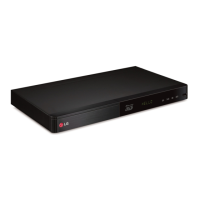
LG BP530
68 pages
Print Icon
To Next Page IconTo Next Page
Loading...
OWNER’S MANUAL
Smart 3D
Blu-ray Disc™Player
Please read this manual carefully before operating
your set and retain it for future reference.
www.lg.com
BP530
P/NO : SAC35673302

Table of Contents

Other manuals for LG BP530

Questions and Answers

  • T
    Tyler ChavezAug 18, 2025
    Why does my LG Blu-ray Player remote not work?
    • J
      Jason CaldwellAug 18, 2025
      The remote control might not be working because it is not pointed at the remote sensor on the unit, it is too far away, there is an obstacle in the path between the remote and the unit, or the batteries in the remote are exhausted.
  • J
    Jackie HallAug 20, 2025
    What to do if my LG BP530 does not start playback?
    • L
      Lori HuntAug 20, 2025
      If the unit does not start playback, try the following: - Insert a playable disc, ensuring you check the disc type, color system, and regional code. - Place the disc with the playback side down. - Make sure the disc is correctly placed on the disc tray inside the guide. - Clean the disc. - Cancel the Rating function or change the rating level.
  • D
    Debbie RiveraAug 23, 2025
    Why is my USB storage device not recognized by my LG BP530 Blu-ray Player?
    • S
      Stephanie Morrow DVMAug 23, 2025
      The USB storage device might not be recognized for several reasons: - Some USB cables may not support enough current. - Using a USB extension cable or USB hub may prevent recognition. - The USB device requires additional program installation on a computer. - The unit only supports USB Flash Drives and USB External HDDs with FAT32 or NTFS format. Try using a different USB cable.
  • B
    Brad SmithAug 26, 2025
    What to do if LG Blu-ray Player won't turn on even when plugged in?
    • L
      lsullivanAug 26, 2025
      You can reset the unit by unplugging the power cord, waiting at least five seconds, and then plugging it back in.
  • J
    Jamie AllisonAug 27, 2025
    How to fix no picture on LG BP530 Blu-ray Player?
    • A
      Alan ComptonAug 27, 2025
      If there is no picture, ensure that you have selected the correct video input mode on your TV so that the picture from the unit appears. Also, verify that the video connection is secure. Check that the [HDMI Color Setting] in the [Settings] menu is correctly set for your video connection. If your TV doesn't support the current resolution, change it to one your TV can handle. The player’s HDMI OUT jack might be connected to a DVI device that does not support copyright protection.
  • J
    Jonathon DavisAug 30, 2025
    Why does my LG BP530 Blu-ray Player buffer when streaming videos?
    • T
      Tammy HamiltonAug 30, 2025
      Buffering during streaming video playback may occur if your broadband service speed is not fast enough. It is recommended to contact your Internet Service Provider (ISP) and increase your broadband speed.
  • D
    David AdamsSep 1, 2025
    Why is the BD-Live feature not working on my LG BP530?
    • C
      Cynthia SmithSep 1, 2025
      The BD-Live feature may not work due to several reasons: - The connected USB storage may not have enough space; connect a USB storage device with at least 1GB of free space. - Ensure the unit is correctly connected to the local area network and can access the internet. - Your broadband speed may not be fast enough; contact your Internet Service Provider (ISP) to increase your broadband speed. - The [BD-LIVE connection] option in the [Settings] menu is set to [Prohibited]; change it to [Permitted].
  • J
    Joshua WalshSep 3, 2025
    Why are media servers not showing up on my LG BP530 Blu-ray Player device list?
    • S
      Susan HollowaySep 4, 2025
      If media servers are not displayed on the device list, it may be because the firewall or anti-virus software on your media server is running. Try turning off the firewall or anti-virus software. Also, ensure the player is connected to the same local area network as your media server.
  • A
    Aaron JonesSep 5, 2025
    How to stop picture noise on LG Blu-ray Player?
    • C
      Carlos JacobsSep 6, 2025
      If picture noise appears, it may be because you are playing a disc recorded in a color system different from your TV. Set the resolution to one that your TV accepts.
  • B
    Beth WalshSep 8, 2025
    Why is my access point not displayed on the LG BP530?
    • E
      Erin McbrideSep 8, 2025
      If the access point is not displayed on the “Access point name” list, the access point or wireless LAN router may not be broadcasting its SSID. Set your access point to broadcast its SSID through your computer. Your network device may not be set with an available frequency range and channel that this player can support. Try setting the frequency range and channel on the network device setting.

Summary

LG Blu-ray Player: Owners Manual

Getting Started

Safety Information

General safety warnings and precautions for safe operation.

Safety Way to Remove Battery

Guidelines for safely removing and disposing of the equipment's battery.

FCC Compliance and Statements

Device compliance with FCC rules and operational conditions.

Copyright Notes and 3 D Viewing Cautions

Information regarding content protection and warnings for viewing 3D content.

Important Safety Instructions

Introduction to Your Blu-ray Player

Supported Discs and Symbols

Details on supported disc formats and their corresponding symbols.

O Symbol Display and Regional Codes

Explanation of the 'O' symbol and regional coding for discs.

Remote Control Functions Guide

Front Panel Overview

Rear Panel Connections

Connecting Your Blu-ray Player to TV

HDMI Connection Details and Troubleshooting

Additional information and troubleshooting for HDMI connections.

SIMPLINK Feature Explained

Explanation of LG's SIMPLINK feature for TV control.

Adjusting Video Resolution Settings

How to adjust the video output resolution via HDMI.

Connecting to Audio Amplifiers

Digital Multi-channel Audio Setup

Information on achieving high-quality multi-channel audio.

HDMI Audio Output Connection

Step-by-step guide for connecting via HDMI for audio output.

Digital Audio Output Connection

Guide for connecting via digital audio cable for audio output.

Home Network Connectivity Setup

Wired Network Setup Guide

Details on setting up a wired network connection.

Advanced Wired Network Configuration

Manual configuration options for wired network connections.

Wireless Network Connection

Methods for connecting to a wireless network.

Wireless Network Setup Steps

Steps to configure the player for wireless network access.

Advanced Wireless Network Configuration

Manual configuration for wireless network connections.

Network Connection Best Practices

Important considerations and potential issues for network connectivity.

System Settings Configuration

Initial Setup Wizard Guide

Guided setup process for language and network settings.

Adjusting Player Setup Settings

How to modify various player settings.

[NETWORK] Menu Options Explained

Detailed settings for network connectivity, BD-Live, and services.

Smart Service and Wi-Fi Direct Setup

Configuration for online services and direct device connections.

Display Menu Settings: Aspect Ratio and Resolution

Options for TV aspect ratio, resolution, and display modes.

HDMI Color, 3 D Mode, and Language Settings

Adjustments for HDMI color output, 3D playback, and language preferences.

[AUDIO] Menu: Digital Output Options

Configuration for digital audio output, sampling frequency, and DRC.

[LOCK] Menu: Parental Controls and Ratings

Settings for parental controls, DVD/Blu-ray ratings, and password.

[OTHERS] Menu: System Options

Settings for Quick Start, Auto Power Off, Initialize, and Software.

Player Operation Guide

Home Menu and Smart Share Navigation

How to access and navigate through the player's home menu and Smart Share.

Playing Discs: Standard and 3 D

Playing Standard Discs

Steps to play standard BD, DVD, AVCHD, and Audio CDs.

Playing Blu-ray 3 D Discs

Guide to playing Blu-ray 3D content with compatible TVs.

Playing Files from Disc and USB

USB Device Usage Guidelines

Important limitations and guidelines for using USB storage devices.

Playing Files from Network Servers

Network Server Media Playback

Steps to access and play media from DLNA servers.

PC as Home Network Media Server

Installing Nero MediaHome Essentials

Guide to installing the Nero MediaHome software for PC.

Sharing Folders for Media Playback

Procedure for sharing folders on your computer for playback.

Nero MediaHome 4 Essentials Overview

Nero MediaHome System Requirements

Specifications required for installing and running Nero MediaHome.

General Media Playback Controls

Video and Audio Playback Operations

Controls for playing, pausing, scanning, and slow-motion.

Photo Slideshow and Disc Menu Navigation

How to play photo slideshows and navigate disc menus.

Playback Memory Features

Resume Playback Feature

How the player remembers playback points for discs.

Last Scene Memory

Player's ability to memorize and recall the last viewed scene.

On-Screen Display and Content Information

Video Playback Controls and Options

On-screen controls for playback and options.

Viewing Content Details On-Screen

Displaying information about the current video content.

Photo View Controls and Slideshow Settings

Advanced Playback Functions

Repeat Playback Modes Explained

Setting repeat playback for sections, chapters, titles, or all.

Specific Portion Repeat and Time Jump

How to set a custom A-B repeat section and jump to a specific time.

Subtitle, Audio, Angle, and Aspect Ratio Adjustments

Subtitle Code Page and Picture Mode Settings

Content Information and User Picture Settings

Displaying content info and customizing picture settings.

Content List View and Subtitle File Selection

Music During Slideshow and 3 D Option Settings

Advanced Features: Wi-Fi Direct

BD-Live Content, AV Remote, and Private Sound

Audio CD Recording to USB

Online Content Services: Premium and LG Smart World

Account Sign-in and Online Content Search

Account management for services and using keywords to find content.

Managing My Apps Menu

Troubleshooting Common Issues

General Troubleshooting Steps

Resolving issues related to power, playback, USB, and remote control.

Network Connectivity Troubleshooting

Resolving issues with BD-Live, streaming, and network connection.

Picture Issues, Support, and Software Notices

Solutions for picture problems, support info, and software notices.

Appendix: Remote Control Setup

TV Remote Control Pairing Guide

Procedure to program the player's remote to operate a TV.

Software and Network Updates

Software Update Procedures

Steps to perform a software update for the player.

Additional Information: File Compatibility

Supported File Formats and Requirements

Specifications for video, audio, and photo file formats.

AVCHD Format Details and File Playback Notes

Information on AVCHD disc compatibility and file playback notes.

DLNA Networking and System Requirements

DLNA Technology Explained

Explanation of DLNA technology for digital media sharing.

System Requirements for HD and Audio

Required hardware for HD playback and multi-channel audio.

Disc and Connection Compatibility Notes

Information on disc, connection, and feature compatibility.

Audio Output Specifications Guide

Reference Lists: Area and Language Codes

Area Code List for DVD Ratings

List of area codes for DVD rating standards.

Language Code List for Settings

List of language codes for disc audio, subtitle, and menu settings.

Legal and Licensing Information

Trademarks and License Details

Information on registered trademarks and licensing agreements.

Cinavia Technology Protection Notice

Information on Cinavia technology for copy protection.

Product Technical Specifications

Maintenance and Disc Handling

Unit Handling and Cleaning Procedures

Guidelines for proper handling and cleaning of the player.

Disc Handling, Storage, and Cleaning

Best practices for handling, storing, and cleaning discs.

Important Network Service Disclaimers

LG BP530 Specifications

General IconGeneral
3D-
Depth40.6 mm
Width360.6 mm
Height200.6 mm
Weight1700 g
Full HDYes
Package depth81.2 mm
Package width491.1 mm
Product colorBlack
Audio decodersDolby Digital Plus, DTS-HD
Package height264.1 mm
Composite video in0
Disc types supportedBD-R, BD-RE, BD-RE DL, BD-ROM, CD, CD-R, CD-ROM, CD-RW, DVD, DVD+R, DVD+R DL, DVD+RW, DVD+RW DL, DVD-R, DVD-R DL, DVD-RAM, DVD-ROM, DVD-RW, DVD-RW DL
Supported video modes1080p
Card reader integratedNo
USB 2.0 ports quantity1
Audio formats supportedAAC, MP3, WMA
Image formats supportedGIF, JPG, PNG
Video formats supported3GP, AVCHD, FLV, M4V, MKV, MOV, MP4, WMV
Consumer Electronics Control (CEC)SimpLink
Audio output channels- channels

Related product manuals