EasyManua.ls Logo

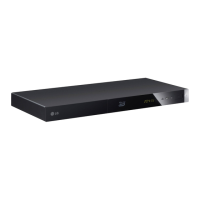
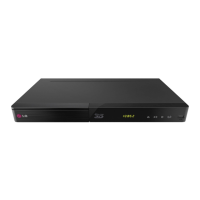
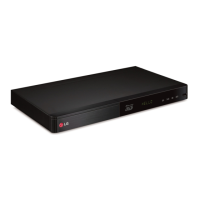
LG BP450 - User Manual

LG BP450
61 pages
Print Icon
To Next Page IconTo Next Page
Loading...
www.lg.com
Please read this manual carefully before operating
your set and retain it for future reference.
BP450
OWNER’S MANUAL
Network 3D
Blu-ray Disc™ /
DVD Player
P/NO : MFL68164501_1.0

Table of Contents

Other manuals for LG BP450

Questions and Answers

  • J
    James HarringtonAug 19, 2025
    What to do if the remote control for my LG Other does not work?
    • M
      Miss Patricia WaltonAug 19, 2025
      If the remote control isn't working properly, make sure of the following: * Point the remote control at the remote sensor on the unit. * Ensure the remote control is not too far from the unit. * Remove any obstacles between the remote control and the unit. * Check if the batteries in the remote control are exhausted.
  • J
    Jake MartinAug 21, 2025
    What to do if there is no picture on my LG Other?
    • N
      Nancy LiuAug 21, 2025
      If there is no picture, try the following: * Select the appropriate video input mode on the TV so the picture from the unit appears on the TV screen. * Ensure the video connection is secure. * Verify the [HDMI Color Setting] in the [Settings] menu is set to the appropriate item that conforms to your video connection. * Change the resolution to one that your TV supports. * Note that the player’s HDMI OUT jack should not be connected to a DVI device that does not support copyright protection.
  • E
    Elizabeth DavisAug 23, 2025
    What to do if my LG Other will not turn on?
    • N
      Nicholas Ramos MDAug 23, 2025
      If the power does not turn on, ensure the power cord is securely plugged into the wall outlet and that the AC adapter is securely connected to the unit.
  • E
    Emily GrantAug 26, 2025
    Why is my USB storage device not recognized by my LG Other?
    • J
      Jean MaysAug 26, 2025
      If the connected USB storage device isn't being recognized, consider the following: * Try a different USB cable, as some cables may not provide enough current. * Avoid using USB extension cables or USB hubs. * Note that USB devices requiring additional software installation on a computer are not supported. * This unit only supports USB Flash Drives and USB External HDDs with FAT32 or NTFS format.
  • L
    lauraclarkAug 27, 2025
    Why are streaming video services buffering on my LG Other?
    • G
      George MitchellAug 28, 2025
      Buffering or stopping during playback of streaming video services may occur if your broadband service speed isn't fast enough. It's recommended to contact your Internet Service Provider (ISP) and increase your broadband speed.
  • D
    David MillerAug 29, 2025
    How to fix LG Other if it does not work properly?
    • S
      Shawn HallAug 30, 2025
      If your unit isn't working correctly, try these steps: 1. Turn off the power to both the unit and any connected external devices (TV, Woofer, DVD-player, Amplifier, etc.). Then, turn them back on. 2. If that doesn't work, disconnect the power cord of this unit and connected external devices. Then, reconnect them.
  • L
    Lori CarpenterSep 1, 2025
    What to do if my LG Other is plugged in but won't turn on or off?
    • E
      ethan23Sep 1, 2025
      If the unit is plugged in but the power will not turn on or off, unplug the power cord, wait at least five seconds, and then plug it in again.
  • M
    Mary GrossSep 3, 2025
    Why won't my LG Other start playback?
    • D
      David BurnsSep 3, 2025
      If the unit won't start playback, try the following: * Insert a playable disc, ensuring you check the disc type, color system, and regional code. * Place the disc with the playback side down. * Make sure the disc is correctly placed on the disc tray inside the guide. * Clean the disc. * Cancel the Rating function or change the rating level.
  • T
    Timothy VaughanSep 5, 2025
    How to fix picture noise on LG Other?
    • J
      john58Sep 5, 2025
      Picture noise can occur if you are playing a disc recorded in a color system different from your TV. Try setting the resolution to one your TV accepts.
  • M
    montoyaanitaSep 7, 2025
    Why can't I play movie, photo, or music files on my LG Other?
    • D
      dnealSep 7, 2025
      You may not be able to play movie, photo, or music files if the files are not recorded in a format that the unit can play or if the unit doesn't support the codec of the movie file.

Summary

Getting Started

Safety Information

Covers risks of electric shock, fire, moisture, and ventilation.

Laser and Power Cord Safety

Precautions for laser product usage and power cord maintenance.

AC Adapter Usage

Instruction to use only the supplied AC adapter.

Disposal of Batteries and Appliances

Guidelines for proper disposal of batteries and old electronics.

Copyrights and Viewing Precautions

Information on content protection and warnings for 3D viewing.

Introduction and Playable Media

General introduction and list of playable discs and symbols.

Disc Playback Notes and System Selection

Details on disc compatibility, playback notes, and color system selection.

Remote Control Operations

Identifies remote buttons, functions, and battery installation.

Front and Rear Panel Layout

Identifies components on the front and rear panels.

Connecting

Power and TV Connectivity

Steps to connect the AC adapter and connect the player to a TV via HDMI.

HDMI, SIMPLINK, and Resolution Settings

Details on HDMI, SIMPLINK, and adjusting video resolution.

Amplifier and Audio Connections

How to connect to an amplifier and information on digital multi-channel sound.

Amplifier Audio Output Methods

Instructions for HDMI and Digital Audio connections to an amplifier.

Home Network Setup and Wired Connection

Connecting to a home network via wired connection and setup.

Network Configuration and Settings

Setting up network connection and advanced network settings.

Network Connection Troubleshooting

Solutions for common network connection problems and ISP restrictions.

System Setting

Initial Setup Wizard

Steps for the initial setup process upon first use.

General Settings: Network and BD-LIVE

Configuring network options and BD-LIVE connection permissions.

Display and Language Settings

Adjusting TV aspect ratio, language, and network play settings.

Video, Audio, and 3 D Settings

Settings for resolution, HDMI color, 3D mode, and audio output.

Digital Audio and Security Configuration

Configuring digital audio output, sampling frequency, and parental controls.

Disc Restrictions and System Initialization

Setting disc ratings, area codes, and initializing player settings.

Quick Start, Power Off, and Software Management

Configuring quick start, auto power off, and software information.

Operating

Home Menu Navigation and Basic Playback

Navigating the home menu and basic disc playback operations.

Media Playback from Discs, USB, and Android

Playing Blu-ray 3D, files from disc/USB, and Android devices.

Networked Media and SmartShare Setup

Playing files from network servers and setting up PC sharing.

General Playback and Slideshow Operations

Basic playback controls, slideshow operations, and disc menu usage.

Advanced Playback Features and Controls

Last scene memory, on-screen display, content info, and photo view controls.

Playback Customization and Language Selection

Repeating portions, selecting subtitles, playing from time, and changing audio.

Video Adjustments and File Selection

Changing camera angles, aspect ratio, subtitle code page, and picture mode.

3 D Video, BD-Live, and Remote Control Features

Playing 3D files, enjoying BD-Live, and using the LG AV Remote.

Online Services and Multi-room Audio

Using premium services and enjoying LG Multi-room Audio.

Troubleshooting

General Troubleshooting and Network Issues

Solutions for common issues like unit not working, power, playback, and network problems.

Picture and Support Information

Troubleshooting picture issues, accessing customer support, and open source notices.

Appendix

Remote Control and Software Updates

Using the remote for TV control and performing network software updates.

File Requirements and Compatibility

Details on supported file formats, codecs, and playback compatibility notes.

Audio Specifications and Code Lists

Audio output specifications, area codes, and language codes.

Trademarks, Licenses, and Maintenance

Information on trademarks, licenses, Cinavia notice, and unit maintenance.

Product Specifications and Network Services

Technical specifications of the player and disclaimer for network services.

LG BP450 Specifications

General IconGeneral
3DYes
Depth195 mm
Wi-FiNo
Width270 mm
Height43 mm
Weight850 g
Device typeBlu-Ray player
Aspect ratio16:9
Product colorBlack
Audio decodersDTS
Disc types supportedBD, DVD
Supported video modes1080p
Card reader integrated-
USB 2.0 ports quantityUSB 2.0 ports have a data transmission speed of 480 Mbps, and are backwards compatible with USB 1.1 ports. You can connect all kinds of peripheral devices to them.
Digital audio optical out0
Analog signal format systemNTSC, PAL
Power consumption (standby)0.5 W
Power consumption (typical)12 W
Audio output channels- channels

Related product manuals