EasyManua.ls Logo

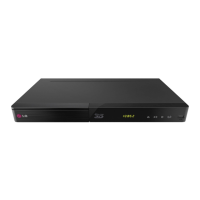
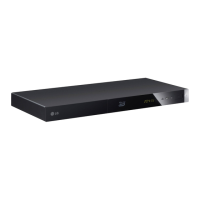
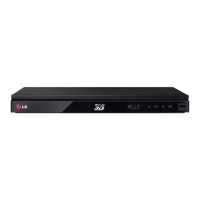
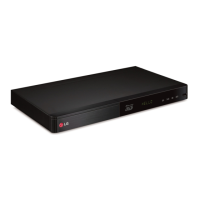
LG BP440K - User Manual

LG BP440K
67 pages
Print Icon
To Next Page IconTo Next Page
Loading...
www.lg.com
Please read this manual carefully before operating
your set and retain it for future reference.
BP440K
OWNER’S MANUAL
Network 3D
Blu-ray Disc™ /
DVD Player
with Karaoke
P/NO : MFL68142801_1.0

Table of Contents

Questions and Answers

  • T
    tschneiderAug 19, 2025
    Why is my LG BP440K Blu-ray Player remote control not working properly?
    • S
      Sheena StoneAug 19, 2025
      The remote control might not be pointed at the unit's sensor, or it may be too far away. Ensure there are no obstacles blocking the path between the remote and the LG Blu-ray Player. Also, check if the remote's batteries are exhausted and replace them if needed.
  • V
    vjimenezAug 21, 2025
    What to do if my LG BP440K does not work properly?
    • J
      Jimmy BrownAug 21, 2025
      Try turning off the power of both the LG Blu-ray Player and any connected external devices like your TV, woofer, DVD player, or amplifier, and then turn them back on. If that doesn't work, disconnect the power cord of the Blu-ray player and the connected devices, and then reconnect them.
  • W
    wmendezAug 23, 2025
    What to do if my LG BP440K Blu-ray Player does not start playback?
    • A
      anthonywalkerAug 23, 2025
      First, make sure you've inserted a playable disc, checking its type, color system, and regional code. Ensure the disc is placed with the playback side down and correctly positioned on the disc tray inside the guide. If the disc is dirty, clean it. Also, verify that the Rating function is not preventing playback, or adjust the rating level if needed for your LG Blu-ray Player.
  • J
    John SmithAug 26, 2025
    Why the power does not turned on on my LG Blu-ray Player?
    • M
      Molly GomezAug 26, 2025
      Make sure the power cord is securely plugged into the wall outlet to turn on your LG Blu-ray Player.
  • K
    Kimberly HermanAug 28, 2025
    Why is my USB storage device not recognized by my LG Blu-ray Player?
    • C
      Charles SanfordAug 28, 2025
      Try using a different USB cable, as some cables may not provide enough current. If you're using a USB extension cable or hub, the USB devices might not be recognized by your LG Blu-ray Player. This unit only supports USB Flash Drives and USB External HDDs with FAT32 or NTFS format.
  • S
    Scott WilliamsAug 30, 2025
    What to do if my LG Blu-ray Player is plugged in but won't turn on or off?
    • P
      Patrick NavarroAug 30, 2025
      Unplug the power cord of your LG Blu-ray Player, wait at least five seconds, and then plug it back in.
  • J
    Janet RandallSep 1, 2025
    Why is there no picture on my LG BP440K Blu-ray Player?
    • A
      Ashley BowenSep 1, 2025
      Ensure that you've selected the correct video input mode on your TV so that the picture from the LG Blu-ray Player appears. Check that the video connections are securely connected. Also, verify that the HDMI Color Setting in the Settings menu is appropriately set for your video connection. Your TV might not support the current resolution; try changing it to a compatible one. Finally, the player’s HDMI OUT jack might be connected to a DVI device that does not support copyright protection.
  • M
    mmahoneySep 3, 2025
    Why are streaming video services often stopped during playback on my LG BP440K Blu-ray Player?
    • J
      Jose HodgeSep 3, 2025
      Your broadband service speed may not be fast enough to stream video services. Contact your Internet Service Provider (ISP) and increasing the broadband speed is recommended for your LG Blu-ray Player.
  • A
    Anna PearsonSep 5, 2025
    Why is the BD-Live feature not working on my LG Blu-ray Player?
    • J
      Jose WilliamsSep 5, 2025
      The connected USB storage may not have sufficient space; connect a USB storage device with at least 1 GB of free space. Ensure the LG Blu-ray Player is properly connected to the local area network and can access the internet. The [BD-LIVE connection] option in the [Settings] menu might be set to [Prohibited]; change it to [Permitted].
  • W
    William RichardsonSep 7, 2025
    Why are media servers not displayed on the device list of my LG Blu-ray Player?
    • D
      Diana FrenchSep 8, 2025
      The firewall or anti-virus software on your media server might be running. Try turning off the firewall or anti-virus software on your media server. Also, ensure that the LG Blu-ray Player is connected to the same local area network as your media server.

Summary

Safety Information

Connecting Your TV

Wired Network Connection Setup

Initial Setup Wizard

Player Settings Menu

System Initialization and Software Update

Factory Reset and Storage Clear

How to reset the player to factory settings or clear BD-Live content.

Software Information and Update

Checking current software version and updating the player's firmware.

Home Menu Navigation

Using the SmartShare Feature

How to play media content from connected devices via SmartShare.

Media Playback

Playing Discs

Steps for inserting and playing various types of discs like BD, DVD, AVCHD.

Playing Blu-ray 3 D Discs

Guide to playing 3D Blu-ray discs, including preparation and precautions.

File Playback from Devices

Playing Files from Disc or USB

How to play video, audio, and photo files from discs or USB devices.

Android Device Media Playback

Playing Files from Android Devices

Steps to play media files from an Android device using MTP protocol.

Network Server Media Playback

Playing Files from a Network Server

How to play media files from DLNA servers over a home network.

Home Network Setup

General Playback Controls

Basic Video and Audio Controls

Standard playback functions like stop, pause, scan, and slow motion.

Playback Memory Features

Resume Playback Function

How the player remembers the last playback point on discs.

Last Scene Memory

How the player remembers the last viewed scene of a disc.

On-Screen Display Controls

Video Playback Information

How to display and control video playback information and options.

Advanced Playback Features

Repeat Playback Modes

Various repeat modes for discs and audio files (A-B, Chapter, Title, All).

Specific Portion and Time Playback

Repeating a selected portion or playing from a specific time point.

Content Playback Options

Subtitle Language and Audio Selection

How to select subtitle language and change audio tracks or channels.

Subtitle and Picture Settings

Multimedia Playback Features

3 D Files and Karaoke Function

Playing 3D files and using the Karaoke function with a microphone.

Advanced Features

Enjoying BD-Live Content

Using BD-Live features, downloading content, and USB requirements.

Audio CD Recording

Online Content Services

Using the Premium Content Services

Accessing various content services via the Internet using the Premium feature.

Using the LG Smart World

Finding and downloading applications from the LG Smart World.

Troubleshooting: General Issues

Troubleshooting: Network Issues

Troubleshooting: Picture Issues

Software Updates and Notifications

Network Update Notifications

How the player notifies about available software updates via network.

Performing Software Updates

Step-by-step guide to download and install the latest software for the player.

Software Update Process

File Format Compatibility

DLNA and System Requirements

Audio Output Specifications

Product Specifications

Maintenance and Handling

LG BP440K Specifications

General IconGeneral
TypeBlu-ray Player
3D PlaybackNo
Smart FunctionalityNo
HDMI OutputYes
USB PortYes
Ethernet PortNo
Network ConnectivityNo
Wireless ConnectivityNo
Disc TypesDVD, CD
Video OutputHDMI
Audio OutputDigital Coaxial Audio Output

Related product manuals