EasyManua.ls Logo

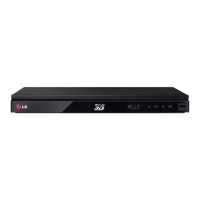
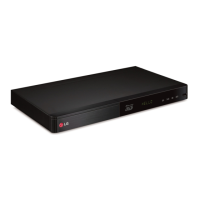
LG BP520 - User Manual

LG BP520
64 pages
Print Icon
To Next Page IconTo Next Page
Loading...
OWNER’S MANUAL
Network 3D
Blu-ray Disc™ / DVD Player
Please read this manual carefully before operating
your set and retain it for future reference.
BP520
P/NO : SAC35374702
www.lg.com

Table of Contents

Questions and Answers

  • J
    Jose SmithAug 15, 2025
    Why is my LG BP520 Blu-ray Player remote control not working?
    • A
      Alyssa McdanielAug 15, 2025
      There are several reasons why the remote control for your LG Blu-ray Player might not be working correctly: * Ensure that the remote control is pointed directly at the remote sensor on the unit. * Make sure you are not too far away from the unit. * Check for any obstructions between the remote control and the unit. * Consider replacing the batteries in the remote control, as they may be exhausted.
  • M
    Margaret StantonAug 18, 2025
    What to do if my LG BP520 does not start playback?
    • D
      dominiqueramosAug 18, 2025
      If your LG Blu-ray Player is not starting playback, consider the following: * Ensure that you have inserted a playable disc, verifying the disc type, color system, and regional code. * Place the disc with the playback side facing down on the disc tray correctly inside the guide. * Clean the disc if it is dirty. * Also, ensure that the Rating function is either canceled or adjusted to an appropriate rating level.
  • D
    Dr. Lorraine OliverAug 21, 2025
    How to turn on LG BP520 Blu-ray Player if it's not powering on?
    • M
      mendozajamesAug 21, 2025
      If the LG Blu-ray Player power does not turn on, plug the power cord into the wall outlet securely.
  • E
    Erika JarvisAug 25, 2025
    Why does my LG BP520 Blu-ray Player keep buffering when streaming videos?
    • M
      mary57Aug 25, 2025
      If streaming video services on your LG Blu-ray Player are frequently stopping or buffering during playback, it's likely that your broadband service speed is not fast enough. Contact your Internet Service Provider (ISP) and increasing your broadband speed is recommended.
  • C
    Cynthia McdanielAug 27, 2025
    Why is there no picture on my LG Blu-ray Player?
    • T
      timothyhudsonAug 27, 2025
      If there is no picture appearing from your LG Blu-ray Player, try the following: * Select the appropriate video input mode on your TV so that the picture from the unit appears on the screen. * Ensure the video connection is securely connected. * Verify that the [HDMI Color Setting] in the [Setup] menu is set to the appropriate item that conforms to your video connection. * Change the resolution to one that your TV accepts, as your TV may not support the current resolution. * Note: If the player’s HDMI OUT jack is connected to a DVI device that does not support copyright protection, there may be no picture.
  • J
    Jenny RossAug 30, 2025
    Why is BD-Live not working on my LG Blu-ray Player?
    • B
      Beth SnyderAug 30, 2025
      If the BD-Live feature is not working on your LG Blu-ray Player, here are a few things to check: * Ensure the connected USB storage has at least 1GB of free space; connect the USB storage with enough free space. * Make sure that the unit is correctly connected to the local area network and can access the internet. * If your broadband speed is not fast enough, contact your Internet Service Provider (ISP) to increase it. * Check that the [BD-LIVE connection] option in the [Setup] menu is set to [Permitted].
  • K
    kimberly65Sep 2, 2025
    Why is my LG BP520 Blu-ray Player not playing 3D Blu-ray discs in 3D?
    • D
      dbrownSep 2, 2025
      If Blu-ray 3D disc playback on your LG Blu-ray Player does not output 3D views, try the following: * Connect the player to your TV with an HDMI cable (Type A, High Speed HDMI™ Cable). * Ensure that the [3D Mode] option in the [Setup] menu is set to [On]. * Note: Your TV may not support “HDMI 3D mandatory format”.
  • M
    Ms. Eileen EvansSep 5, 2025
    Why are media servers not showing up on my LG BP520 Blu-ray Player?
    • C
      Christopher ClineSep 5, 2025
      If media servers are not displayed on the device list of your LG Blu-ray Player, it might be because the firewall or anti-virus software on your media server is running. Try turning off the firewall or anti-virus software running on your media server. Note: The player must be connected to the local area network that your media server is connected to.
  • C
    Chelsea HawkinsSep 8, 2025
    Why is there picture noise on my LG Blu-ray Player?
    • A
      Angela MillerSep 8, 2025
      Picture noise may appear on your LG Blu-ray Player if you are playing a disc recorded in a colour system that is different from your TV. Also, try setting the resolution which your TV accepts.
  • J
    Joshua SmithSep 12, 2025
    Why is my WiFi not showing up on my LG BP520 Blu-ray Player?
    • S
      Sarah PetersonSep 12, 2025
      If the access point is not displayed on the “Access point name” list of your LG Blu-ray Player, it could be that the access point or wireless LAN router may not broadcast its SSID. Set your access point to broadcast its SSID through your computer. Also, your network device such as access point may not set with available frequency range and channel that this player can support; try setting the frequency range and channel on the network device setting.

Summary

Safety Information and Precautions

Power Cord Safety Cautions

Cautions regarding the power cord, including dedicated circuits and proper handling.

Battery Removal and Disposal

Instructions for safely removing and disposing of batteries.

FCC Compliance Statement

Statement detailing compliance with FCC rules for digital devices.

General Safety Instructions

A list of 14 crucial instructions for safe operation and installation of the player.

Introduction, Files, and Media

Playable Discs and Symbols Guide

Details playable disc types, their logos, symbols, and descriptions.

Compatibility Notes and Ø Symbol Meaning

Discusses compatibility issues and the meaning of the 'Ø' symbol.

Supported File Requirements

Lists supported video, audio, and photo file extensions, codecs, and formats.

AVCHD Format Support

Details support for AVCHD format discs and its features.

Connectivity and Setup

About DLNA and Regional Codes

Explains DLNA technology for sharing media and regional code system.

System Requirements for Playback

Lists requirements for HD video and multi-channel audio playback.

Remote Control Operation

Instructions for operating the player using the remote control.

Front and Rear Panel Overviews

Identifies and describes the controls and ports on the front and rear.

Connecting to External Devices

HDMI Connection to TV

Guides on connecting the player to a TV via HDMI for video and audio.

Video;Audio Connection to TV

Instructions for connecting via composite video and RCA audio cables.

SIMPLINK Feature Integration

Explains SIMPLINK for TV remote control integration.

HDMI Connection to Amplifier

Instructions for connecting the player's HDMI output to an amplifier.

Digital and Analog Audio to Amplifier

Guides on connecting via optical digital and analog audio outputs.

Network and USB Operations

Wired Network Connection and Setup

Details on establishing a wired LAN connection for network access.

Wireless Network Connection and Setup

Steps for setting up a wireless network connection.

USB Device Connection and Playback

How to connect and play files from USB devices.

System Settings and Configuration

Initial Setup Wizard Guide

Guide for the first-time setup wizard, including language and network.

Display and Resolution Settings

Options for adjusting TV Aspect Ratio and video output resolution.

Audio, Language, and Lock Settings

Setting audio output, digital output, and display/menu languages.

Network Menu Configuration

Settings for software updates, BD-Live, and online services.

Operating the Player

General Playback Modes

Navigating the Home menu, playing discs, and playing files.

Blu-ray 3 D and BD-Live Features

How to play 3D discs and use the BD-Live feature.

Network Server Playback

Steps to play media files from a DLNA server.

Playback Controls and Adjustments

Features like repeat playback, specific portion repeat, and content info.

Playback Options and Media Types

Content List View and Subtitle Selection

How to change content list view and select subtitle files.

Photo Viewing Options and Music

Options for photo slideshows, effects, and background music.

Picture Adjustments and Aspect Ratio

Changing TV aspect ratio, picture mode, and subtitle code pages.

Audio CD Recording Function

How to record tracks from an Audio CD to a USB storage device.

Online Services and Application Management

Using Premium Content Services

Accessing content services via the Internet.

Accessing and Managing LG Apps

Finding and downloading applications from the LG App store.

Signing In and Searching Content

Steps to sign in, manage apps, and search for content.

Troubleshooting and Support

General Troubleshooting

Common issues and solutions for power, playback, and remote control.

Network Troubleshooting

Troubleshooting network issues like BD-Live, streaming, and connectivity.

Picture Troubleshooting

Solutions for problems like no picture, noise, or 3D playback issues.

Customer Support and Software Updates

Information on updating player software and contacting support.

Appendix and Technical Details

Remote Control TV Setup

Instructions for programming the remote to control a TV.

Nero MediaHome Software Guide

Installing DLNA server software and sharing media files.

Product Specifications

Detailed technical specifications of the player, including dimensions and outputs.

Maintenance and Disc Handling

Instructions for unit maintenance and proper disc handling.

LG BP520 Specifications

General IconGeneral
3D PlaybackYes
Smart TVYes
Wi-FiYes
EthernetYes
HDMI Output1
USB Port1
Digital Audio Output (Coaxial)Yes
Output Resolution1080p
USB PlaybackYes
Disc TypesDVD, CD
Audio OutputDolby Digital, DTS

Related product manuals