41
Operating
4
Listening to music during slide
show
i
You can display photo les while listening to audio
les.
1. While viewing a photo in full screen, press INFO/
MENU (
m
) to display the option menu.
2. Select [Option] using
a/d
, and press ENTER
(
b
).
3. Use
w/s
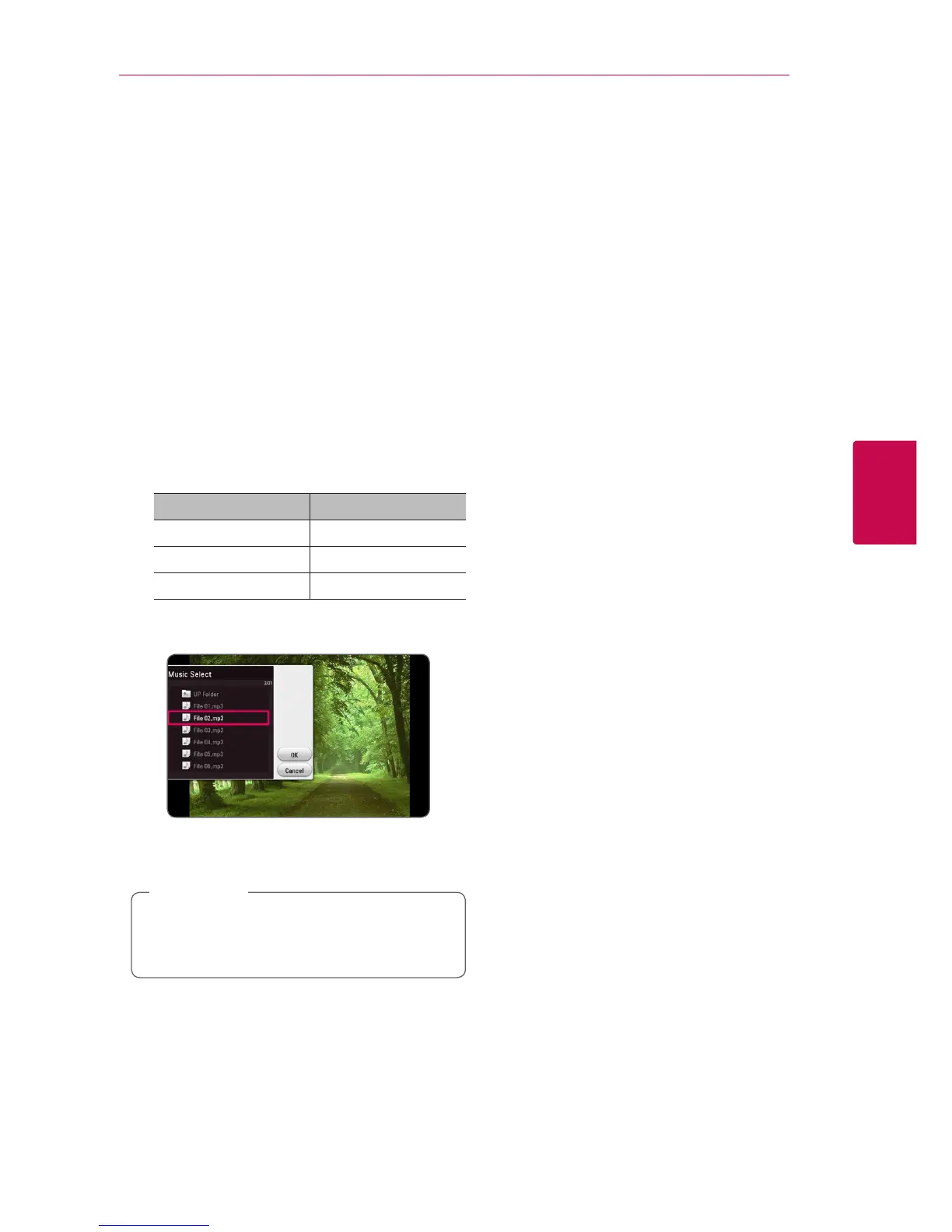
to select [Music Select] option, and
press ENTER (
b
) to display the [Music Select]
menu.
4. Use
w/s
to select a device, and press ENTER
(
b
).
Available device may differ depending on the
location of the current photo file.
Photo location Available Device
Disc, USB Disc, USB
MTP MTP
DLNA server DLNA server
5. Use
w/s
to select a file or a folder you wish to
play.
Select
g
and press ENTER (
b
) to display the
upper directory.
When selecting audio le from a server, folder
selection is not available. Only le selection is
available.
,
Note
6. Use
d
to select [OK], and press ENTER (
b
) to
complete music selection.



 To Next Page