Connection
18
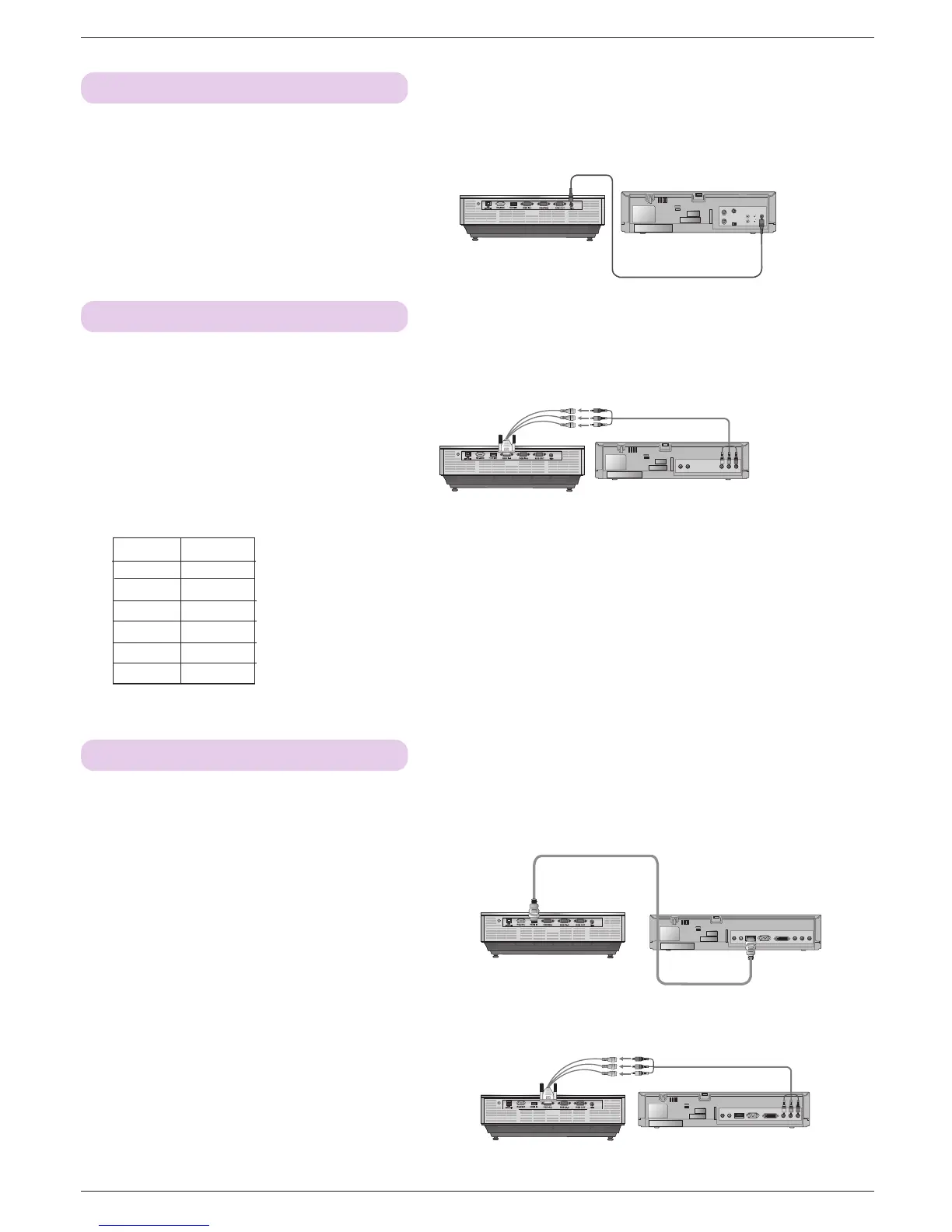
Connecting to a Video Source
< How to connect >
a. Connect the Video input jacks of the projector to the output
jacks of the A/V source with Video cable.
S VIDEO
(R) AUDIO (L) VIDEO
OUT
IN
* You can connect a VCR, a camcorder or any other compatible video image source to the projector.
HDMI Cable
Connecting to a D-TV Set-Top Box
< How to connect a HDMI source >
a. Connect the HDMI IN terminal of the projector to the HDMI
output terminal of the D-TV Set-Top Box via HDMI cable.
b. Use a DTV receiver with DTV 480p(576p)/720p/1080i mode.
* No support of audio.
(R) AUDIO (L)
DTV OUTPUT
DVI OUTPUT
PR
PB
Y
HDMI OUTPUT
* To receive D-TV programmes, it is necessary to purchase a D-TV receiver (Set-Top Box) and connect it to the projector.
* Please refer to the owner's manual of the D-TV Set-Top Box for the connection between projector and D-TV Set-Top Box.
Component cable
< How to connect a Component source >
a. Connect the D-TV Set-Top Box Component cable to the
RCA to D-Sub Adapter and then connect the RCA to D-
Sub Adapter to RGB IN-1 of the projector.
* When connecting the component cable, match the jack colors
with the component cable.(Y=green, PB=blue, PR=red)
* You can also connect to the RGB IN-2 port.
*
No support of audio.
(R) AUDIO (L)
DTV OUTPUT
DVI OUTPUT
PR
PB
Y
HDMI OUTPUT
<D-TV Set-Top Box>
<D-TV Set-Top Box>
Connecting to a DVD
< How to connect >
a. Connect the DVD Component cable to the RCA to D-Sub
Adapter and then connect the RCA to D-Sub Adapter to
RGB IN-1 of the projector.
* When connecting the component cable, match the jack colors
with the component cable.(Y=green, PB=blue, PR=red)
* You can also connect to the RGB IN-2 port.
PR
PB
Y
(R) AUDIO (L)
* The output jacks (Y, PB, PR) of the DVD might be labeled as Y, Pb, Pr / Y, B-Y, R-Y / Y, Cb, Cr according to the equipment.
<DVD>
<Video>
Component cable
Signal
480i
480p
720p
1080i
576i
576p
Component
O
O
O
O
O
O


 To Next Page