EasyManua.ls Logo

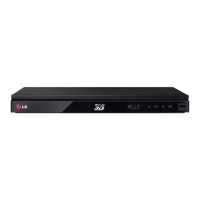
LG BX580 - User Manual

LG BX580
96 pages
Print Icon
To Next Page IconTo Next Page
Loading...
Please read this manual carefully before operating
your set and retain it for future reference.
OWNER’S MANUAL
3D Network Blu-ray Disc™
Player
MODELS
BX580
P/NO : MFL63727901
www.lg.com
MODELS
BX580
P/NO : MFL63727901

Table of Contents

Other manuals for LG BX580

Questions and Answers

  • R
    richardbarnesAug 14, 2025
    What to do if my LG Blu-ray Player does not start playback?
    • A
      April AllenAug 14, 2025
      If your LG Blu-ray Player isn't starting playback, try the following: * Make sure you've inserted a playable disc, checking its type, color system, and regional code. * Place the disc with the playback side down. * Ensure the disc is correctly placed on the disc tray inside the guide. * Clean the disc. * Cancel the Rating function or change the rating level.
  • M
    Mr. Michael NelsonAug 17, 2025
    Why is my LG Blu-ray Player remote control not working properly?
    • M
      michael27Aug 17, 2025
      If the remote control for your LG Blu-ray Player isn't working correctly, it might be due to the following reasons: * The remote control is not pointed at the remote sensor of the unit. * The remote control is too far from the unit. * There is an obstacle in the path of the remote control and the unit. * The batteries in the remote control are exhausted.
  • D
    Derrick MitchellAug 21, 2025
    What to do if my LG Blu-ray Player won't turn on or off?
    • M
      michaelacollinsAug 21, 2025
      If your LG Blu-ray Player is plugged in but won't turn on or off, try these steps: 1. Press and hold the POWER button for at least five seconds to force the unit to power off, then turn it back on. 2. Unplug the power cord, wait at least five seconds, and then plug it in again.
  • T
    Tiffany PenaAug 25, 2025
    What to do if there is no picture on my LG Blu-ray Player?
    • M
      Matthew PayneAug 25, 2025
      If there is no picture on your LG Blu-ray Player, try the following: * Select the appropriate video input mode on your TV so the picture from the unit appears. * Check the video connection to ensure it's secure. * Verify the [HDMI Color Setting] in the [Setup] menu is correctly set for your video connection. * Change the resolution to one your TV supports, as your TV may not support the current resolution. * Note that if the player’s HDMI OUT jack is connected to a DVI device that does not support copyright protection, there will be no picture.
  • N
    Nathan PetersonAug 28, 2025
    Why is there no sound or distorted sound on my LG Blu-ray Player?
    • D
      derrickmitchellAug 28, 2025
      If you experience no sound or distorted sound with your LG Blu-ray Player, consider the following: * Ensure the audio connection is securely connected. * The input source setting on the amplifier or the connection to the amplifier may be incorrect. * The unit may be in scan, slow motion, or pause mode. * The sound volume may be low. * Check that the connected amplifier is compatible with audio format output from the player. * The player’s HDMI OUT jack may be connected to a DVI device. The DVI jack does not accept audio signal. * Check the device connected to player’s HDMI OUT jack is compatible with audio format output from the player.
  • J
    Julia StevensAug 31, 2025
    Why is the BD-LIVE feature not working on my LG Blu-ray Player?
    • T
      tiffany90Aug 31, 2025
      If the BD-LIVE feature on your LG Blu-ray Player isn't working, check these: * The connected USB storage may not have enough space; connect one with at least 1GB free. * Ensure the unit is correctly connected to the local area network and can access the internet. * Your broadband speed may not be fast enough; consider contacting your Internet Service Provider (ISP) to increase it. * The [BD-LIVE connection] option in the [Setup] menu may be set to [Prohibited]; set it to [Permitted].
  • B
    Brian SotoSep 3, 2025
    Why does picture noise appear on my LG Blu-ray Player?
    • T
      Tyler MichaelSep 4, 2025
      Picture noise on your LG Blu-ray Player may be caused by: * Playing a disc recorded in a colour system different from your TV. * The resolution may be set incorrectly; set the resolution to one your TV accepts.
  • J
    John HerreraSep 6, 2025
    Why can't my LG Blu-ray Player play movie, photo, or audio files?
    • J
      Jill DavisSep 6, 2025
      It is possible that the files are not recorded in a format that your LG Blu-ray Player can play, or the unit does not support the codec of the movie file.
  • E
    Edward SalasSep 10, 2025
    Why can't I change the angle on my LG Blu-ray Player?
    • Z
      Zoe HernandezSep 10, 2025
      The angle cannot be changed on your LG Blu-ray Player because multi-angles are not recorded on the DVD Video being played.

Summary

Safety Information

Electric Shock and Unit Enclosure Safety

Warnings about opening the unit and risks of electric shock.

General Cautions and Warnings

Safety precautions regarding fire, moisture, and ventilation.

Power Cord Safety Precautions

Guidelines for safe use and handling of the power cord.

Battery Removal and Disposal

Instructions for safely removing and disposing of batteries.

FCC Compliance and RF Exposure

Statements regarding FCC rules, interference, and radiation exposure.

Important Safety Instructions

Essential safety guidelines for operating the device.

Player Preparation and Media

Introduction to Preparation

Overview of the preparation section.

Manual Symbols and Accessories

Explanation of manual symbols and list of supplied accessories.

Supported Discs and File Formats

Details on playable discs and file compatibility.

AVCHD, System Requirements, and Compatibility

Information on AVCHD, system needs, and compatibility notes.

Remote Control and Panel Layout

Explanation of remote control functions and panel identification.

Installation and Connectivity

Connecting the Player to a TV

Guides for connecting the player to a TV via HDMI, Component, or Video.

SIMPLINK Feature and Resolution Settings

Explanation of SIMPLINK and how to adjust video resolution.

Component and Video;Audio Connections

Detailed guides for connecting via component and stereo audio cables.

Connecting to an Amplifier

Guides for connecting the player to an amplifier or receiver.

Network Connection Setup (Wired)

Instructions for setting up a wired network connection.

Network Connection Setup (Wireless)

Information on setting up a wireless network connection.

USB Device Connection and Playback

How to connect and use USB devices for media playback.

Player Settings Menus

Overview of player settings and configuration options.

Operation and Content Playback

Basic Playback and Media Navigation

Basic playback controls, disc handling, and media navigation.

Advanced Playback Features

Features like repeat, zoom, markers, and scan functions.

3 D Blu-ray Playback

Preparation and requirements for playing Blu-ray 3D discs.

Media File Playback and Management

Playing movie files, VR discs, subtitle selection, and photo viewing.

Online Content Services (NetCast Overview)

Overview of accessing various online content services.

Using Streaming Services

Steps for activating and using Netflix, VUDU, and YouTube services.

Home Network Media Sharing (DLNA)

Browsing and playing content from PCs or DLNA servers.

Enjoying Pandora Radio and Picasa Albums

Listening to Pandora radio and viewing Picasa Web Albums.

Maintenance and Troubleshooting

Disc Handling, Storage, and Cleaning

Proper methods for handling, storing, and cleaning discs.

Unit Handling, Shipping, and Cleaning

Guidelines for safely handling, shipping, and cleaning the player unit.

General Troubleshooting (Power, Playback, Remote)

Solutions for common issues with power, playback, and remote control.

Picture and Sound Troubleshooting

Troubleshooting for video and audio output problems.

Network Connectivity Troubleshooting

Resolving problems with network services, streaming, and connectivity.

Appendix: Specifications and Information

Remote Setup, Software Updates, and Codes

Instructions for remote control setup, software updates, and code lists.

Area and Language Code Lists

Lists of area codes for DVD rating and language codes for settings.

Technical Specifications and Licenses

Details on trademarks, licenses, audio/video specs, and open source notices.

Network Service Terms and Conditions

Important terms and conditions for using network services.

Warranty Information

USA Limited Warranty Terms and Service

Information on the limited warranty period, service handling, and exclusions.

LG BX580 Specifications

General IconGeneral
BrandLG
ModelBX580
CategoryBlu-ray Player
LanguageEnglish

Related product manuals