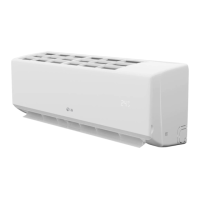
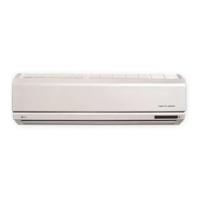
This document is an owner's manual for an LG Air Conditioner, providing comprehensive information on its operation, maintenance, and safety precautions.
Function Description:
The LG Air Conditioner is designed to provide cooling, heating (for heat pump models), dehumidification, and air circulation. It features various operation modes to suit different user preferences and environmental conditions. The unit can be controlled via a wireless remote controller, which allows for setting temperature, fan speed, operation mode, and timer functions. Some models include optional features such as NEO PLASMA purification for improved air quality, Auto Clean for internal unit hygiene, and Energy-Saving Cooling Mode for optimized energy consumption. The air conditioner also incorporates a self-diagnosis function to identify and display error codes in case of malfunctions.
Important Technical Specifications:
While specific technical specifications like power consumption, cooling/heating capacity, or refrigerant type are not detailed on the provided pages, the manual indicates that the equipment complies with the requirements of the Technical Regulation regarding restrictions on dangerous substances in electrical and electronic equipment. The remote controller operates with batteries and allows for fan speed selection in four steps (low, medium, high, and CHAOS). The sleep mode timer can be set for 1 to 7 hours. The unit's display luminosity can be adjusted. The manual also mentions that for temporary situations, only CSA certified and UL listed 3-wire grounded extension cords, rated 15 A, 125 V, should be used.
Usage Features:
- Operation Modes: The air conditioner offers several operation modes including Cooling, Auto Operation (Cooling Only Model), Auto Changeover (Heat Pump Model), Healthy Dehumidification, Heating, and Air Circulation.
- Temperature Control: Users can set the desired room temperature using the remote controller.
- Fan Speed Control: The indoor fan speed can be adjusted to low, medium, high, or CHAOS mode. CHAOS Air is designed to economize power consumption and prevent overcooling by automatically changing fan speed.
- Jet Cool/Heat Operation: This feature allows for rapid cooling or heating by operating the fan at super high speed.
- NEO PLASMA Purification (Optional): This function uses plasma technology to generate high charge electrons to remove microscopic contaminants from the intake air, improving air quality.
- Auto Clean (Optional): This feature helps prevent the growth of mold and bacteria inside the indoor unit by drying the internal components after cooling or dehumidification operation.
- Energy-Saving Cooling Mode (Optional): This mode optimizes energy consumption during cooling and healthy dehumidification by adjusting the desired temperature based on body-adaptation time and temperature changes.
- Sleep Mode: This mode allows users to set a timer for the unit to stop automatically, providing a comfortable sleep environment by adjusting fan speed and temperature.
- Timer Setting: Users can set specific times for the unit to start and stop operation.
- Airflow Direction Control: Vertical and horizontal airflow directions can be adjusted to ensure uniform temperature distribution.
- Auto Restart Function: In case of a power failure, the unit will automatically restart with the previous operating settings once power is restored.
- Forced Operation: If the remote control is unavailable, the unit can be operated by pressing the ON/OFF button on the indoor unit.
- Display Luminosity (Optional): The brightness of the unit's display can be adjusted.
Maintenance Features:
- Battery Replacement: Instructions are provided for inserting and replacing batteries in the wireless remote controller.
- Remote Controller Maintenance: The remote controller should be kept clean, and its signal transmitter and receiver should be free from obstructions.
- Air Filter Cleaning: The air filters, located behind the front panel/grill, should be checked and cleaned every two weeks or more often. They can be cleaned with a vacuum cleaner or warm soapy water.
- Plasma Filter Cleaning (Optional): Plasma filters should be checked and cleaned every three months or more often, using a vacuum cleaner or water.
- Deodorizer Filter Maintenance: Deodorizer filters should be removed and exposed to direct sunlight for two hours to regenerate their effectiveness.
- Outdoor Unit Maintenance: The heat exchanger coils and panel vents of the outdoor unit should be checked regularly and professionally cleaned if clogged with dirt or soot to maintain operating efficiency.
- Self-Diagnosis Function: The unit has an inbuilt error diagnosis capability, indicated by blinking LEDs, to help identify issues. Users are advised to contact a serviceman/dealer if an error occurs.
- Routine Checkup: Users are encouraged to perform routine checkups and cleaning to prevent poor performance. For special situations or repairs, a service person should be contacted.
Safety Precautions:
The manual emphasizes several safety precautions, including proper grounding of the appliance, avoiding damaged power cords or adapters, not operating the unit with wet hands, keeping flammable materials away, ensuring proper ventilation, and disconnecting power before cleaning or repairing. It also warns against touching the plasma filter within 10 seconds of opening the inlet grille due to electric shock risk. For installation and major repairs, authorized service technicians or installers should be contacted.

 Need help?
 General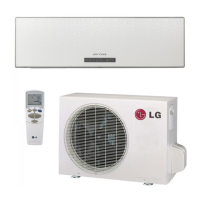

 To Next Page