(H1)
1
(L1)
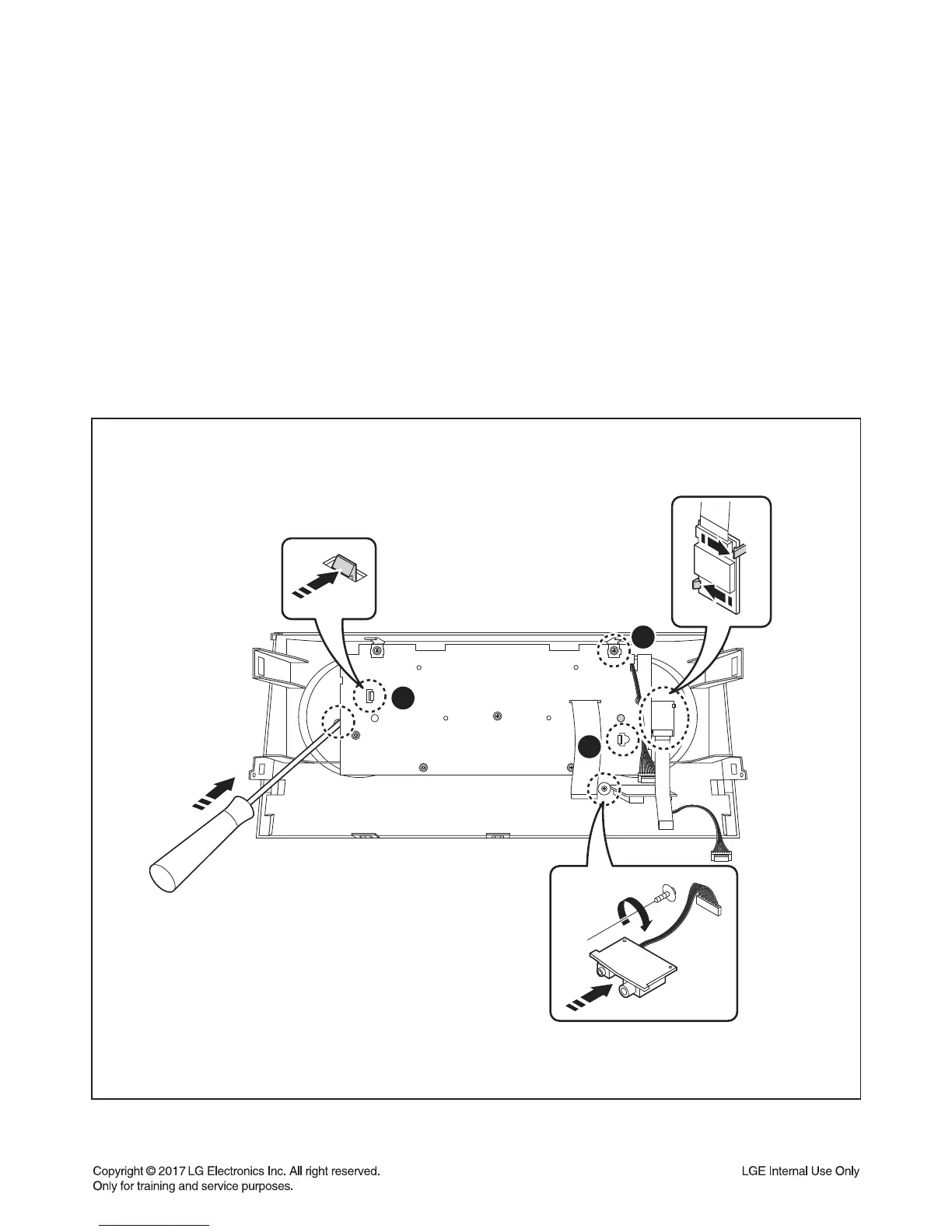
Figure 6
6. Panel PCB & Multi Knob
6-1) Multi Knob
6-1-1) Insert a Flat-head screwdriver in the hole (H1).
6-1-2) Remove the Multi Knob.
6-2) Jack PCB
6-2-1) Remove the 2 Screws.
6-2-2) Remove the Jack PCB.
6-3) BT Module
6-3-1) Unhook the Locking tab (L1).
6-3-2) Remove the BT Module.
6-4) Front PCB
6-4-1) Remove the 7 Screws.
6-4-2) Unhook the 2 Locking tabs (L2) from the Panel PCB.
6-4-2) Remove the Front PCB.


 To Next Page