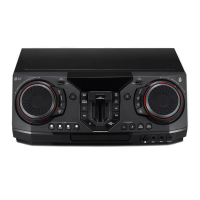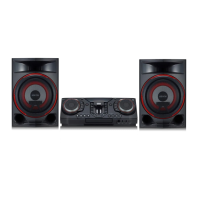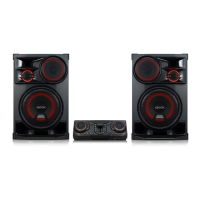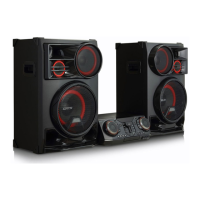
Why is there a humming noise while playing a DVD or CD on my LG Stereo System?
- CCarolyn ChambersSep 12, 2025
Clean the disc using a soft cloth with outward strokes. Also, try moving the unit and any other audio components further away from your TV.

Why is there a humming noise while playing a DVD or CD on my LG Stereo System?
Clean the disc using a soft cloth with outward strokes. Also, try moving the unit and any other audio components further away from your TV.
How to fix no speaker light on my LG Stereo System?
Check whether the speaker light cables are correctly connected to the unit. Also, check the speaker light effects by pressing LIGHTING on the unit.
How to exit DEMO mode on LG Stereo System?
Press the ‘DEMO’ key on the unit for 15 seconds.
| Brand | LG |
|---|---|
| Model | CL65D |
| Category | Stereo System |
| Type | Mini Hi-Fi System |
| Total Output Power | 1000W |
| Playable File Formats | MP3, WMA |
| USB | Yes |
| USB Port | 1 |
| Bluetooth | Yes |
| FM Radio | Yes |
| Radio | FM |
| Audio Input | 3.5mm AUX |
| Karaoke Function | Yes |
| Playable Disc Types | CD, CD-R, CD-RW |
| Disc Types | CD |
Provides essential safety warnings regarding electric shock, rain, and placement.
Alerts users about laser product risks and proper ventilation guidelines.
Details power cord precautions and explains manual symbols.
Highlights key features like Bluetooth audio, AUTO DJ, and USB direct recording.
Covers LG XBOOM app integration and LG Sound Sync for TV audio control.
Details playable discs, manual symbols, and regional code restrictions for DVDs.
Specifies compatibility requirements for music and photo files.
Outlines requirements for video files and compatible USB devices.
Explains the function of each button on the remote control for basic operations.
Details menu navigation, selection keys, and function-specific buttons on the remote.
Identifies and explains the function of ports and indicators on the unit's front panel.
Details the operations of front panel buttons, including disc tray and AUTO DJ.
Identifies all connection ports located on the rear panel of the unit.
Guides on connecting speakers, auxiliary devices, and antenna to the rear panel.
Explains Bluetooth connection locking and automatic power-on functionality.
Details connecting the unit to a TV via HDMI and initial setup steps.
Guides on adjusting HDMI output resolution for optimal video display.
Provides step-by-step instructions for connecting speaker cables to the unit.
Guides on connecting the speaker lighting cables to the unit.
Details connecting portable devices and other auxiliary sources via AUX inputs.
Shows how to connect USB devices like MP3 players to the unit's USB ports.
Guides on connecting the supplied FM antenna for radio reception.
Guides through initial language setup and navigating the unit's setup menu.
Covers setting language, TV aspect ratio, display modes, and HDMI resolution.
Explains audio settings like DRC, AV Sync, and parental control features.
Details how to access and navigate the main Home Menu for various functions.
Explains basic playback controls like stop, play, pause, and track selection.
Covers displaying disc info, DVD menus, title selection, and speed playback.
Details resume playback, subtitle adjustment, and marked playback functions.
Guides on selecting, viewing, and navigating photo files with available options.
Explains USB playback, repeat, and shuffle modes for music files.
Guides on navigating and selecting MP3/WMA files and folders from USB.
Details procedures for deleting files/folders and formatting the USB device.
Covers making, editing, and deleting playlists in the JUKE BOX feature.
Details how AUTO DJ blends songs for seamless playback and volume equalization.
Guides on pairing devices and streaming audio wirelessly via Bluetooth.
Explains controlling playback and locking Bluetooth connections.
Guides on installing the app and highlights features like Multi Juke box.
Details app installation via Play Store and Bluetooth connection for app operation.
Details tuning, auto/manual methods, and improving FM reception.
Guides on saving, selecting, and deleting preset radio stations.
Explains how to select different sound modes and equalizer presets for optimal audio.
Details recording audio from sources like DVD, CD, AUX, FM to a USB device.
Guides on choosing bit rate and provides important notes for USB recording.
Covers mute, DEMO mode, resume stop, CHILDSAFE, and scene memory.
Explains microphone use, echo, key change, and vocal effects for karaoke.
Details lighting effects, sleep timer, dimmer, and auto power functions.
Details sleep timer, dimmer function, and auto power on/off settings.
Guides on setting clock/alarm, and configuring LG Sound Sync.
Guides on connecting and using LG Sound Sync for TV audio control.
Explains how to connect two speakers wirelessly using the TWIN function.
Addresses issues with unit operation, power, picture, and sound.
Provides solutions for discs not playing and radio stations not tuning properly.
Troubleshoots remote control, speaker light, and auto power function problems.
Explains how to control TV functions by setting manufacturer codes.
Provides a comprehensive list of area codes for DVD regional compatibility.
Lists language codes for setting disc audio, subtitles, and menu languages.
Details copyright protection technology, legal notices, and trademarks used in the product.
Provides guidelines for handling, storing, and cleaning discs to ensure playback quality.
Explains how to handle, clean, and maintain the unit's exterior surfaces.
Lists general specifications including dimensions, power, and input/output details.
Details specifications for the tuner range, system performance, and amplifier output power.
Provides technical specifications for the front speakers, including type, impedance, and power.