3-4
ONE POINT REPAIR GUIDE
2. NO BOOTING WHEN POWER ON THE SET
The set doesn’t work when press the power button on the front board or the remote
control.
2-1. FLASH MEMORY
2-1-1. Solution
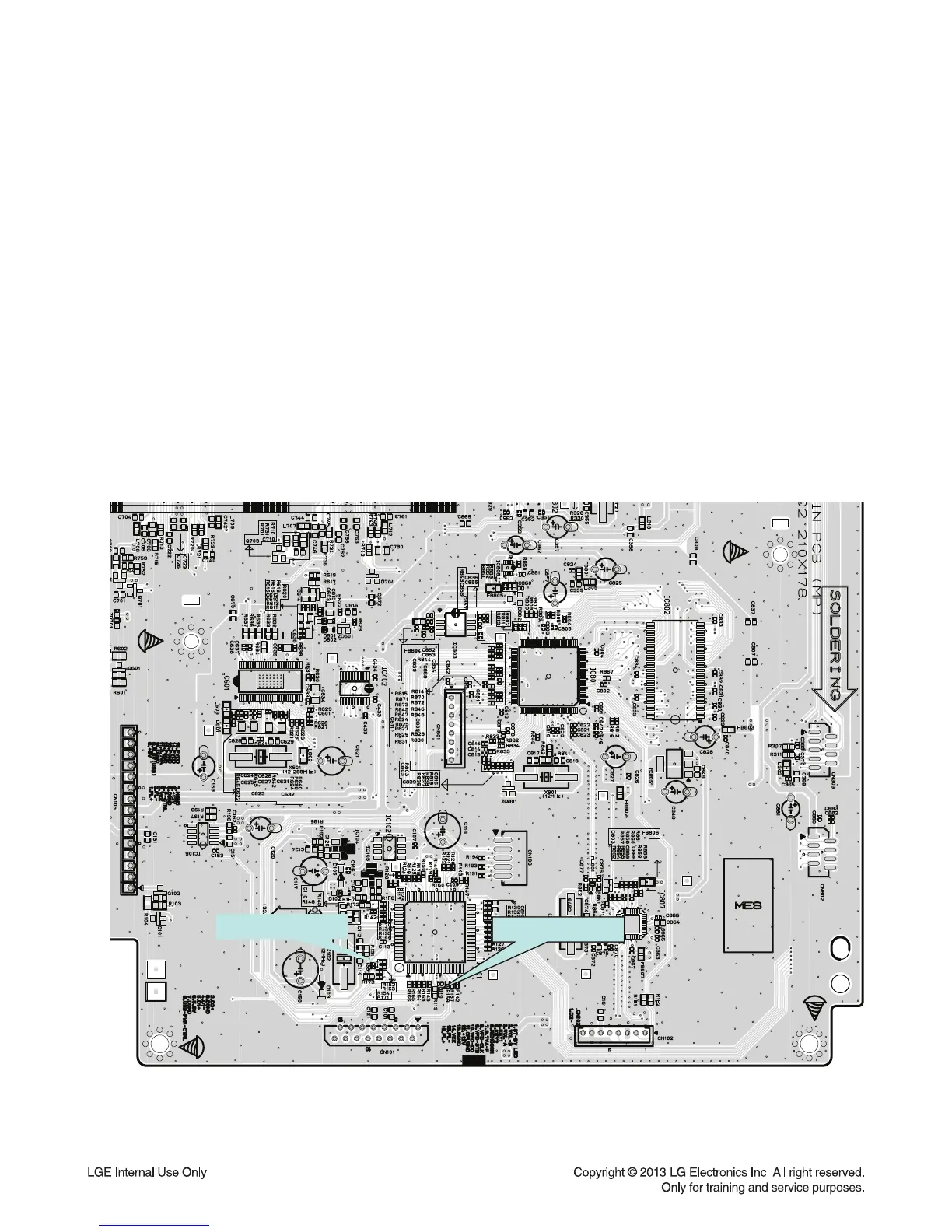
Please check and replace IC102 on MAIN board.
2-1-2. How to troubleshoot (Countermeasure)
1) Check 3.7 V to CN101 and CN105 in standby mode.
If there is no 3.7 V, check the SMPS.
2) Check 5.6 V, 12 V, F+, F- and PVDD when power on the set.
- If the set doesn’t work regardless of what the KEY1 changes high to low while pressing the power button
.
X100 and X101 work normally but, if you can not power on the set, replace IC101 with a new one on
the MAIN board.
2-1-3. Service hint (Any picture / Remark)
IC101
KEY1(R152)
PWR˻CTRK(R119)
< Signal check point >


 To Next Page
 Loading...