EasyManua.ls Logo

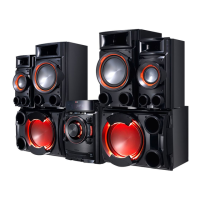
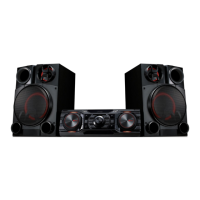
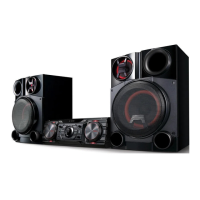
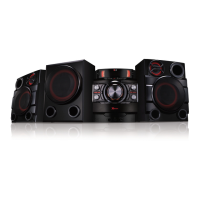
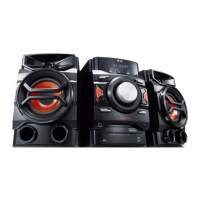
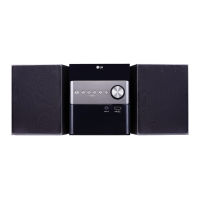
LG CM8520 - User Manual

LG CM8520
30 pages
Print Icon
To Next Page IconTo Next Page
Loading...
OWNER’S MANUAL
Mini Hi-Fi System
Please read this manual carefully before operating your set and retain it
for future reference.
CM8520 (CM8520, CMS8520F/S/W)

Questions and Answers

  • M
    Melissa LopezAug 6, 2025
    How to fix an LG Stereo System that has no power?
    • S
      Sherry WatersAug 6, 2025
      If your LG Stereo System isn't powering on, first, ensure the power cord is securely plugged in. If it is, check if there's a power outage by testing other electronic devices.
  • G
    Gabrielle CortezAug 10, 2025
    Why is there no sound coming from my LG CM8520 Stereo System?
    • E
      Elizabeth WatsonAug 10, 2025
      If your LG Stereo System is not producing sound, verify that you have selected the correct function by pressing the FUNCTION button. Also, ensure that the speaker cables are connected correctly.
  • T
    Thomas RodriguezAug 15, 2025
    What to do if my LG CM8520 remote control does not work?
    • R
      Richard MerrittAug 15, 2025
      If your LG Stereo System remote control isn't working, ensure you're within 23 ft (7 m) of the unit and that there are no obstacles blocking the path between the remote and the unit. If the issue persists, replace the batteries with new ones.
  • R
    Rachel ShannonAug 19, 2025
    What to do if my LG CM8520 does not start playback?
    • C
      Claudia CollinsAug 19, 2025
      If your LG Stereo System isn't playing a disc, make sure you've inserted a playable disc with the label or printed side facing upwards. If a disc is already inserted, ensure it is clean. If there is no disc, insert one.
  • K
    Kelly CannonAug 25, 2025
    Why is the sub woofer not working on my LG CM8520 Stereo System?
    • J
      Justin PaceAug 25, 2025
      If the sub woofer on your LG Stereo System isn't working, check if the woofer is correctly connected to the unit. Also, check the woofer status and press the WOOFER ON/OFF button.
  • Q
    qpottsAug 27, 2025
    How to improve radio reception on my LG Stereo System?
    • B
      bhudsonAug 27, 2025
      If you're having trouble tuning into radio stations on your LG Stereo System, make sure the antenna is securely connected and properly positioned. If the signal is weak, try tuning to the station manually.
  • K
    Kathryn HernandezAug 31, 2025
    How to restore beat box sound on LG CM8520?
    • W
      wreeseSep 1, 2025
      To restore beat box sound on your LG Stereo System, check the beat box volume level by rotating the BEAT VOL./SELECT knob.

Summary

Safety Information

Power Cord Safety Precautions

Important warnings and advice regarding the safe use of the power cord.

Connecting

Speaker Connection Guide

Instructions on how to properly position and connect speakers to the unit.

USB Device Connection

Steps for connecting USB memory devices for playback or recording.

Operating

Basic CD and USB Operations

Covers fundamental playback, stop, pause, and track selection for CDs and USBs.

Radio Operations

Guides on listening to radio, tuning, and saving stations.

Recording to USB

Steps for recording audio from various sources to a USB device.

Troubleshooting

General Troubleshooting Issues

Solutions for common problems like no power, no sound, or playback issues.

LG CM8520 Specifications

General IconGeneral
BrandLG
ModelCM8520
CategoryStereo System
LanguageEnglish

Related product manuals