Connecting 13
Connecting
2
Optional Equipment
Connection
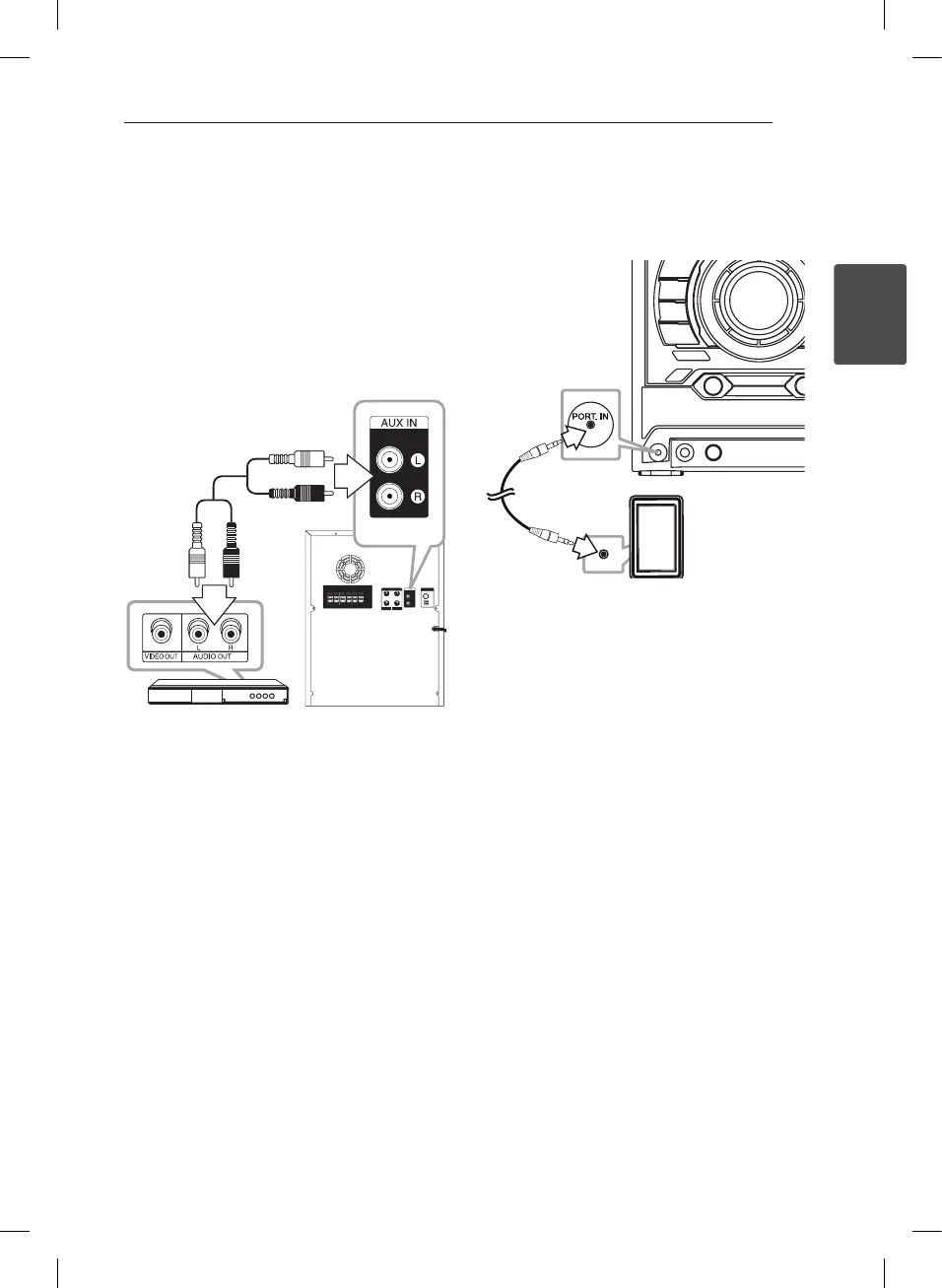
AUX IN Connection
Connect an output of auxiliary device(Camcoder,
TV, Player, etc) to the AUX IN (L/R) connector.
If your device has only one output for audio(mono),
connect it to the left (white) audio jack on the unit.
PORT. IN Connection
Connect an output (earphone or line out) of
portable device (MP3 or PMP etc) to the
PORT. IN connector.
CM9520-AP.DJORMLK_ENG.indd 13 2012-04-10 3:15:34



 To Next Page