Getting Started8
Getting Started
1
a
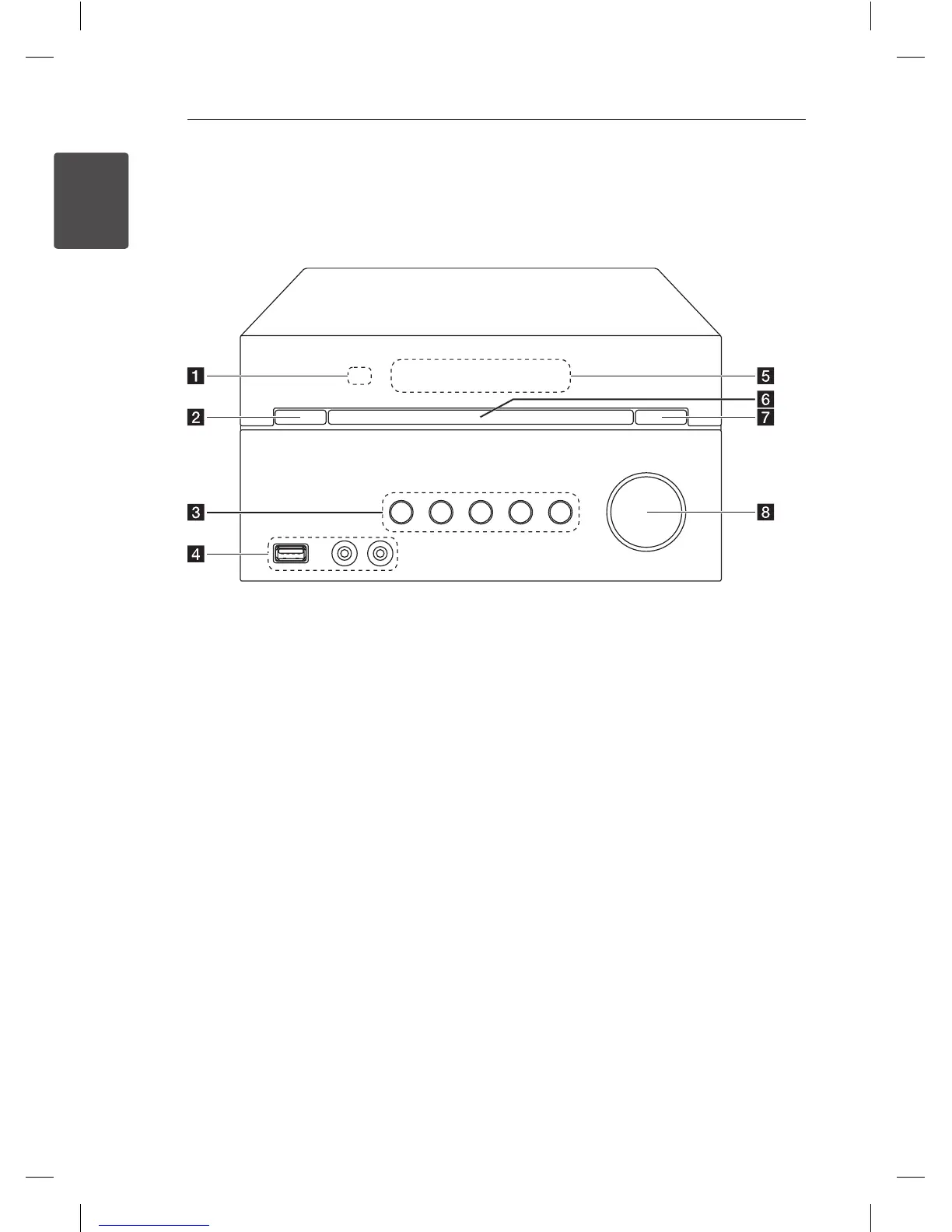
Remote sensor
b
1
(Power ON/OFF)
c
F
Selects the function or input source.
T
Starts or pauses playback.
I
Stops playback.
TUN. -/+
Selects the radio station.
Y/U
(Skip/Search)
d
USB Port
You can play sound les by connecting a USB
device.
PORT. IN
PHONES
e
Display window
f
Disc tray
g
R
(Open/Close)
Opens and closes the disc tray.
h
VOL. +/-
Front panel
CM2520-FU.ARUSLLK_eng.indd 8 2012-05-11 4:25:15



 To Next Page