18
Dual Window
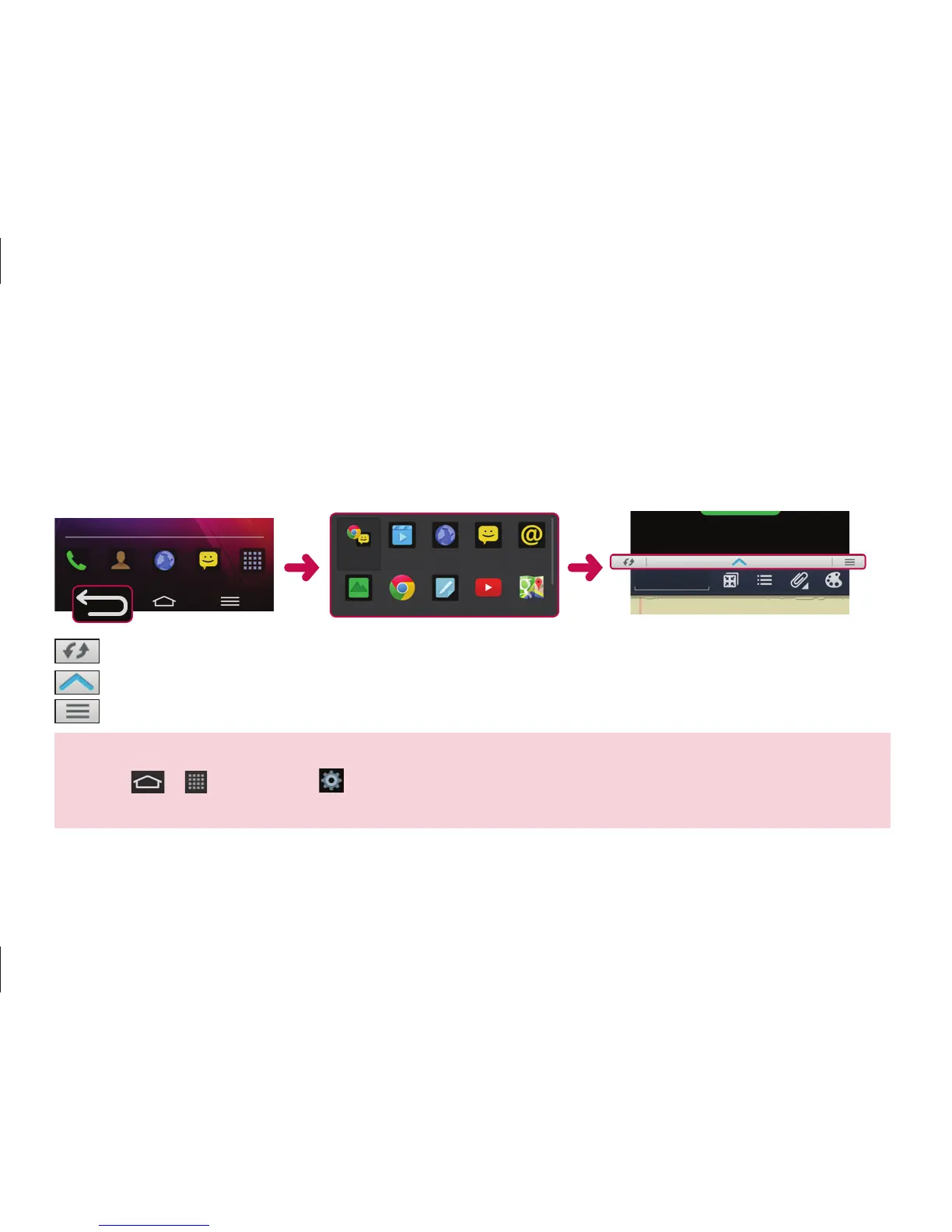
The two split-screens can be viewed at the same time.
1. Touch and hold the Back button to split the screen.
2. Tap or drag app icon you want to use.
(Switch icon) : Switch two screens.
(Drag icon) : Drag to resize split screens.
(Menu icon) : Tap to view the app list, change to the full screen or close the current app.
NOTE: The Dual Window should be set before you use the function.
1. Tap > Apps tab > Settings > General tab > Multitasking > Dual Window.
2. Checkmark the Dual Window checkbox.



 To Next Page