2
Setup
NOTE:
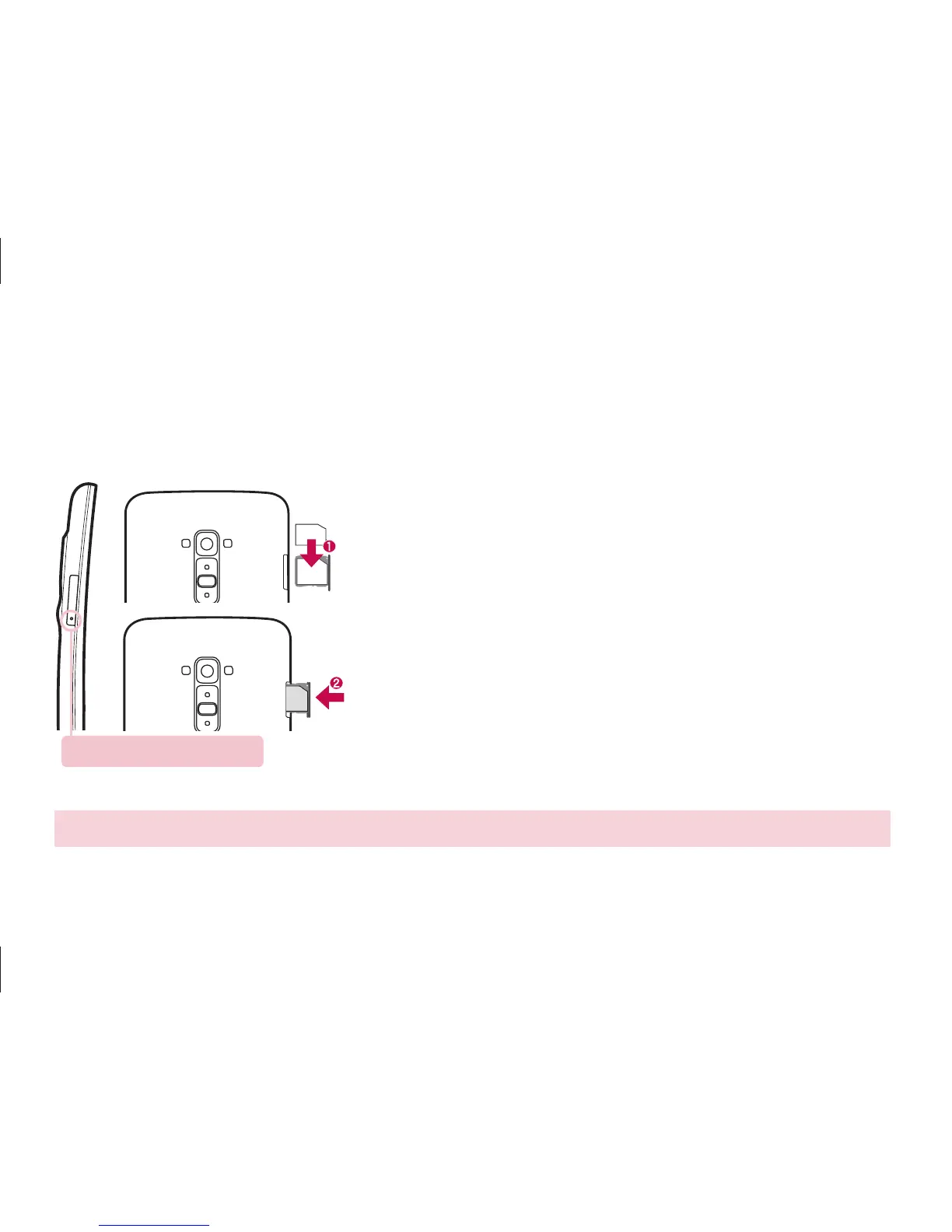
Make sure the gold contact area on the card is facing downwards.
Before you start using the phone, you need to insert the micro-USIM card.
Installing the micro-USIM card
Eject button aperture
The eject button is a small round aperture on the bottom
of the tray door.
1. Insert the micro-USIM ejection tool that comes
with the phone (or a thin pin) into the eject button
aperture, and push firmly but gently until the tray
pops out.
2. Remove the tray and place the micro-USIM card
inside it, with the contacts out and the angled corner
to the right. There is only one possible way to fit the
card snugly into the tray.
3. Carefully reposition the tray in the slot and push it
gently back into the phone.



 To Next Page