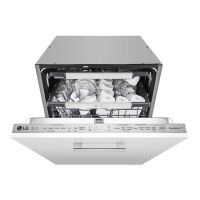
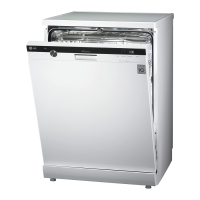
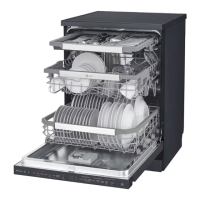
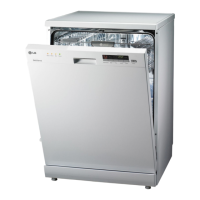
This document is an owner's manual for an LG Dishwasher, model DB242**. It provides comprehensive information on safety, installation, operation, smart functions, maintenance, and troubleshooting.
Function Description
The LG Dishwasher is designed for household and domestic use, offering various wash cycles and options to effectively clean dishes. It features a water softener system to handle hard water, a rinse aid dispenser for improved drying, and a detergent dispenser. The appliance can be controlled via a control panel or through the LG ThinQ application for smart functionalities. It also includes a Smart Diagnosis feature to help users troubleshoot issues.
Important Technical Specifications
- Model: DB242**
- Power Supply: 220 - 240 V~, 50 Hz
- Dimension (Width X Height X Depth): 598 mm X 815 mm X 554 mm
- Product Weight: Approx. 40 kg
- Max. Capacity: 14 Place Settings
- Permissible Inlet Water Pressure: 0.05 - 1.0 MPa
- Power Consumption: 1600 - 1800 W
- Water Softener: Yes, with 5 adjustment levels (H0 to H4).
- Water Hardness Table: Provides guidance for setting the softening system level based on ppm, °d, °e, mmol/l (Ca+Mg), and mg/l (Ca) values.
- Wireless LAN Module: LCW-003, Frequency Range 2412 to 2472 MHz, Output Power (Max) IEEE 802.11b: 18.37 dBm, IEEE 802.11g: 17.67 dBm, IEEE 802.11n: 17.67 dBm. Wireless function S/W version: V 1.0.
- Energy Efficiency (EU 2019/2022): Information on water and energy consumption, and duration for various programs (Auto, Intensive, Delicate, Eco, Turbo, Express, Rinse, Machine Clean) is provided, with the Eco program being the basis for EU ecodesign legislation assessment.
Usage Features
Control Panel
The control panel features a digital display (8:88) showing estimated cycle time, remaining operating time, or delay time. It includes buttons for:
- Power: Turns the appliance on/off.
- Wash Cycles: Auto, Intensive, Delicate, Eco, Turbo, Download Cycle, Rinse, Machine Clean.
- Options and Extra Functions: Dual Zone, Half Load, Energy Saver, High Temp., Extra Dry, Delay Start, Control Lock, Wi-Fi, Cancel.
- Indicators: Rinse Aid Icon (flashes when low), Machine Clean Icon (flashes after 30 cycles), Wi-Fi Icon (illuminates when connected), Salt Refill Icon (flashes when low).
Wash Cycles
- Auto: Senses soil amount and water clarity to optimize wash for best cleaning.
- Intensive: For heavily soiled dishes and hardened soil, uses strongest spray intensity.
- Delicate: For fine china and stemware.
- Eco: Most efficient for energy and water consumption, good washing and drying results for normally soiled loads.
- Turbo: Quickly cleans moderately soiled dishes with slightly more energy and water. Extra Dry is default.
- Download Cycle: Dedicated cycle downloadable via Wi-Fi or NFC.
- Rinse: Quick rinse for dishes not immediately washed, softens dried residue, prevents odors.
- Machine Clean: For cleaning the inside of the appliance, eliminates residual soils, odor, white spots, limescale, and other dirt. Use with citric acid or cleaning agent.
Options and Extra Functions
- Dual Zone: Sets spray intensity to soft for upper rack and strong for lower rack.
- Half Load: Washes intensively using only upper or lower racks for small loads.
- Energy Saver: Reduces wash and rinse temperatures to save energy, increases wash time.
- High Temp.: Raises main wash or heating rinse temperature for improved cleaning.
- Extra Dry: Adds extra drying time and raises heating rinse temperature for better drying.
- Delay Start: Delays cycle start from 1 to 12 hours.
- Control Lock: Prevents settings from being changed during a cycle (locks all buttons except Power).
- Wi-Fi: Connects to the internet via home Wi-Fi for LG ThinQ application features.
- Cancel: Activates drain pump and cancels the cycle.
Loading the Dishwasher
- General: Remove large food particles, rinse plates if not washed immediately, soak items with burnt-on food.
- Upper Rack: Suitable for delicate items, small plates, long cutlery, cups, glasses, and appliance-safe plastic items. Cups, glasses, and bowls positioned upside down. Plates positioned upwards. Cup racks provide support for long stem glasses and can be removed or folded.
- Lower Rack: Suitable for dinner plates, soup bowls, dishes, pots, pans, lids, and grill trays. Plates positioned upright facing the center, pots, pans, and large dishes turned upside down. Front row of tines can be folded down for larger dishes.
- Cutlery Rack: Best for flatware and cooking/serving utensils, can fit small prep bowls and lids. Separators help keep utensils separated. Can be removed for more space in the upper rack.
- Height Adjustable Upper Rack: Three positions for adjusting height to accommodate tall items.
- Height Adjustable Tray: On the left side, can be adjusted for utensils or cutlery of different sizes.
Adding Cleaning Agents
- Detergent: Add to the main wash compartment (between 15 and 25 lines, depending on water hardness/soil level). Do not use liquid dishwashing detergent.
- Dishwasher Salt: Fill the salt dispenser (located on the left side of filters) with 1 kg of dishwasher salt and 1 liter of water for first use. Refill when the Salt Refill icon illuminates. Run Rinse cycle immediately after refilling to prevent corrosion.
- Rinse Aid: Fill the rinse aid dispenser (by lifting the flap) to the maximum fill level. Refill when the Rinse Aid icon appears. Recommended for preventing water spots and enhancing drying. Five adjustment levels (L0-L4).
Maintenance Features
Cleaning and Caring
- Exterior: Clean with a soft damp cloth or sponge, then dry. Use stainless steel cleaner for stainless steel exteriors. Avoid solvent-based solutions.
- Interior: Clean every two weeks with a soft, damp cloth or sponge. Run Turbo or Machine Clean program with detergent after long periods of disuse.
- Filters: Clean regularly. Remove lower rack, turn inner filter counter-clockwise to remove assembled inner filter and stainless steel filter. Clean with a soft brush under running water. Reassemble and secure.
- Spray Arms: Check for blocked water jet holes. Remove food residue with a pin or sharp tool. Remove upper spray arm by turning nut counter-clockwise. Rinse or shake to remove food particles.
- Water Supply Hose Filter: Unplug appliance, turn off water tap, unscrew hose, remove seal and plastic filter with pliers/scissor grips. Clean and reassemble.
Seasonal Maintenance and Storage
- Warmer Months (extended absence): Close water valve, unplug power cord, or turn off circuit breaker. Clean filter, tub, and dispenser to prevent odor.
- Colder Months (freezing temperatures): Winterize water supply lines and appliance. Must be performed by qualified service personnel.
Troubleshooting
- Error Codes: IE (water inlet problem), DE (drainage problem, clogged waste spigot, clogged filters), bE (oversudsing, failure to level), HE (heater circuit failure), FE (excessive water supplied), AE (water leakage problem), tE (thermistor failure), LE (motor trouble), nE (Vario motor trouble).
- Operation Issues: Noise (normal during operation, appliance not level, nozzle arm knocking), appliance not operating (door not closed, power not connected, Control Lock activated, fuse blown), continuous beeping when door opened (contents hot).
- Performance Issues: Cloudiness on glassware, black/gray marks on dishes, yellow/brown film, yellow water remains, spots/filming on dishes, odor, food soil remains on dishes, dishes don't dry. Solutions include adjusting detergent/rinse aid, checking water hardness, cleaning filters/spray arms, proper loading, and ensuring adequate water pressure.
Smart Functions (LG ThinQ Application)
- Monitoring: Checks current status, cycle, options running time, and cycle end time.
- Download Cycle: Downloads new and special cycles.
- Machine Clean Reminder: Shows cycles remaining before Machine Clean is due.
- Smart Diagnosis: Provides information for diagnosing and solving issues.
- Settings: Sets various options on the appliance and in the application.
- Push Alert: Receives notifications when cycle is complete or problems occur.
- Connecting: Scan QR code or search/install LG ThinQ app, sign in, touch add (+) button, follow instructions.
- Deactivating: Disconnect from home Wi-Fi, run LG ThinQ app, select Dishwasher, Delete Product.

 Need help?
 General

 To Next Page