EasyManua.ls Logo

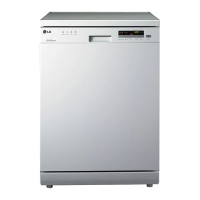
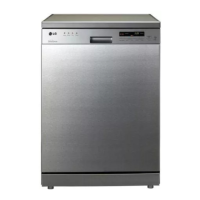
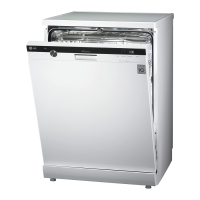
LG D1453WF - User Manual

LG D1453WF
36 pages
Print Icon
To Next Page IconTo Next Page
Loading...
OWNER’S MANUAL
WASHING MACHINE
WM0642H*
P/NO : MFL31245123
www.lg.com
Please read this manual carefully before operating
your set and retain it for future reference.
DISHWASHER
OWNER'S MANUAL
Before beginning installation, read these instructions carefully.
This will simplify installation and ensure that the dishwasher is installed
correctly and safely. Leave these instructions near the dishwasher
after installation for future reference.
D1453W(L,M,T,B,C,D,A)F(B,U)
D1463W(L,M,T,B,C,D,A)F(B,U)
DW-TN600W / DW-TN600T
P/No. : MFL66281402

Questions and Answers

  • T
    Thomas CookeAug 15, 2025
    What to do if my LG Dishwasher display shows OE code (water not pumped away)?
    • H
      Hannah AcostaAug 15, 2025
      If your LG Dishwasher displays the OE code, it means the water is not being pumped away. This could be due to a kinked drain hose or a clogged filter. Try straightening the hose and cleaning the filter. If the problem persists, it may indicate a motor issue.
  • C
    Cynthia NunezAug 18, 2025
    Why my LG D1453WF Dishwasher doesn't start?
    • K
      Kayla CostaAug 18, 2025
      If your LG Dishwasher doesn't start, make sure the door is fully closed and that you have pressed the start button.
  • M
    michellelewisAug 22, 2025
    Why no lights come on when I turn on my LG D1453WF Dishwasher?
    • L
      Lauren ConleyAug 22, 2025
      If no lights come on when you turn on your LG Dishwasher, check if the plug is properly inserted into the socket. Also, check your home's fuses or circuit breaker. It's also possible that there was an electricity cut off.
  • K
    Kyle HernandezAug 25, 2025
    What to do if my LG Dishwasher leaves white deposits after washing?
    • D
      Deborah CantrellAug 26, 2025
      If you notice white deposits on your dishes after washing in your LG Dishwasher, it could be due to an incorrect amount of detergent or rinse-aid, an empty salt container, or a loose salt container cap. Check the detergent and rinse-aid levels, and make sure the salt container is filled and the cap is securely tightened.
  • A
    Amanda Garcia DVMAug 28, 2025
    What does it mean if my LG D1453WF Dishwasher display shows IE code?
    • D
      Daniel ClarkeAug 28, 2025
      If your LG Dishwasher displays the IE code, it indicates a water supply issue. Ensure the water tap is open. If the problem continues, it could be a water sensor issue.
  • H
    hardyangelaAug 31, 2025
    What to do if my LG D1453WF Dishwasher leaves streaks on glassware?
    • J
      Justin VaughnAug 31, 2025
      If your LG Dishwasher leaves streaks on glassware, it could be due to too little rinse-aid being dispensed. Try filling the rinse-aid dispenser and adjusting the level.
  • A
    Amanda TravisSep 4, 2025
    What to do if my LG D1453WF Dishwasher display shows EI code (automatically drain pump operated)?
    • B
      Brandon CaldwellSep 4, 2025
      If your LG Dishwasher displays the EI code, and the drain pump operates automatically, it suggests a water leak from the hose connections or damage caused by a water leak. Close the water tap and unplug the dishwasher.
  • R
    raymondhowellSep 7, 2025
    How to fix LG D1453WF spray arms that do not rotate smoothly?
    • B
      Brandon NealSep 7, 2025
      If the spray arms in your LG Dishwasher do not rotate smoothly, it may be because the mounting of the spray arms is blocked by food particles. Clean the holes of the spray arm.
  • A
    Anna RodriguezSep 12, 2025
    How to get rid of odor in LG Dishwasher?
    • J
      Jordan TaylorSep 12, 2025
      If your LG Dishwasher is not used daily, running a Quick cycle once or twice until you have a full load may help prevent odors. If the odor persists, try running an Auto cycle with 2 cups (500ml) of white vinegar in an upright measuring cup on the lower rack, without detergent. Maintaining the dishwasher as per the user maintenance instructions is also recommended.

Summary

Important Safety Instructions

Read all instructions before use

Emphasizes the importance of reading all instructions before operating the dishwasher for safety.

Installation Instructions

Prepare cupboard opening

Details the required dimensions and placement for the dishwasher cupboard opening.

Preparation for electrical wiring

Outlines safety precautions and requirements for electrical connections during installation.

Installing the dishwasher in cupboard

Guidance on sliding the dishwasher into the cabinet and ensuring proper hose placement.

Installation of drain hose

Explains how to connect the drain hose, including different connection types and anti-siphoning methods.

Installation of water inlet hose

Details connecting the water supply hose, flushing lines, and checking water temperature.

How to level the dishwasher

Instructions on adjusting the dishwasher's level by checking door slant and friction.

Before Using for the First Time

Set water softener level

Instructions on adjusting the water softener setting based on the determined water hardness level.

Salt Filling

Procedures for filling the salt container for the water softener to prevent stains.

Adding Rinse Aid

Steps for filling the rinse aid dispenser and adjusting its dosage for better drying and spot prevention.

How to Use and Operate

Adding Detergent

Information on where and how much detergent to add for different wash programs.

Refilling Rinse Aid

How to check and refill the rinse aid dispenser for improved drying and spotting.

Refilling Salt

Instructions on refilling the salt container when the indicator lamp lights up.

Operating Sequence Steps

Program selection and start

Step 7: Select the desired wash program and options, then start the machine.

Wash Programmes

User Maintenance

Filter cleaning and maintenance

Instructions on how to remove, clean, and replace the dishwasher filters.

Troubleshooting Guide

Before calling for service

Lists common problems, possible causes, and solutions for user troubleshooting.

Error codes and descriptions

Explains error codes (OE, IE, EI, FE, HE, tE, LE) and their corresponding troubleshooting steps.

Using SMARTDIAGNOSIS

Step-by-step guide on using the SMARTDIAGNOSIS™ feature for remote troubleshooting.

LG D1453WF Specifications

General IconGeneral
Door colorWhite
Control typeButtons, Rotary
Display typeLED
Built-in displayYes
Appliance placementFreestanding
Control panel colorBlack, White
Cycle time170 min
Noise level43 dB
Delay start (max)19 h
Dishwashing programsAuto, Eco, Intensive, Quick
Number of place settings14 place settings
Number of washing programs-
Drying classA
Annual water consumption2600 L
Annual energy consumption264 kWh
Feet adjustment20 mm
Water consumption per cycle9 L
Energy consumption per cycle0.92 kWh
Weight and Dimensions IconWeight and Dimensions
Width600 mm
Height850 mm

Related product manuals