EasyManua.ls Logo

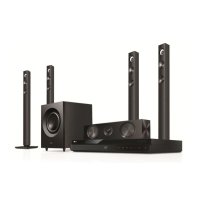
LG DH7520TW - User Manual

LG DH7520TW
55 pages
Print Icon
To Next Page IconTo Next Page
Loading...
DH7520TW (DH7520TW, S72T1-S/ W, S72B1-C, W2)
Please read this manual carefully before operating
your set and retain it for future reference.
OWNER’S MANUAL
DVD Wireless Home
Theater System
PRINTED IN CHINA
DH7520TW-PB.DSAUNL1_ENG_4634.indd 1 2012-05-10  2:31:17

Table of Contents

Questions and Answers

  • R
    Richard FosterAug 18, 2025
    Why my LG DH7520TW Home Theater System remote control does not work properly?
    • S
      Samuel MartinezAug 18, 2025
      Your LG Home Theater System remote control might not be working because it is not pointed at the remote sensor, is too far from the unit, there's an obstacle blocking the signal, or the batteries are dead.
  • T
    troy84Aug 20, 2025
    How to fix LG DH7520TW Home Theater System if the power does not turn on?
    • J
      Jacob WilsonAug 20, 2025
      If your LG Home Theater System isn't powering on, ensure the power cord is securely plugged into the wall outlet.
  • C
    Carlos MooreAug 23, 2025
    What to do if the LG DH7520TW Home Theater System remote control doesn’t work?
    • T
      Thomas ReynoldsAug 23, 2025
      If the LG Home Theater System remote control isn't working, ensure it's pointed directly at the unit and is within 23 feet (7m). Remove any obstacles in the path. If it still fails, replace the batteries with new ones.
  • G
    Gary PerryAug 26, 2025
    Why can't I play movie, photo, or music files on my LG Home Theater System?
    • K
      Kathy WallerAug 26, 2025
      You might be unable to play certain files on your LG Home Theater System if they're not recorded in a compatible format or if the unit doesn't support the movie file's codec.
  • S
    Samantha ClarkAug 27, 2025
    Why is there no picture on my LG DH7520TW Home Theater System?
    • P
      palmerdariusAug 28, 2025
      If your LG Home Theater System isn't displaying a picture, make sure you've selected the correct video input mode on your TV. Also, check that the video cables are securely connected to both the TV and the unit.
  • D
    Dawn MillerAug 30, 2025
    How to fix little or no sound on LG DH7520TW?
    • B
      Brandy GarzaAug 30, 2025
      If your LG Home Theater System has little or no sound, first ensure that the correct input mode is selected on the unit. Verify that the audio cables are correctly connected to the terminals. If the issue persists, try replacing the audio cable with a new one.
  • C
    Christopher RaySep 1, 2025
    How to troubleshoot no power on LG DH7520TW Home Theater System?
    • S
      Sandra ValenciaSep 1, 2025
      If your LG Home Theater System isn't powering on, ensure the power cord is securely plugged into the wall outlet.
  • A
    Andrew JonesSep 3, 2025
    What to do if my LG DH7520TW does not start playback?
    • J
      johnnyruizSep 4, 2025
      If your LG Home Theater System isn't playing, make sure you've inserted a playable disc, checking its type, color system, and regional code. Ensure the disc is placed with the playback side down and is clean. Also, verify that the Rating function is either canceled or adjusted to the appropriate rating level.
  • S
    Steven WalkerSep 6, 2025
    Why the angle cannot be changed on LG DH7520TW?
    • A
      Angela JonesSep 6, 2025
      The angle cannot be changed because multi-angles are not recorded on the DVD Video being played.
  • C
    cheryljohnsonSep 8, 2025
    What to do if LG DH7520TW Home Theater System won’t play DVD/CD?
    • S
      Stephen MillsSep 8, 2025
      If your LG Home Theater System won't play a DVD/CD, first, ensure that a disc is inserted. Check that the disc is a playable type (considering the disc type, color system, and regional code). Make sure the disc is placed with the label or printed side facing upwards. If applicable, enter your password or change the rating level.

LG DH7520TW Specifications

General IconGeneral
BrandLG
ModelDH7520TW
CategoryHome Theater System
LanguageEnglish

Related product manuals