EasyManua.ls Logo

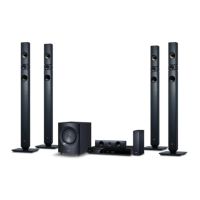
LG DH7530TW - User Manual

LG DH7530TW
52 pages
Print Icon
To Next Page IconTo Next Page
Loading...
DH7530TW (DH7530TW, S73T1-S/ W, S73T4-C, W3-2, T2)
Please read this manual carefully before operating
your set and retain it for future reference.
OWNER’S MANUAL
DVD Wireless Home Theater
System
ENGLISH
FRANÇAIS
PORTUGUÊS
DH7530WY-MC_DGHALLC_ENG_6027.indd 1 2014-09-30  4:57:50

Table of Contents

Questions and Answers

  • W
    wendy65Jul 31, 2025
    What to do if LG DH7530TW remote control doesn’t work?
    • V
      Vincent GloverJul 31, 2025
      If your LG Home Theater System remote isn't working, ensure it's pointed directly at the unit and is within 23 feet (7m). Remove any obstacles between the remote and the unit. Also, replace the batteries with new ones.
  • E
    emccallAug 4, 2025
    How to fix LG DH7530TW when there is no power?
    • N
      Nicholas MartinAug 4, 2025
      If your LG Home Theater System isn't powering on, make sure the power cord is securely plugged into the wall outlet.
  • C
    Christian CruzAug 8, 2025
    Why is there no picture on my LG Home Theater System?
    • E
      Eric MathewsAug 8, 2025
      If you're getting no picture on your LG Home Theater System, select the correct video input mode on your TV so that the picture from the unit appears. Also, ensure the video cables are securely connected to both the TV and the unit.
  • A
    Amber AlvaradoAug 13, 2025
    What to do if there is little or no sound on LG DH7530TW?
    • K
      kyle32Aug 13, 2025
      If you're experiencing little or no sound from your LG Home Theater System, select the correct input mode on the unit to ensure you can hear the sound. Check that the audio cables are correctly connected to the terminals. If the issue persists, try replacing the audio cable with a new one.
  • J
    Jason BaileyAug 17, 2025
    Why won't my LG DH7530TW play a DVD or CD?
    • B
      Brooke FergusonAug 17, 2025
      If your LG Home Theater System isn't playing a DVD or CD, first, ensure that a disc is inserted. Check that the disc is playable by verifying the disc type, color system, and regional code. Make sure the disc is placed with the label or printed side facing upwards. Finally, enter your password or change the rating level if prompted.
  • R
    Rachel MitchellAug 21, 2025
    How to stop humming noise on LG DH7530TW Home Theater System while playing DVD/CD?
    • L
      Lisa SchroederAug 21, 2025
      If you hear a humming noise while playing a DVD or CD on your LG Home Theater System, clean the disc using a soft cloth with outward strokes. Additionally, try moving the unit and audio components further away from your TV.
  • E
    Elizabeth SteeleAug 26, 2025
    How to tune radio stations properly on LG Home Theater System?
    • R
      Regina CruzAug 26, 2025
      To improve radio tuning on your LG Home Theater System, check the antenna connection and adjust its position. If needed, attach an external aerial. You can also try tuning to the station manually. Page 36 of the manual provides details on how to preset radio stations.

Summary

Getting Started Guide

Safety Information

Essential safety guidelines, warnings, and precautions for device operation.

Unique Product Features

Highlights key functionalities like Portable In, USB Direct Recording, Full HD up-scaling, and iPod compatibility.

Included Accessories

Lists and identifies all the supplied accessories included with the home theater system.

Product Introduction

Covers playable discs, manual symbols, and regional code information.

Playable File Format Requirements

Details compatibility requirements for MP3/WMA, Photo, and DivX files.

Remote Control Functions

Explains remote control buttons, battery installation, and operation.

Front Panel Interface

Describes the buttons and ports located on the front of the unit.

Rear Panel Connectivity

Details the various input and output jacks on the rear of the unit.

Connecting Your System

Speaker Assembly Guide

Step-by-step instructions for assembling speaker stands and poles.

Speaker Wire Connections

Instructions for connecting speaker wires to the main unit and speakers.

Optimal System Placement

Guidance on positioning speakers for the best surround sound experience.

Wireless Speaker Setup

Covers connecting and pairing wireless rear speakers with the main unit.

Ferrite Core Installation

Instructions on affixing the ferrite core to the power cord for interference reduction.

Connecting to Your TV

Explains HDMI and Video connections to a television.

Video Resolution Settings

Adjusting video output resolution for HDMI and VIDEO OUT connections.

Connecting External Devices

Instructions for connecting AUX, PORT. IN devices, and portable players.

USB Device Connectivity

Guide on connecting USB memory or MP3 players to the unit.

Optical & Speaker ez Setup

Covers OPTICAL IN connection and Home theater speaker ez setup.

FM Antenna Connection

Instructions for connecting the FM antenna for radio reception.

System Configuration and Settings

Initial Setup & Language

Covers initial setup, language selection, and displaying the setup menu.

Display and Resolution Options

Settings for TV aspect, display mode, and video signal resolution.

Audio Configuration

Details on 5.1 speaker setup, volume, distance, and test start.

Parental Control Setup

Information on setting area codes, ratings, passwords, and parental control.

Advanced System Options

Includes DivX VOD registration and password management.

Operating Your Home Theater System

Home Menu Navigation

Navigating the Home Menu and performing basic playback functions.

Disc Playback Features

Displaying disc information, playback controls, and resume playback functionality.

Media Playback Controls

Covers DVD menus, titles, speed playback, screen saver, and subtitle settings.

Marked Playback & Play Modes

Storing favorite files, selecting playback modes, and managing markers.

Photo File Viewing Guide

Instructions for viewing photo files and utilizing slideshow options.

Radio Operation Guide

Tuning, presetting stations, and managing saved radio stations.

Sound and Surround Adjustments

Adjusting sound modes, surround settings, and equalizer effects.

USB Recording Procedures

How to record audio sources to a connected USB device.

iPod Media Playback

Connecting and playing media files from an iPod device.

Bluetooth Device Operation

Pairing and listening to music wirelessly from Bluetooth-enabled devices.

Troubleshooting Common Issues

Appendix and Specifications

Unit Maintenance Guidelines

Procedures for handling, cleaning, and maintaining the home theater unit.

Disc Handling and Care

Proper procedures for handling, storing, and cleaning discs to ensure playback quality.

Area Code Directory

A comprehensive list of area codes for DVD regional compatibility checks.

Language Code Reference

A detailed list of language codes for initial system settings like audio and subtitles.

Trademarks and Licenses

Information regarding trademarks and licenses for technologies like Dolby, HDMI, DivX, and Bluetooth.

Technical Product Specifications

Detailed specifications for the unit's general, input/output, amplifier, and tuner features.

LG DH7530TW Specifications

General IconGeneral
BrandLG
ModelDH7530TW
CategoryHome Theater System
LanguageEnglish

Related product manuals