EasyManua.ls Logo

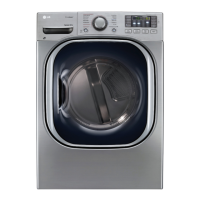
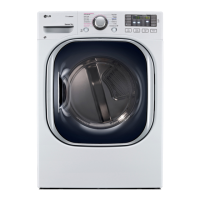
LG DLEX4270 Series - User Manual

LG DLEX4270 Series
116 pages
Print Icon
To Next Page IconTo Next Page
Loading...
OWNER’S MANUAL
DRYER
Please read this owner’s manual thoroughly before operating and keep it
handy for reference at all times.
MFL67731027
www.lg.com
ENGLISH ESPAÑOL
DLEX4270* DLGX4271*

Table of Contents

Other manuals for LG DLEX4270 Series

Questions and Answers

  • M
    Mr. Craig BrownAug 20, 2025
    What to do if my LG DLEX4270 will not turn on?
    • K
      Kelly RobertsAug 20, 2025
      If your LG dryer will not turn on, first ensure that the power cord is properly plugged into a grounded outlet matching the dryer’s rating plate. Also, check your house fuse or circuit breaker. Reset the circuit breaker or replace the fuse if necessary. If it's a circuit overload, have it corrected by a qualified electrician.
  • L
    Larry OwensAug 22, 2025
    Why is my LG DLEX4270 not heating up?
    • F
      Frank BennettAug 22, 2025
      If your LG dryer is not heating, check if a house fuse is blown, the circuit breaker has tripped, or a power outage has occurred; reset the breaker or replace the fuse. For gas models, confirm that both the house gas shutoff and the dryer gas shutoff are fully open.
  • S
    sherricantuAug 25, 2025
    How to prevent lint on clothes in my LG DLEX4270 Dryer?
    • L
      lhouseAug 25, 2025
      To prevent lint on clothes when using your LG dryer, ensure the lint filter is cleaned before every load. Sort your laundry properly, separating lint producers from lint trappers. Avoid overloading the dryer by dividing larger loads into smaller ones. Also, check pockets thoroughly before washing and drying clothes to remove any tissue or paper.
  • B
    Brett Graves DDSAug 26, 2025
    What to do if my LG Dryer display shows error code tE1 or tE2?
    • G
      Gregory TaylorAug 26, 2025
      If your LG dryer displays error code tE1 or tE2, it indicates that the thermistor is malfunctioning. Turn off the dryer and call for service.
  • J
    Joseph BurnettAug 27, 2025
    Why is there excess static in clothes after drying in my LG DLEX4270?
    • S
      Stephanie MendozaAug 27, 2025
      Excess static in clothes after drying in your LG dryer can occur for several reasons. It may be caused by not using fabric softener, using it incorrectly, overdrying the clothes, or drying synthetic materials. Use a fabric softener correctly, adjust settings to use a shorter drying time or sensor dry cycles, and consider that synthetics may cause static buildup.
  • H
    Henry McphersonAug 29, 2025
    How to remove greasy spots from clothes after drying in LG Dryer?
    • A
      Angela CraigAug 29, 2025
      Greasy or dirty spots on clothes after drying in your LG dryer may be due to fabric softener being used incorrectly, so confirm and follow the instructions provided with your fabric softener. Ensure you are only drying clean items, as dirty items can soil clean clothes. Stains on dried clothes may also be stains that were not removed during washing; ensure clothes are being completely cleaned according to the instructions for your washer and detergent.
  • S
    stephaniegonzalezAug 31, 2025
    What to do if garments are too damp or too dry after REDUCE STATIC on my LG DLEX4270 Dryer?
    • P
      Paul PetersAug 31, 2025
      If garments are too damp or too dry after using the REDUCE STATIC option on your LG Dryer, it could be due to incorrect drying options being selected. To resolve this, manually select the load weight before starting the REDUCE STATIC option.
  • D
    Dana MckaySep 2, 2025
    Why are my garments still wrinkled after STEAM FRESH™ on my LG DLEX4270 Dryer?
    • J
      Jessica GalvanSep 2, 2025
      If your garments are still wrinkled after using the STEAM FRESH™ cycle on your LG Dryer, it may be because you're loading too many garments or different types of garments together. For best results, use small loads of 1 to 5 similar items. Try loading fewer garments and ensuring they are of a similar type.
  • K
    Keith JacksonSep 4, 2025
    Why is the indicator light on during the drying cycle on my LG DLEX4270 Dryer?
    • S
      Samantha DouglasSep 4, 2025
      If the indicator light is on during the drying cycle of your LG Dryer, it may indicate a water supply error. First, check that the steam feeder drawer is filled with water up to the MAX line and is properly seated and fully closed. Then, turn the dryer off and restart the steam cycle. Note that distilled water should not be used. If the issue persists, unplug the dryer and call for service, as the pump may not be working.
  • R
    Richard StewartSep 6, 2025
    Why are there no creases left on garment after STEAM FRESH™ on my LG Dryer?
    • J
      Jason ChavezSep 6, 2025
      If there are no creases left on your garment after using the STEAM FRESH™ cycle on your LG Dryer, it is because the function of this cycle is to remove wrinkles from fabric. If you need creases, use an iron.

Summary

IMPORTANT SAFETY INSTRUCTIONS

WHAT TO DO IF YOU SMELL GAS

Steps to take if you detect a gas leak.

BASIC SAFETY PRECAUTIONS

GROUNDING AND INSTALLATION SAFETY

GROUNDING INSTRUCTIONS

Requirements and warnings for proper grounding of the appliance.

STEAM FUNCTION SAFETY

CONNECTING ELECTRICITY SAFETY

INSTALLATION INSTRUCTIONS

INSTALLATION LOCATION AND CLEARANCES

INSTALLATION LOCATION REQUIREMENTS

Guidelines for choosing a suitable location for dryer installation.

RECOMMENDED CLEARANCES

Recommended spacing dimensions for installation around the dryer.

LEVELING THE DRYER

INSTALLING THE SIDE VENT KIT

VENTING THE DRYER

DUCTWORK AND VENTING GUIDELINES

CONNECTING GAS DRYERS

GAS SUPPLY REQUIREMENTS

Instructions and safety warnings for connecting gas dryers to the gas supply.

CONNECTING ELECTRIC DRYERS

ELECTRICAL REQUIREMENTS FOR ELECTRIC MODELS

Detailed electrical requirements for electric dryer models.

FOUR-WIRE CONNECTION FOR ELECTRIC DRYERS

FOUR-WIRE DIRECT WIRE CONNECTION

THREE-WIRE CONNECTION FOR ELECTRIC DRYERS

SPECIAL REQUIREMENTS AND FINAL CHECK

INSTALLATION TEST (DUCT CHECK)

CYCLE GUIDE

STEAM CYCLE GUIDE

TAG ON SELF-DIAGNOSIS

TAG ON SMART DIAGNOSIS VIA CALL CENTER

TAG ON CYCLE DOWNLOAD

MAINTENANCE AND REGULAR CLEANING

CLEANING THE LINT FILTER

Detailed instructions for cleaning the dryer's lint filter.

TROUBLESHOOTING

BEFORE CALLING FOR SERVICE

General advice and checks to perform before contacting customer service.

DRYER WILL NOT TURN ON

Possible causes and solutions when the dryer fails to power on.

DRYER DOES NOT HEAT

Possible causes and solutions when the dryer does not produce heat.

TROUBLESHOOTING CONTINUED

SPECIFIC ERROR CODES

Troubleshooting steps for specific error codes like d90/d95.

SPECIFICATIONS AND TROUBLESHOOTING

SPECIFICATIONS

Technical specifications and model details for the LG dryer.

USING SMART DIAGNOSIS

SMART DIAGNOSIS VIA SMART PHONE

Step-by-step guide to using Smart Diagnosis via a smartphone app.

SMART DIAGNOSIS VIA CALL CENTER

Step-by-step guide to using Smart Diagnosis via phone call to the service center.

OPTIONAL ACCESSORIES: STACKING KIT INSTALLATION

WARRANTY INFORMATION

LG DLEX4270 Series Specifications

General IconGeneral
TypeElectric
Capacity7.4 cu. ft.
Sensor DryYes
Energy Star CertifiedYes
Drying RackYes
Reversible DoorYes
Number of Drying Racks1
Number of Dryer Settings5
ColorWhite
Dryer VentingVented
Width27"
Height39"
Dimensions27" W x 29" D x 39" H
Depth29 inches

Related product manuals