84
■ 1190 USB Sub Board
Ch5. Removing and replacing a part
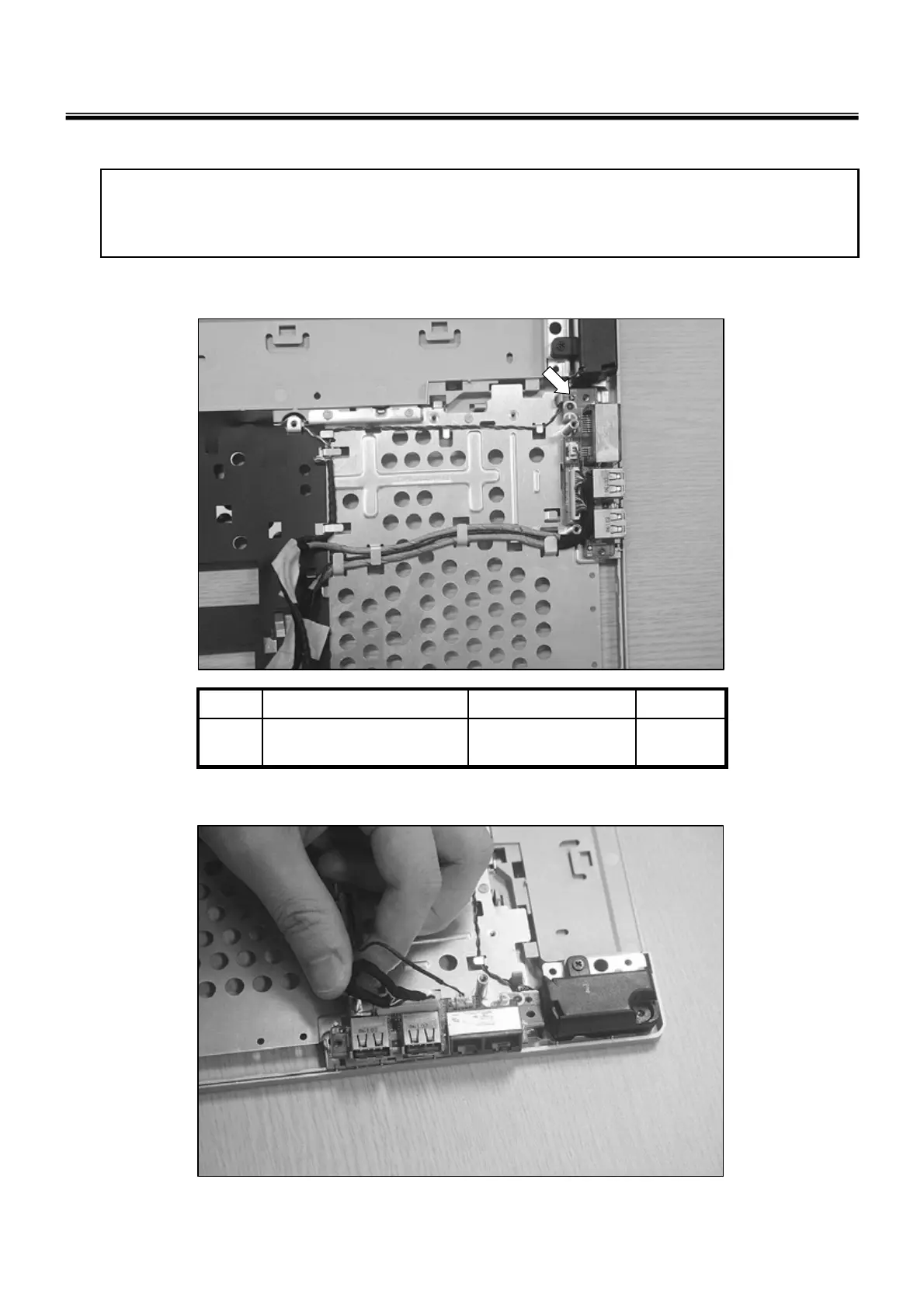
1. Remove 1 screw.
1
M2.5X0.45P,4.5mm,
5mm
FAB300651011
QtySpecificationFRU No.No.
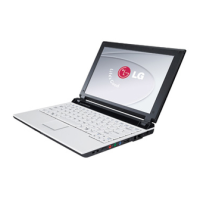
2. Remove the Connector.
※ Remove the following parts in order before replacing this part
a. Battery Pack(1010) b. System Door(1030), c. Retainer(1100), d. keyboard(1110), e. Button Sub
Board(1120), f. Display Module(1130), g. Mainboard(1140)



 To Next Page