EasyManua.ls Logo

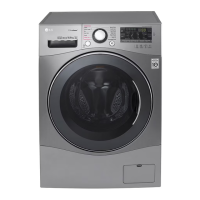
LG F1456QD Series - User Manual

LG F1456QD Series
32 pages
Print Icon
To Next Page IconTo Next Page
Loading...
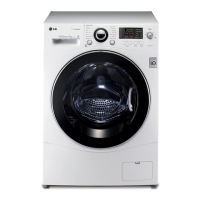
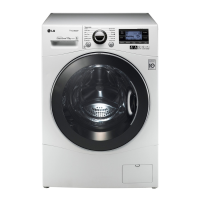
Washing Machine
OWNER’S MANUAL
F1056QD(1~9)
F1256QD(1~9)
F1456QD(1~9)
Thank you for buying a
LG Fully Automatic Washing machine.
Please read your owner’s manual carefully, it provides
instructions on safe installation, use and maintenance.
Retain it for future reference.
Record the model and serial numbers of your washing machine.

Questions and Answers

  • C
    Christine SmithAug 14, 2025
    Why LG F1456QD Washer won't start or spin?
    • C
      christopher22Aug 14, 2025
      Your LG Washer might not start or spin because the electrical power cord isn't properly plugged in, a fuse has blown, a circuit breaker has tripped, or there's a power outage. Also, the water supply tap might not be turned on, or the door isn't firmly shut. Make sure the plug fits tightly in the wall outlet. Reset the circuit breaker or replace the fuse, but do not increase the fuse capacity. If it's a circuit overload, have it corrected by an electrician. Turn on the water supply tap. Ensure the door is closed properly and press the Start/Pause button. Note that it may take a few moments after pressing Start/Pause for the washer to begin spinning, as the door must lock first.
  • K
    Kimberly LaneAug 17, 2025
    What to do if LG F1456QD door does not open?
    • M
      matthewadamsAug 17, 2025
      If the door of your LG Washer won't open, it's likely because the electric locking mechanism hasn't released yet. Wait one or two minutes after the wash cycle has ended to give it time to release for safety reasons.
  • E
    Erin CunninghamAug 20, 2025
    What to do if load is too small or out of balance in LG F1456QD?
    • B
      Brenda AndersonAug 20, 2025
      If the load in your LG Washer is too small or out of balance, add one or two similar items to help balance the load. If individual heavy articles are loaded, the imbalance detection system may stop spinning or interrupt the spin cycle. If laundry is still too wet at the end of the cycle, add smaller articles to balance the load and repeat the spin cycle. You can also rearrange the load to allow proper spinning.
  • M
    Megan ChapmanAug 25, 2025
    What to do if LG Washer experienced a power failure?
    • J
      Jessica WalkerAug 25, 2025
      If your LG Washer experienced a power failure, restart the cycle.
  • K
    Kenneth AyersAug 27, 2025
    What to do if LG Washer water overfills due to the faulty water valve?
    • A
      Ashlee MirandaAug 27, 2025
      If your LG Washer overfills with water due to a faulty water valve, close the water tap, unplug the power plug, and call for service.
  • D
    David FitzgeraldAug 30, 2025
    What to do if water supply is not adequate for LG F1456QD?
    • R
      Rebecca WilliamsAug 30, 2025
      If the water supply to your LG Washer is inadequate, the water supply may not be adequate in your area, or the water supply taps aren't completely open. The water inlet hoses could be kinked, or the filters of the inlet hoses might be clogged. Check another tap in the house to confirm water supply. Fully open the tap. Straighten any kinked hoses. Inspect and clean the filter of the inlet hose.
  • J
    Joel MullenSep 3, 2025
    What to do if drain hose is kinked or clogged in LG Washer?
    • O
      ojonesSep 3, 2025
      If the drain hose of your LG Washer is kinked or clogged, or the drain filter is clogged, clean and straighten the drain hose. Also, clean the drain filter.
  • B
    Brian WaltersSep 6, 2025
    Why LG Washer wash cycle time is delayed?
    • P
      peter99Sep 6, 2025
      The wash cycle time on your LG Washer may vary depending on the amount of laundry, water pressure, water temperature, and other usage conditions. Also, if an imbalance is detected or if the suds removing program is activated, the wash time will increase.
  • C
    Charles FosterSep 10, 2025
    What to do if the door of LG Washer is opened?
    • J
      Joshua PenaSep 10, 2025
      Close the door of your LG Washer. If the specific symbol is not released, call for service.

Summary

Product Features

Warnings

Important Safety Instructions

Key safety precautions to minimize risks like fire, electric shock, and injury during use.

Specifications

Installation

Transit Bolts

Instructions for removing transit bolts to prevent damage and ensure proper operation.

Installation Place Requirements

Guidelines for selecting an appropriate location for the washing machine.

Positioning

Advice on placing the washing machine for optimal air circulation and stability.

BS Plug Safety Details (For U.K. User)

Specific wiring color codes and safety instructions for UK plugs.

Electrical Connection

Proper electrical connection procedures, including avoiding extension cords and ensuring earthing.

Connecting Water Supply Hose

Steps for connecting the water supply hose, including pressure and leak prevention.

Normal Tap Connection (Screw Type)

How to connect the water inlet hose to standard taps using a screw-type fitting.

Normal Tap Connection (One Touch Type)

How to connect the water inlet hose to standard taps using a one-touch fitting.

Drain Hose Installation

Instructions for properly installing the drain hose to prevent water leakage and noise.

Level Adjustment

Steps to ensure the washing machine is level, preventing noise and vibration.

Care Before Washing

First Wash Preparation

Instructions for running the first wash cycle to clean the drum.

Sorting and Loading Laundry

Guidelines for sorting clothes by color, soil level, and fabric type for optimal washing.

Adding Detergent

Dispenser Drawer Usage

How to use the dispenser drawer for detergent and fabric softener.

Detergent Dosage and Water Softener

Guidance on correct detergent amounts and using water softeners.

Using Washing Tablets

Instructions for loading and using washing tablets in the drum.

Functions and Programs

Recommended Courses by Laundry Type

A guide to selecting the appropriate wash program based on fabric type and soil level.

How to Use Washer

Automatic Cotton Program

How the washer defaults to the Cotton program upon power-on.

Manual Program Selection

Steps to manually select wash programs and settings.

Power and Initial Program

How to turn the washer on/off and the default Cotton program settings.

Start, Pause, and Door Lock

How to start, pause, and manage the door lock feature during operation.

Detecting Function

Explanation of the 'Detecting' phase for load sensing.

Option Functions

Details on using additional wash options like Medic Rinse, Pre Wash, Intensive, and Crease Care.

Child Lock Operation

How to activate and deactivate the Child Lock feature to prevent tampering.

Spin Speed Selection

How to choose spin speeds, including 'No Spin' and 'Rinse Hold' options.

Water Temperature Selection

How to select the water temperature for different wash cycles.

Time Delay Function

How to set a delayed start time for the wash cycle.

Display Information

Explanation of special function displays and self-diagnosis error codes.

Time Left and Cycle Completion

How the remaining time is displayed and cycle completion indication.

Maintenance

Water Inlet Filter Cleaning

Steps to clean the water inlet filter to ensure proper water supply.

Drain Pump Filter Cleaning

Instructions for cleaning the drain pump filter to remove debris and ensure drainage.

Dispenser Drawer and Recess Cleaning

How to clean the detergent dispenser drawer and its recess.

Washing Drum Cleaning

Recommendations for cleaning the washing drum to prevent limescale and rust.

Washer Exterior and Interior Cleaning

Methods for cleaning the outside and inside of the washing machine.

Cold Condition Storage

Procedures for preparing the washer for storage in freezing temperatures.

Troubleshooting Guide

Common Symptoms and Causes

Lists common washing machine issues like noise, leaks, and oversudsing with potential causes.

Washer Operation Faults

Troubleshooting steps for issues like washer not starting, not spinning, or door not opening.

Error Code Troubleshooting

Explains specific error codes (IE, OE, UE, dE, etc.) and their solutions.

Terms of Warranty

Disposal of Old Appliance

Information on the correct disposal of the old washing machine according to regulations.

What Is Not Covered

Details of services and issues not covered under the product's warranty.

LG F1456QD Series Specifications

General IconGeneral
BrandLG
ModelF1456QD Series
CategoryWasher
LanguageEnglish

Related product manuals